


SwiftUI的 ToolbarItem中的无边框按钮存在不可点击的内边距区域
SwiftUI工具栏项:按钮边框与内边距虽可见,却不可点击
iOS 18+ / Xcode 26 - 当在 ToolbarItem 与一种 Button 风格的 .borderedProminent 一起使用时,按钮会显示边框和内边距,但这些区域对点击没有响应。只有红色矩形内部的正中间会触发操作。如何解决?
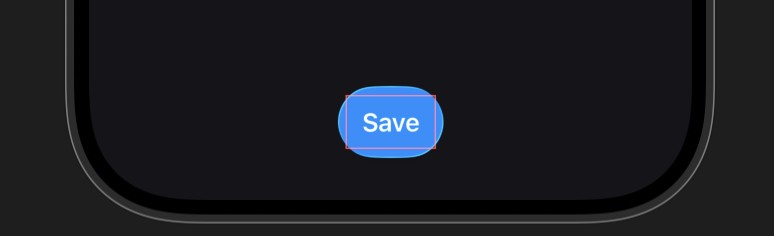
代码示例
NavigationStack {
    ContentView()
        .toolbar {
            ToolbarItem(placement: .bottomBar) {
                Button("Save") {
                    print("Tapped!")
                }
                .buttonStyle(.borderedProminent)  // Problem here
                .border(Color.red)         // RED BORDER VISIBLE
            }
        }
}
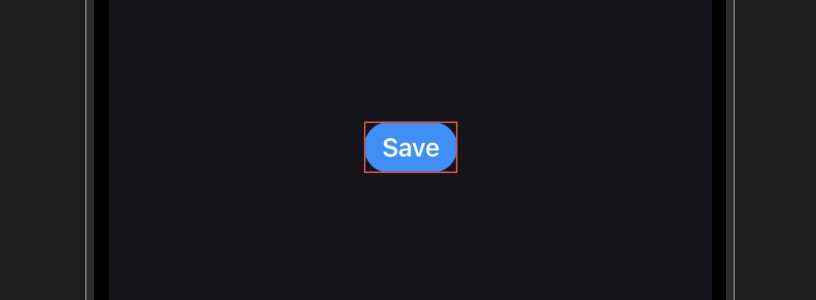
NavigationStack {
    Button("Save") {
       print("Tapped!")
    }
    .buttonStyle(.borderedProminent)
    .border(Color.red)
}
编辑
解决方案
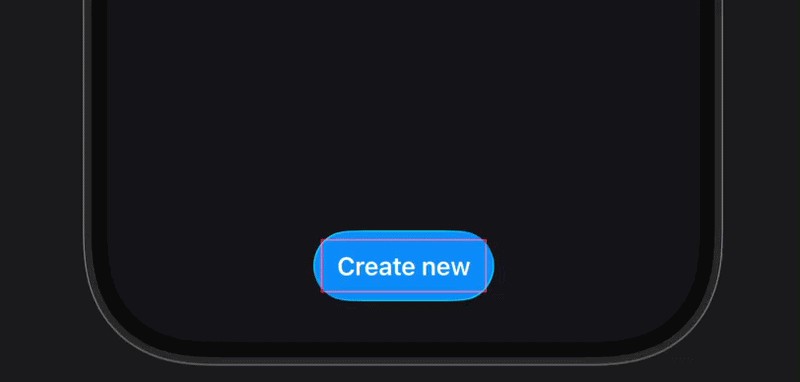
在一个 ToolbarItem 中,边框无边的 Button 的可点击区域基于SwiftUI收到的 label 视图。如果你只传入一个 Text,然后对它周围进行样式化,可见框架的某些部分可能会超出实际的命中区域,因此对边缘的点击会被忽略。
使用基于标签的初始化器(或显式的 Label)会让系统把整个可视元素视为按钮的可点击区域:
.toolbar {
    ToolbarItem(placement: .bottomBar) {
        Button {
            print("tapped")
        } label: {
            Label("Save", systemImage: "plus")
               .labelStyle(.titleOnly)
        }
    }
}
或者,简洁地说:
.toolbar {
    ToolbarItem(placement: .bottomBar) {
        Button("Save", systemImage: "plus") {
            print("tapped")
        }
        .labelStyle(.titleOnly)
    }
}
使用这些初始化器,整个可见按钮,包括内边距,在iOS 18+的底部工具栏中将变得可靠可点击。
站内所有文章版权归属LeftHeroAI导航站,无授权禁止任何主体转载、抄袭、复制内容,亦不得私自架设镜像站点。一经侵权,本站将通过法律途径追责。
相关文章






汇集全球数千款 AI 工具,每日持续更新,配套 AI 开发学习资源,轻松用 AI 提升工作效率。快捷键 Ctrl+D/⌘+D 一键收藏本站。