


如何为嵌套的条带上色?
这与这个问题密切相关,然而我还没能把解决方案改造成符合我想要实现的目标。下面的最小可重复示例(MWE)用一个内置数据集来说明我想要实现的效果。
library(ggplot2)
library(ggh4x)
library(dplyr, warn = FALSE)

mpg2 <- mpg |>
  tibble::rowid_to_column("id") |>
  dplyr::select(id, manufacturer, cty, hwy) |>
  dplyr::filter(manufacturer %in% c("audi", "dodge", "jeep", "nissan",
                                    "toyota")) |>
  dplyr::group_by(manufacturer) |>
  dplyr::mutate(n = dplyr::row_number(),
                let = nchar(manufacturer)) |>
  dplyr::filter(n < let)

ggplot(mpg2, aes(cty, hwy)) +
  geom_point() +
  facet_nested(
    ~ manufacturer + id,
  )
使用上面的代码,我生成了一个嵌套的绘图,其中 'id' 变量嵌套在 'manufacture' 变量之下,每个散点对应一个图。我想让分面条带的背景颜色按制造商分开着色,并隐藏对 'id' 的分面(要么移除,要么白色背景上出现白色文本,看起来就像被隐藏了一样)。
我的想法是尝试
strip_background <- strip_nested(
  text_x = elem_list_text(colour = "white", face = "bold"),
  background_x =
    elem_list_rect(
      fill = c(
        # level 1 colors
        case_match(
          unique(combos$manufacturer),
          "jeep" ~ "green",
          "audi" ~ "blue",
          "dodge" ~ "red",
          "toyota" ~ "orange",
          "nissan" ~ "purple",
          .default = "grey"
        ),
        # level 2 colors
        "white"
        )
      )
    )

ggplot(mpg2, aes(cty, hwy)) +
  geom_point() +
  facet_nested(
    ~ manufacturer + id,
  strip = strip_background
  )
这对于制造商似乎有效,但ID的颜色看起来是随机的,我不明白其中的原因。
我也理想地想在多行中使用 facet_nested_wrap,但如果这么做,制造商的颜色也会变成随机的。
我确定自己对分面的工作原理有误,但现在有点卡住了。
解决方案
问题在于 elem_list_rect 按位置循环使用颜色向量,遍历所有分面条带,而不是按层级来分配。因此你的第二层 "white" 会被重新分配并与制造商的颜色混合。你需要为每个分面明确指定颜色。
mfr_colors <- c(audi = "blue", dodge = "red", jeep = "green",
                nissan = "purple", toyota = "orange")

combos <- mpg2 |>
  ungroup() |>
  distinct(manufacturer, id) |>
  arrange(manufacturer, id)

lvl1_colors <- mfr_colors[as.character(unique(combos$manufacturer))]
lvl2_colors <- rep("white", nrow(combos))

strip_background <- strip_nested(
  text_x = elem_list_text(
    colour = c(rep("black", length(lvl1_colors)),
               rep("white", length(lvl2_colors)))
  ),
  background_x = elem_list_rect(
    fill = c(lvl1_colors, lvl2_colors)
  )
)

ggplot(mpg2, aes(cty, hwy)) +
  geom_point() +
  facet_nested(~ manufacturer + id, strip = strip_background)
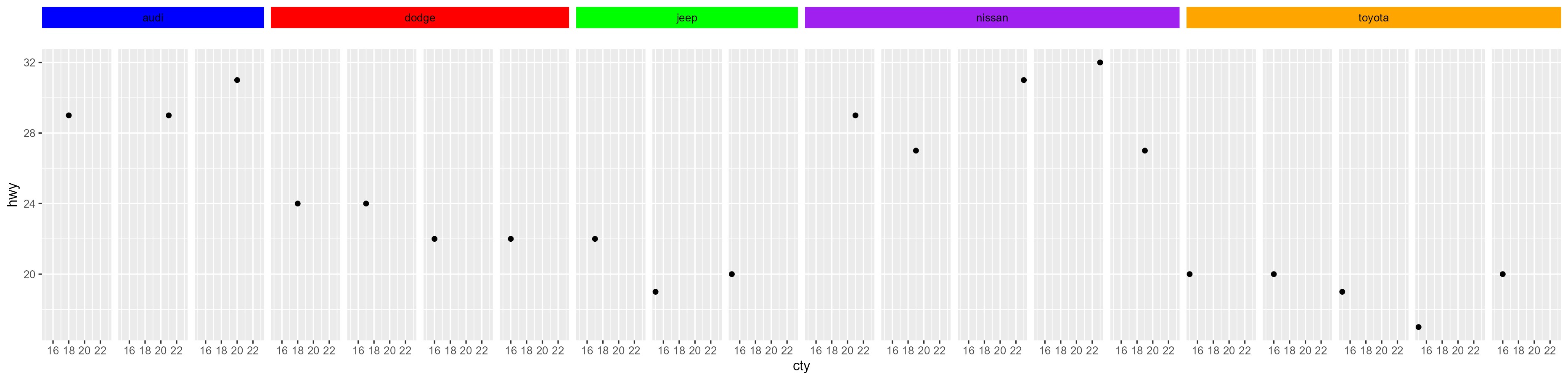
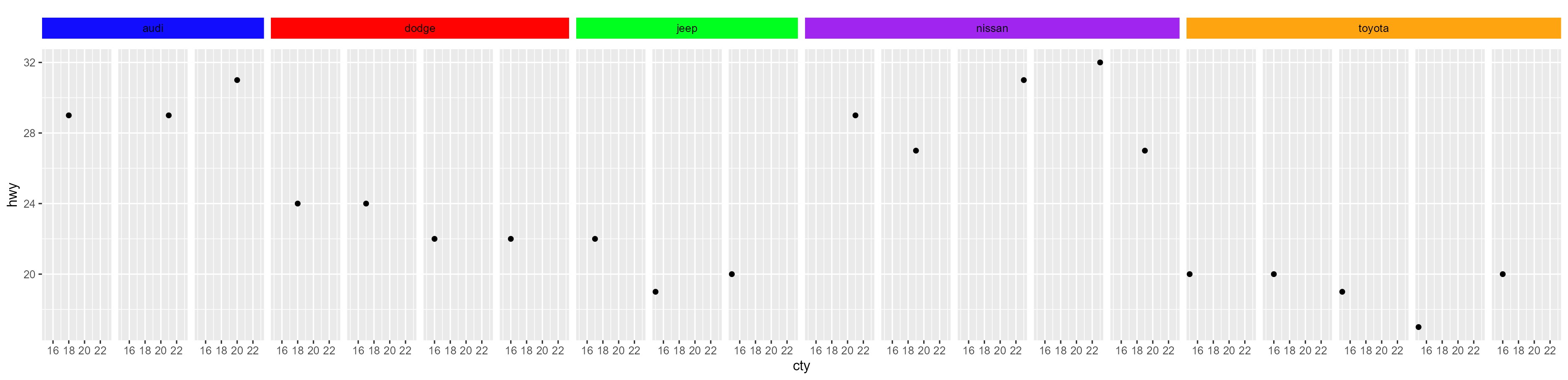
如果你想完全去掉它们,我想不到除了在创建绘图后修改 gtable 对象之外的其他办法。
library(grid)

p <- ggplot(mpg2, aes(cty, hwy)) +
  geom_point() +
  facet_nested(~ manufacturer + id, strip = strip_background)

gt <- ggplotGrob(p)

strip_idx <- grep("strip-t", gt$layout$name)

for (i in strip_idx) {
  g <- gt$grobs[[i]]
  if (inherits(g, "gtable") && nrow(g) > 1) {
    g$heights[2] <- unit(0, "pt")
    for (j in seq_along(g$grobs)) {
      if (g$layout$t[j] == 2) {
        g$grobs[[j]] <- zeroGrob()
      }
    }
    gt$grobs[[i]] <- g
  }
}

grid.newpage()
grid.draw(gt)
Created on 2026-02-24 with reprex v2.1.1
更新:
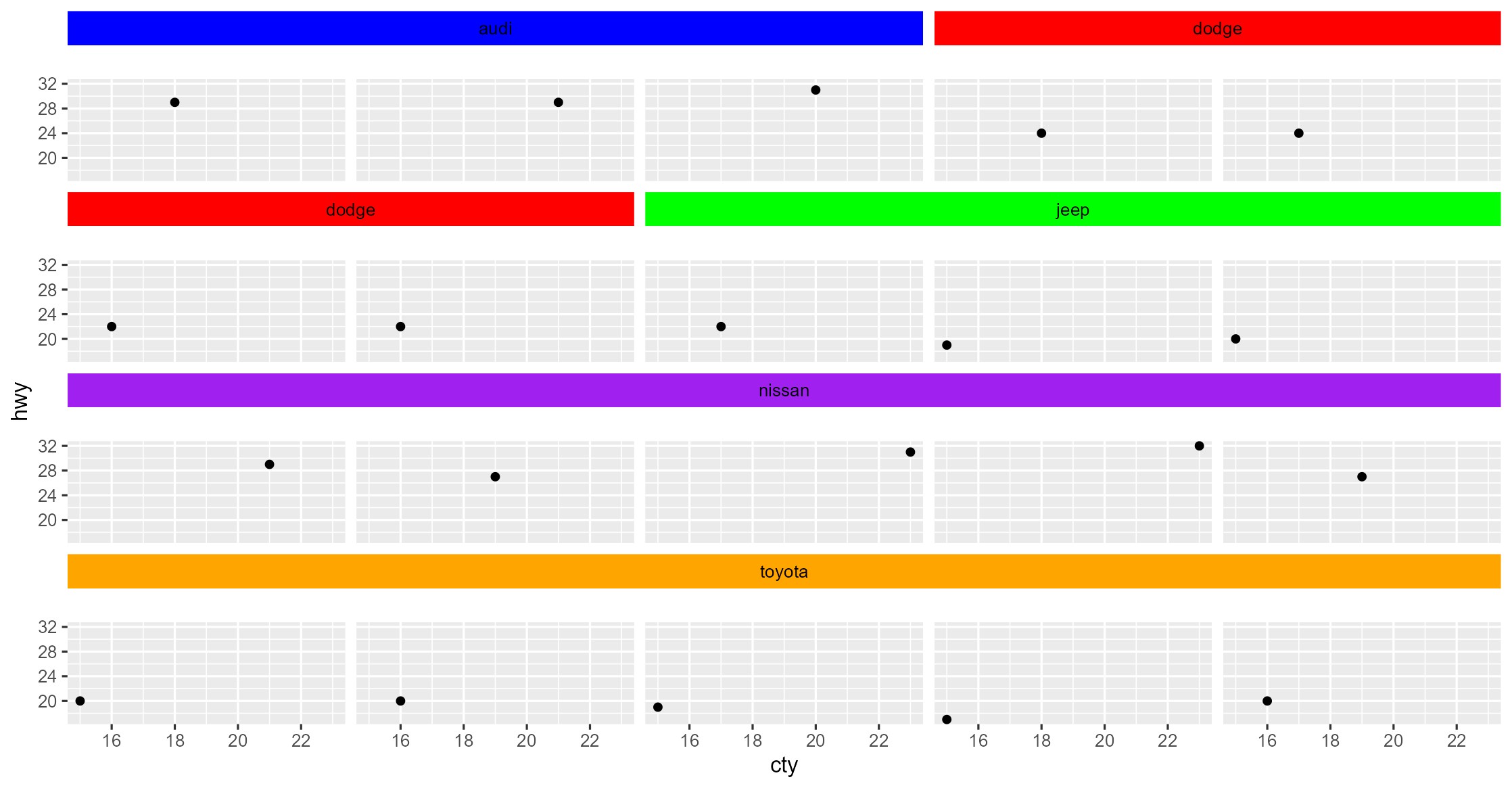
如果你想使用 facet_nested_wrap(),那么结构会改变,我们需要相应地分配 lvl1_colors。请注意,如果你改变行数,那么你需要为 lvl1_colors 找到合适的颜色。
lvl1_colors <- c(
  mfr_colors["audi"], mfr_colors["dodge"],   # row 1
  mfr_colors["dodge"], mfr_colors["jeep"],   # row 2
  mfr_colors["nissan"],                      # row 3
  mfr_colors["toyota"]                       # row 4
)
lvl2_colors <- rep("white", nrow(combos))

strip_background <- strip_nested(
  text_x = elem_list_text(
    colour = c(rep("black", length(lvl1_colors)),
               rep("white", length(lvl2_colors)))
  ),
  background_x = elem_list_rect(
    fill = c(lvl1_colors, lvl2_colors)
  )
)

ggplot(mpg2, aes(cty, hwy)) +
  geom_point() +
  facet_nested_wrap(~ manufacturer + id,
                    strip = strip_background, nrow = 4)
Created on 2026-02-26 with reprex v2.1.1
站内所有文章版权归属LeftHeroAI导航站,无授权禁止任何主体转载、抄袭、复制内容,亦不得私自架设镜像站点。一经侵权,本站将通过法律途径追责。
相关文章






汇集全球数千款 AI 工具,每日持续更新,配套 AI 开发学习资源,轻松用 AI 提升工作效率。快捷键 Ctrl+D/⌘+D 一键收藏本站。