


让加载中动画后面的图片保持可见
我希望在加载指示器运行时,背后的图片仍然可见:
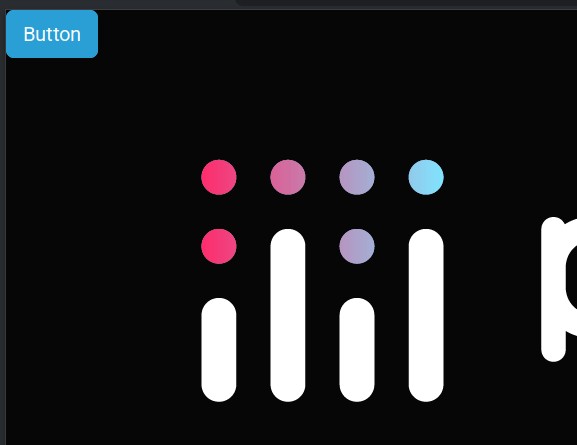
如何实现?
from dash import Dash, html, callback, Output, Input
from time import sleep
import dash_bootstrap_components as dbc

app = Dash(__name__,external_stylesheets=[dbc.themes.CYBORG],)
app.layout = [
   html.Div(dbc.Button('Button', id='button', size="lg", className="me-1")),
   dbc.Spinner([
       html.Img(src='https://dash.plotly.com/assets/images/plotly_logo_dark.png'),
       html.Div(id='spinner'),
       ],
       spinner_style={'min-height': '10rem', 'min-width': '10rem', 'margin-left':'10rem'},
    ),
]

@callback(
   Output('spinner', 'children'),
   Input('button', 'n_clicks'),
   prevent_initial_call=True,
)
def process(value: str):
   sleep(1)
   return ''

if __name__ == '__main__':
    app.run(debug=True)
解决方案
当加载指示器运行时,visibility: hidden 会应用到图片上(内联样式)。要防止这种情况,只需在图片组件上添加 style={'visibility': 'visible'}:
app.layout = [
   html.Div(dbc.Button('Button', id='button', size="lg", className="me-1")),
   dbc.Spinner([
       html.Img(src='https://dash.plotly.com/assets/images/plotly_logo_dark.png',
                style={'visibility': 'visible'}),
       html.Div(id='spinner'),
       ],
       spinner_style={'min-height': '10rem', 'min-width': '10rem', 'margin-left':'10rem'},
    ),
]
站内所有文章版权归属LeftHeroAI导航站,无授权禁止任何主体转载、抄袭、复制内容,亦不得私自架设镜像站点。一经侵权,本站将通过法律途径追责。
相关文章






汇集全球数千款 AI 工具,每日持续更新,配套 AI 开发学习资源,轻松用 AI 提升工作效率。快捷键 Ctrl+D/⌘+D 一键收藏本站。