


在CPU光线追踪器中如何处理负纹理坐标
多年前我实现了一个CPU光线追踪软件,功能一切正常。随后我实现了一个DirectX 12查看器。最近我发现这两个实现在纹理映射方面存在一些差异。负纹理坐标没有被正确处理。
我使用的测试场景是McGuire Computer Graphics Archive的 Sponza模型。
测试网格名为 "sponza_34"。
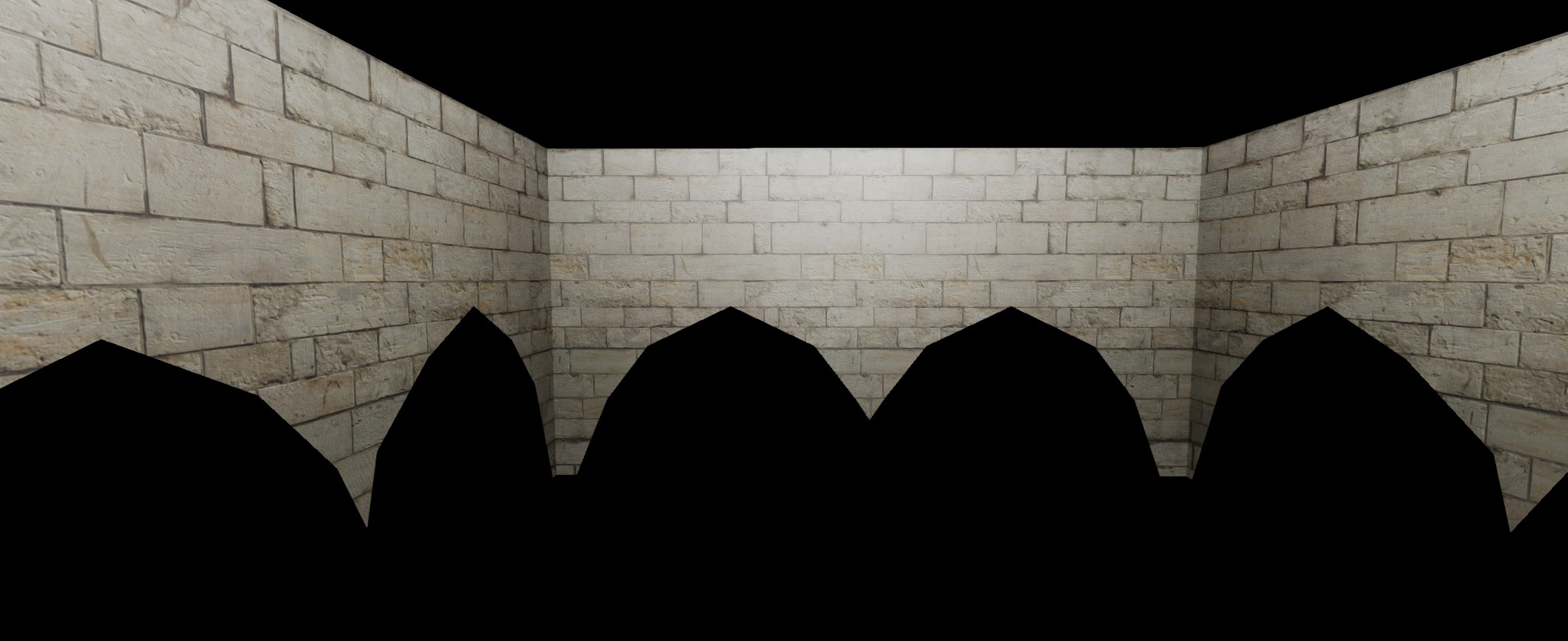
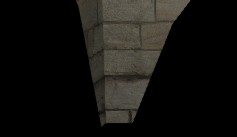
下面是使用DirectX 12得到的结果:
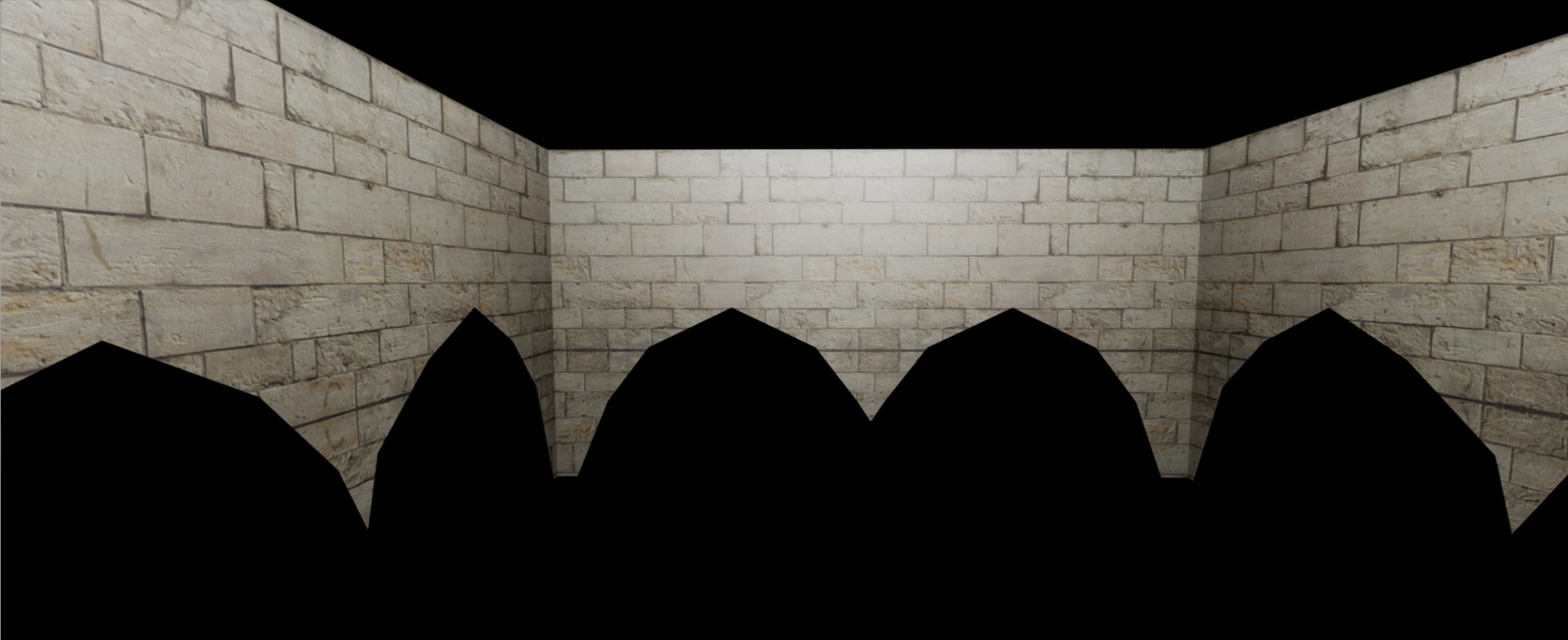
下面是通过CPU光线追踪得到的结果:
问题如下:
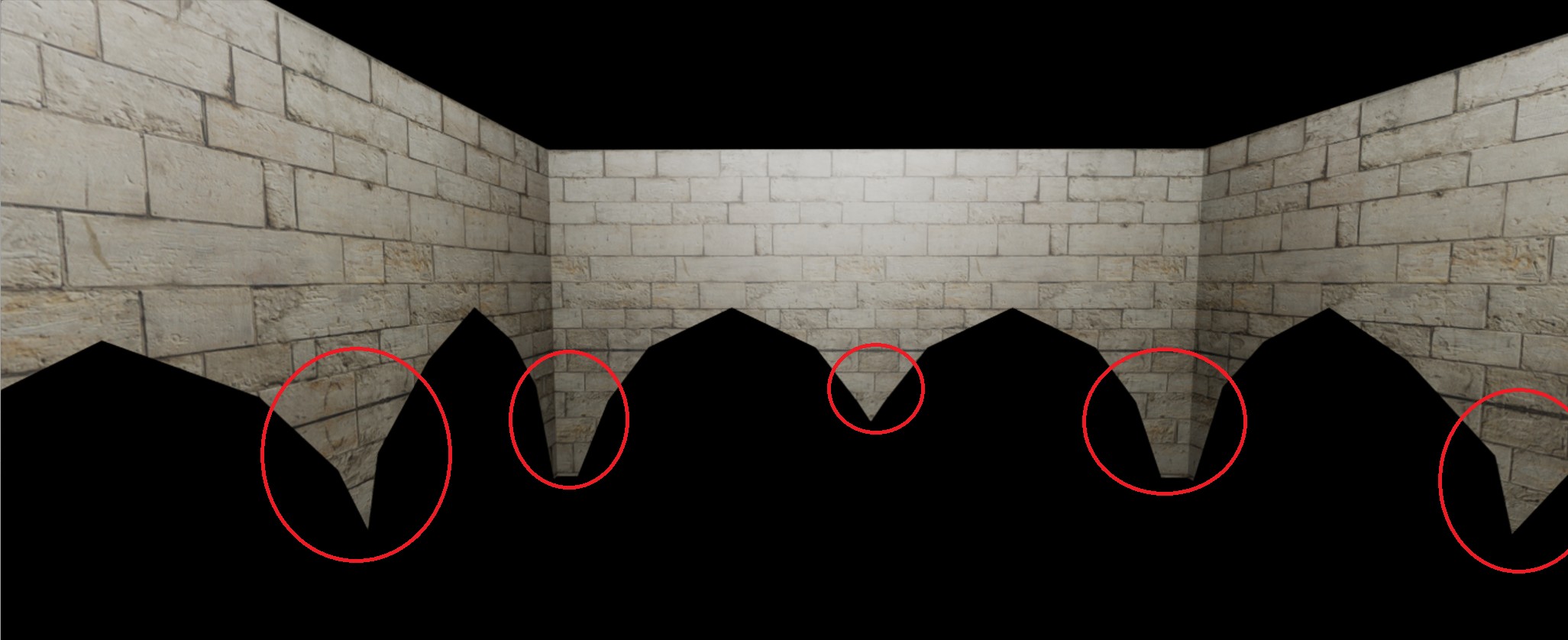
问题出现在存在负纹理坐标的地方。DirectX和 CPU给出不同的结果。
差异如下。
CPU
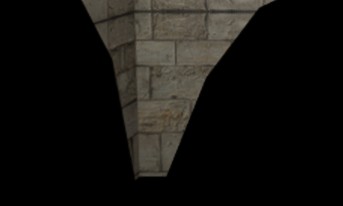
DirectX 12
排查
- 我先检查纹理是否在GPU上正确加载。PIX显示是的
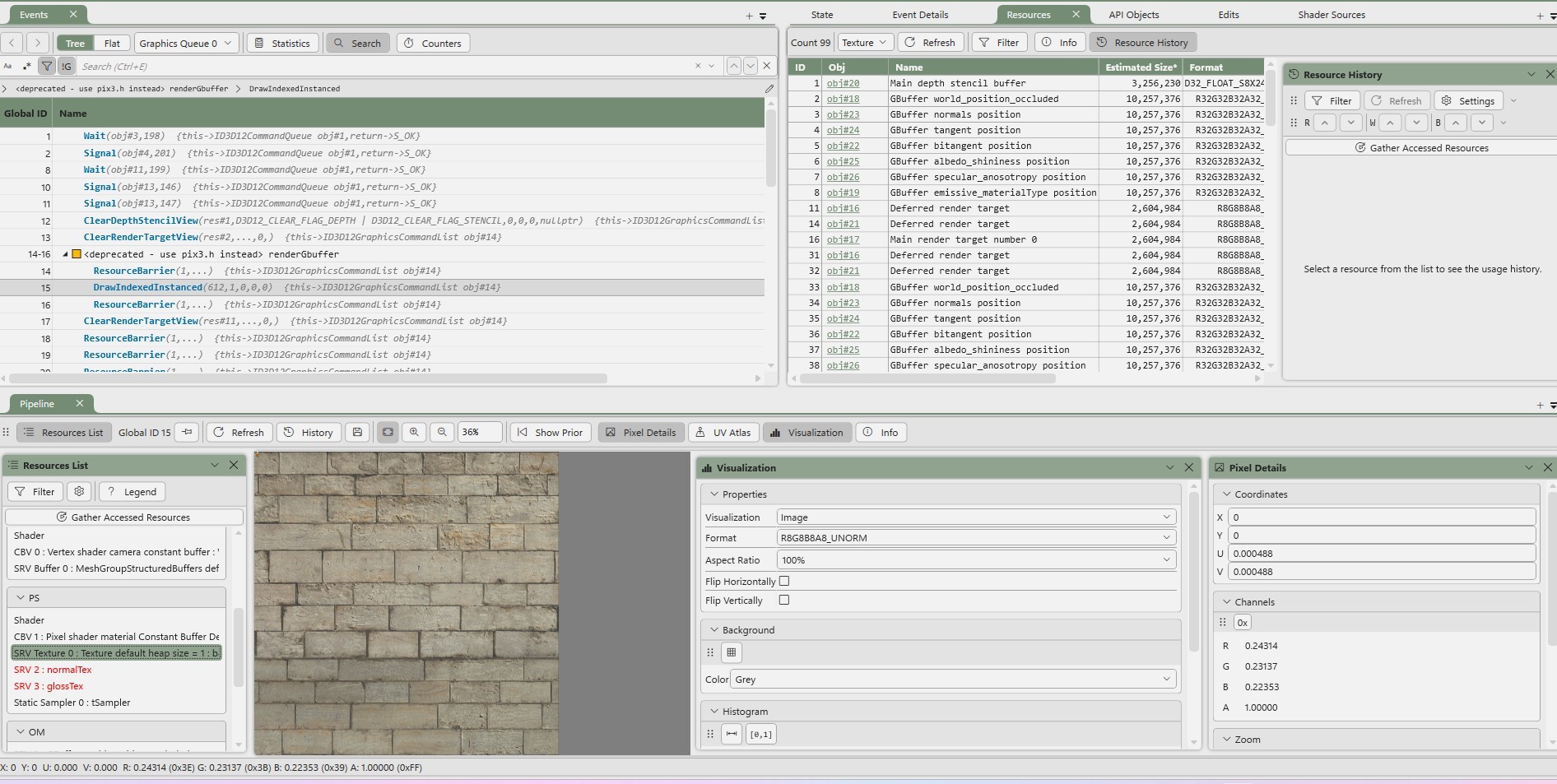
- 我验证了顶点缓冲区和索引缓冲区在GPU端与你在CPU端的一致性。
为此我检查了第一个和最后一个顶点,数值是匹配的。该网格有612个顶点,因此无法逐个逐一验证。
不幸的是,这个测试也通过了。
所以我在这两个平台其中一个上可能做错了。我的猜测是问题来自CPU光线追踪器。
DirectX12代码
我使用的是延迟渲染系统。下面是G-buffer的渲染方式。
顶点着色器:
#include "MeshGroup.hlsli"

struct VS_INPUT
{
    float3 position : POSITION;
    float3 normal : NORMAL;
    float3 tangent : TANGENT;
    float3 bitangent : BITANGENT;
    float2 texCoord: TEXCOORD;
};

struct VS_OUTPUT
{
    float4 position: SV_POSITION;
    float3 worldPosition : POSITION;
    float3 tangent : Tangent;
    float3 bitangent : Bitangent;
    float3 normal : NORMAL;
    float2 texCoord: TEXCOORD;
};

cbuffer VertexShaderSharedCB : register(b0)
{
    float4x4 vpMat;
};

VS_OUTPUT main(VS_INPUT input, uint instanceID : SV_InstanceID)
{
    VS_OUTPUT output;

    const float4x4 modelMat = meshGroupDatas[instanceID].transform;
    const float4 worldPosition = mul(float4(input.position, 1.0f), modelMat);
    output.worldPosition = worldPosition.xyz;
    output.position = mul(worldPosition, vpMat);
    output.texCoord = input.texCoord;
    output.normal = normalize(mul(float4(input.normal, 0.0f), modelMat));
    output.tangent = normalize(mul(float4(input.tangent, 0.0f), modelMat));
    output.bitangent = normalize(mul(float4(input.bitangent, 0.0f), modelMat));

    return output;
}
像素着色器:
#include "SharedLightning_PS.hlsli"

struct GBufferPSOut
{
    float4 positionWsOccluded : SV_TARGET0;
    float4 normalWs : SV_TARGET1;
    float4 tangentWs : SV_TARGET2;
    float4 bitangentWs : SV_TARGET3;
    float4 albedoShininess : SV_TARGET4;
    float4 specularAnisotropy : SV_TARGET5;
    float4 emissiveMaterialType : SV_TARGET6;
};

GBufferPSOut main(VS_OUTPUT input)
{
    const float3 P = input.worldPosition;
    const float3 N = computeNormal(Material, normalTex, tSampler, input.normal, input.tangent, input.bitangent, input.texCoord);

    float4 matBaseColor = Material.baseColor;
    if (Material.hasBaseColorTex)
    {
        matBaseColor *= baseColorTex.Sample(tSampler, input.texCoord);
    }

    float matShininess = Material.shininess;
    if (Material.hasGlossTex)
    {
        float roughness = _GLOSS(matShininess);
        roughness *= glossTex.Sample(tSampler, input.texCoord).r;
        matShininess = _SHININESS(roughness);
    }

    GBufferPSOut psOut;
    psOut.positionWsOccluded = float4(P, 1.0f);
    psOut.normalWs = float4(N, 1.0f);
    psOut.tangentWs = float4(input.tangent, 1.0f);
    psOut.bitangentWs = float4(input.bitangent, 1.0f);
    psOut.albedoShininess = float4(matBaseColor.xyz, matShininess);
    psOut.specularAnisotropy = Material.specular;

    if (Material.type == EMITTER_IDX)
        psOut.emissiveMaterialType = float4(matBaseColor.xyz, Material.type);
    else
        psOut.emissiveMaterialType = float4(Material.emissive.xyz, Material.type);

    return psOut;
}
CPU端代码:
纹理坐标计算
inline Math::Vec2 BaseMaterial::interpolateTexCoordinates(const Math::Vec2& t1, const Math::Vec2& t2, const Math::Vec2& t3, const Math::Vec3& coefs) const
{
    Math::Vec2 texCoord = (t1 * coefs.x) + (t2 * coefs.y) + (t3 * coefs.z);

    texCoord.s = std::abs(texCoord.s);
    texCoord.t = std::abs(texCoord.t);

    double dummy;
    if (texCoord.s > 1.0f)
        texCoord.s = (float)std::modf(texCoord.s, &dummy);

    if (texCoord.t > 1.0f)
        texCoord.t = (float)std::modf(texCoord.t, &dummy);

    return texCoord;
}
调用函数:
    IntersectionProperties buildIntersectionProperties(const Math::Ray& ray, const Intersector::IntersectionInfo& info, const Scene::BaseScene* scene)
    {
        const auto mesh = info.object;
        const auto P = ray.getPoint(info.meshIntersectData.t);

        const uint32_t triStartIdx = info.meshIntersectData.primId * _PRIMITIVE_NB_VTX;

        _ASSERT(_PRIMITIVE_NB_VTX == 3u);
        const auto v1 = mesh->buildTransformedVertexFromIndex(triStartIdx);
        const auto v2 = mesh->buildTransformedVertexFromIndex(triStartIdx + 1);
        const auto v3 = mesh->buildTransformedVertexFromIndex(triStartIdx + 2);

        float area = 0.0f;
        {
            const Math::Vec3 e2 = v2.position - v1.position;
            const Math::Vec3 e3 = v3.position - v1.position;

            area = 0.5f * glm::length(glm::cross(e2, e3));
            area = glm::max(area, 1e-10f);
        }

        const Math::Vec3 coefs = Math::interpolate(v1.position, v2.position, v3.position, P, area);

        // Read material
        const Model::ModelPtr& model = scene->getModel();
        const Material::BaseMaterial* material = model->fastGetMaterialRawPtr_FromEntityOrDefault(mesh->getMaterialId());

        // Texture coordinates
        Math::Vec2 texCoord = material->interpolateTexCoordinates(v1.texCoord, v2.texCoord, v3.texCoord,  coefs);

        // Eye vector
        const Math::Vec3 V = -ray.getDirection();

        // Compute normal
        Math::Vec3 N = (v1.normal * coefs.x) + (v2.normal * coefs.y) + (v3.normal * coefs.z);

        // Tangent and bitangent
        Math::Vec3 T = (v1.tangent * coefs.x) + (v2.tangent * coefs.y) + (v3.tangent * coefs.z);
        Math::Vec3 B = (v1.bitangent * coefs.x) + (v2.bitangent * coefs.y) + (v3.bitangent * coefs.z);

        // Apply normal mapping
        if (material->isFresnelMaterial())
        {
            const auto* fresnelMat = static_cast<const Material::FresnelMaterial*>(material);
            const EntityIdentifier normalMapId = fresnelMat->getNormalImageId();

            if (normalMapId)
            {
                // Read bump map
                const auto image = Texture::fastGetRGBAImageRawPtr_FromEntity(normalMapId);
                if (image)
                {
                    const RGBAFColor bumpMapNormal = image->getNormalizedPixelFromRatio(texCoord) * 2.0f - 1.0f;
                    const Math::Mat3 tbn = Math::Mat3(T, B, N);

                    // Bump mapped normal
                    N = tbn * glm::swizzle<glm::X, glm::Y, glm::Z>(bumpMapNormal);
                }
            }
        }

        // Finalize normal
        N = glm::normalize(N);

        if (glm::dot(N, V) < 0.0f)
            N *= -1;

        IntersectionProperties props;
        props.P = P;
        props.deltaP = getOffsetedPositionInDirection(P, N, scene->getCurrentRenderSettings().m_rayEpsilon);
        props.inDeltaP = getOffsetedPositionInDirection(P, -N, scene->getCurrentRenderSettings().m_rayEpsilon);
        props.V = V;
        props.texCoord = texCoord;
        props.BsdfProps.N = N;
        props.BsdfProps.T = T;
        props.BsdfProps.B = B;

        return props;
    }
我到底哪里做错了?
谢谢!
解决方案
你在使用 abs 和 modf 来取值的小数部分。这对重复纹理不起作用,并会导致如图所示的镜像效果。
如果你的纹理坐标是0.2、0.1、0.0、-0.2、-0.2,当然会得到0.2、0.1、0.0、0.1、0.2,这属于镜像,而不是重复。你需要在数值为负且最初就是负且小数部分大于0 的情况下,计算 1.0 - value。这样就会得到镜像效果。
站内所有文章版权归属LeftHeroAI导航站,无授权禁止任何主体转载、抄袭、复制内容,亦不得私自架设镜像站点。一经侵权,本站将通过法律途径追责。
相关文章






汇集全球数千款 AI 工具,每日持续更新,配套 AI 开发学习资源,轻松用 AI 提升工作效率。快捷键 Ctrl+D/⌘+D 一键收藏本站。