


在Metal中如何加载并绘制带有透明度的纹理
背景
我终于开始把这款非常古老的Mac万花筒应用ScopeWorks,从用OpenGL和 Objective-C编写,改造成在SwiftUI和 Metal上跨平台运行的应用。
我使用MetalKit的 MTKView类,并通过SwiftUI将其封装为NSViewRepresentable或 UIViewRepresentable。随后提供一个MTKViewDelegate,里面实现draw方法。draw方法会获取当前的渲染通道描述符,创建命令缓冲区,设置渲染管线,并执行绘制。
我的渲染器中的makePipeline方法看起来是这样的:
func makePipeline() {
    let library = device.makeDefaultLibrary()
    let pipelineDesc = MTLRenderPipelineDescriptor()
    pipelineDesc.vertexFunction = library?.makeFunction(name: "vertex_main")
    pipelineDesc.fragmentFunction = library?.makeFunction(name: "fragment_main")
    pipelineDesc.colorAttachments[0].pixelFormat = .bgra8Unorm
    pipeline = try! device.makeRenderPipelineState(descriptor: pipelineDesc)
}
而我的着色器看起来是这样的:
struct VertexOut {
    float4 position [[position]];
    float2 texCoord;
};

vertex VertexOut vertex_main(const device float2* position [[buffer(0)]],
                             uint vid [[vertex_id]]) {
    VertexOut out;
    float2 pos = position[vid];
    out.position = float4(pos, 0, 1);
    out.texCoord = pos * 0.5 + 0.5; // basic mapping
    return out;
}

fragment float4 fragment_main(VertexOut in [[stage_in]],
                              texture2d<float> tex [[texture(0)]],
                              constant float4& color [[buffer(1)]]) {
    constexpr sampler s(address::repeat, filter::linear);
    //    float4 texColor = tex.sample(s, in.texCoord);
    //    return texColor * color;
    float4 textureColor = {1, 2, 3, 4};
    if (all(color == textureColor)) {
        return tex.sample(s, in.texCoord);
    } else {
        return color;
    }

    // Sample the texture directly — no color tint applied
    return tex.sample(s, in.texCoord);
}
MTKViewDelegate的 draw方法的前半部分看起来像这样:
    func draw(in view: MTKView) {
        guard let drawable = view.currentDrawable,
              let descriptor = view.currentRenderPassDescriptor,
              let pipeline = pipeline,
              let texture = texture else { return }

        let commandBuffer = commandQueue.makeCommandBuffer()!
        let encoder = commandBuffer.makeRenderCommandEncoder(descriptor: descriptor)!
        encoder.setRenderPipelineState(pipeline)
        encoder.setFragmentTexture(texture, index: 0)
        descriptor.colorAttachments[0].clearColor = MTLClearColor(red: 0.0, green: 0, blue: 0, alpha: 1.0)

        // Draw six equilateral triangles forming the hexagon
        let radius: Float = 0.6
        for i in 0..<6 {
            let angle = Float(i) * (.pi / 3)
            let cosA = cos(angle)
            let sinA = sin(angle)
            let nextA = Float(i+1) * (.pi / 3)
            let cosB = cos(nextA)
            let sinB = sin(nextA)
            let verts: [simd_float2] = [
                simd_float2(0, 0),
                simd_float2(radius * cosA, radius * sinA),
                simd_float2(radius * cosB, radius * sinB)
            ]
            encoder.setVertexBytes(verts, length: MemoryLayout<simd_float2>.stride * 3, index: 0)

            // Tell the fragment shader to use the texture color.
            var textureColor: simd_float4 = simd_float4(1, 2, 3, 4)
            encoder.setFragmentBytes(&textureColor, length: MemoryLayout<SIMD4<Float>>.stride, index: 1)

            encoder.drawPrimitives(type: .triangle, vertexStart: 0, vertexCount: 3)
现有应用的一个功能是加载带有Alpha通道的PNG或 TIFF图像,然后把图像的部分区域翻转叠加在自身之上,从而在最终的万花筒中形成有趣的摩尔条纹。
目前我只使用一个样本图像,将其加载到Metal的纹理中,然后把它渲染成六边形,并为构成六边形的三角形画出边线。(现在我把顶点坐标当作纹理坐标,因此生成的是纹理的六边形部分,而不是经三角剖分后得到的六边形中的单个三角形部分。等会再改。)
在iOS和 macOS上,我都在draw函数开始时将清除颜色设置为黑色。
问题:
源图像大部分是透明的,但有大量半透明像素。下面是在Photoshop中的效果,你可以看到透明部分以棋盘格模式呈现:
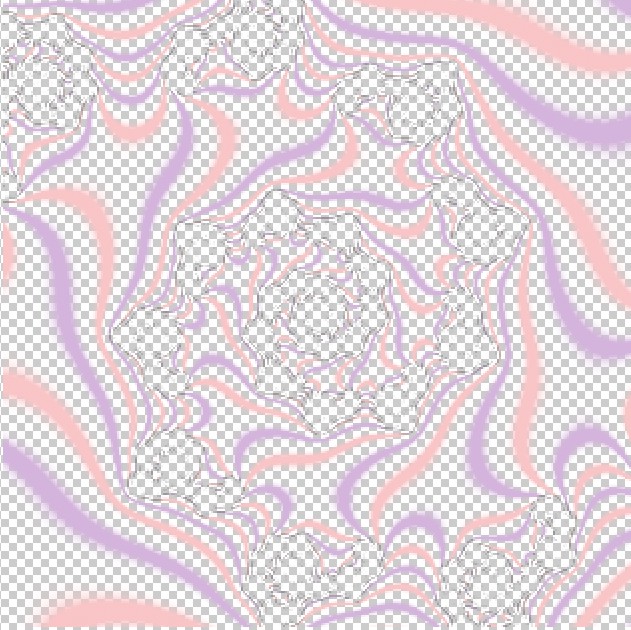
(我尝试裁剪原始图像以展示大致在六边形中渲染的部分,但并非完全精确。请在不同的图像中寻找相同的形状来对比。)
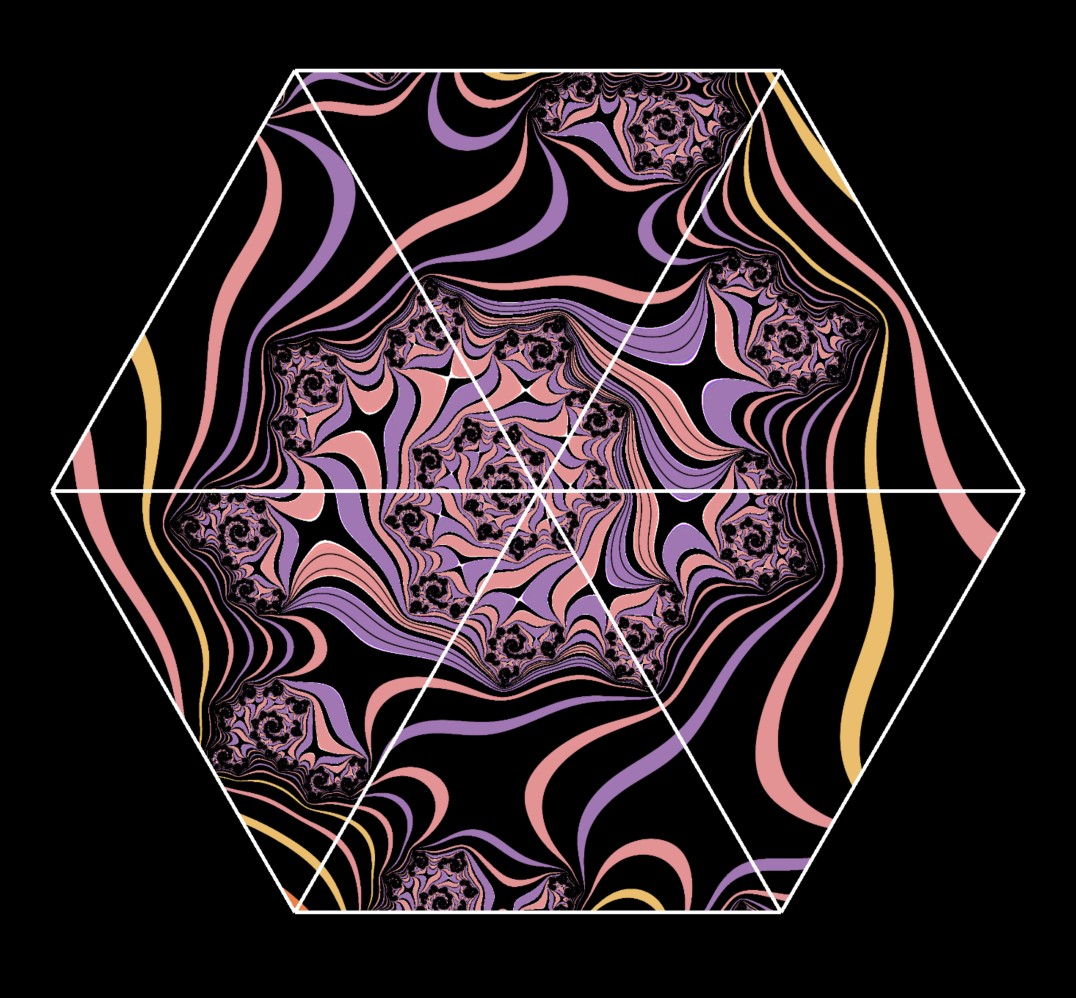
当我在iOS版本的应用里在Metal视图中渲染我的六边形时,似乎把每个像素强制为完全不透明或完全透明:
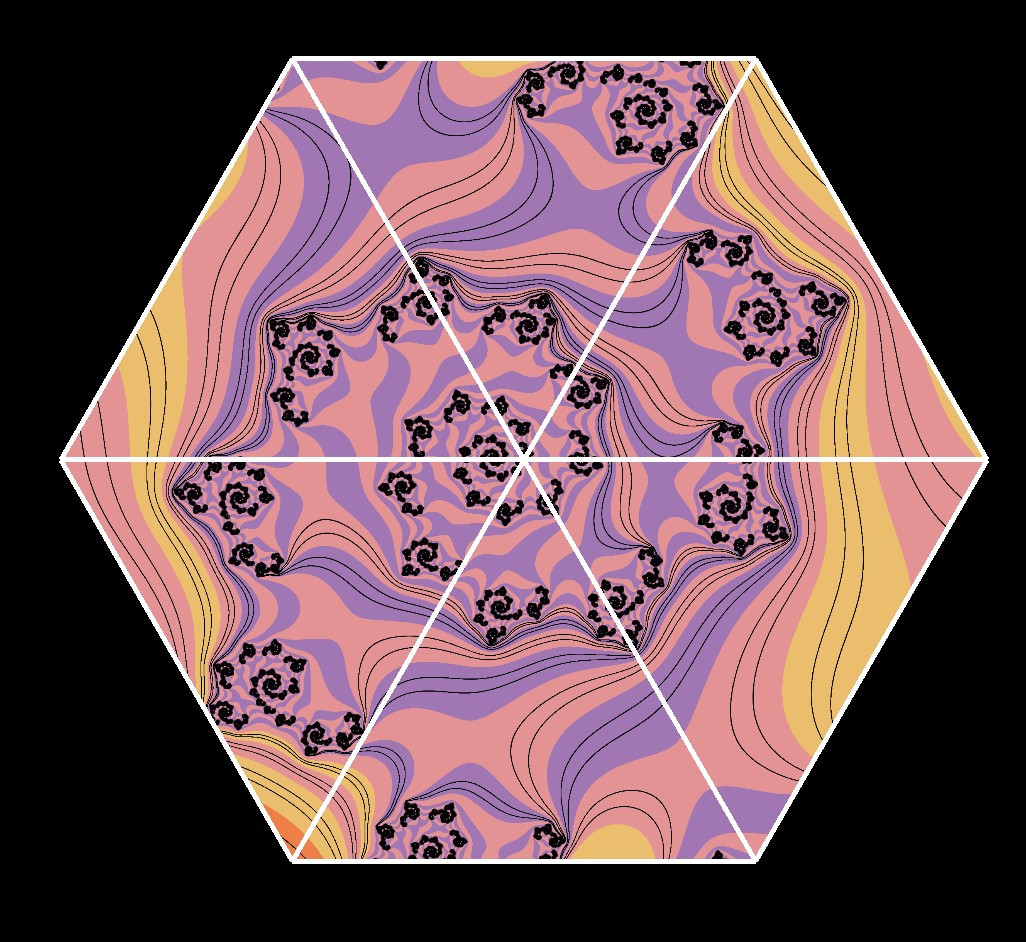
而在应用的macOS版本中,似乎把所有像素都强制为不透明:
我没有展示全部的设置代码,因为内容挺多的。是不是有某些渲染模式的设置我没有做,导致它无法按照像素的不透明度(包括半透明部分)输出到最终结果?
解决方案
好吧,我找到了原因。我把下面这段代码添加到了我的初始化设置中:
    func makePipeline() {
        let library = device.makeDefaultLibrary()
        let pipelineDesc = MTLRenderPipelineDescriptor()
        pipelineDesc.vertexFunction = library?.makeFunction(name: "vertex_main")
        pipelineDesc.fragmentFunction = library?.makeFunction(name: "fragment_main")
        pipelineDesc.colorAttachments[0].pixelFormat = .bgra8Unorm

        // ---- New changes
        // Enable blending for transparent drawing
        pipelineDesc.colorAttachments[0].isBlendingEnabled = true
        pipelineDesc.colorAttachments[0].rgbBlendOperation = .add
        pipelineDesc.colorAttachments[0].alphaBlendOperation = .add
        pipelineDesc.colorAttachments[0].sourceRGBBlendFactor = .sourceAlpha
        pipelineDesc.colorAttachments[0].destinationRGBBlendFactor = .oneMinusSourceAlpha
        pipelineDesc.colorAttachments[0].sourceAlphaBlendFactor = .sourceAlpha
        pipelineDesc.colorAttachments[0].destinationAlphaBlendFactor = .oneMinusSourceAlpha
        // ---- end of new changes

        pipeline = try! device.makeRenderPipelineState(descriptor: pipelineDesc)
    }
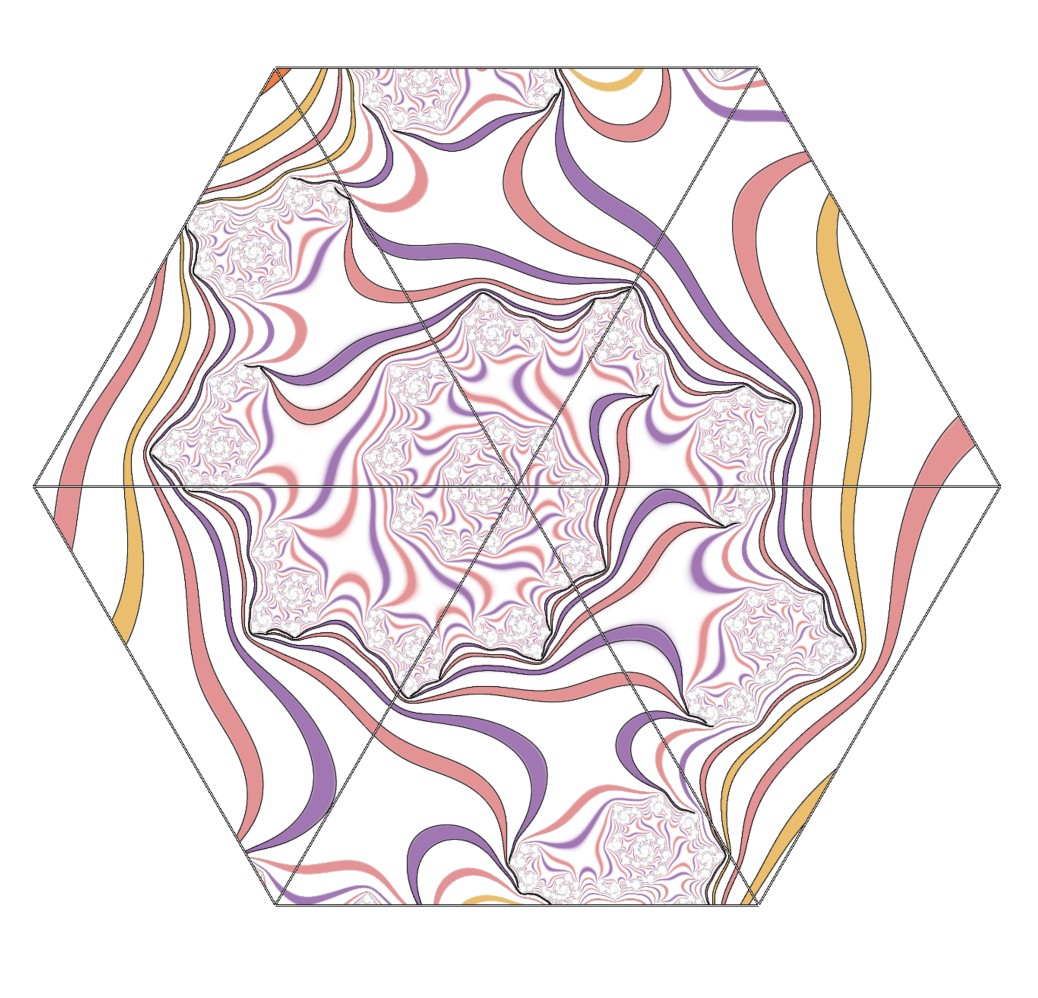
这在两个平台上都解决了混合的问题。对黑色背景来说有点不太容易分辨,但当我在绘制前把Metal视图清空为白色时,就能看到图像中部分透明的区域。
结果如下:
相关文章





