


Google Places(新)自动完成数据API在尾随空格时无法正常工作
当我在输入末尾输入一个空格时,来自Google Places(New)自动完成数据API的所有建议都会消失。失去焦点(点击其他地方)再聚焦到输入框时,建议会出现,即使存在尾随空格也是如此。此外,即使你删除尾随空格,除非你先失去焦点再重新获得焦点,否则也不会显示任何结果。
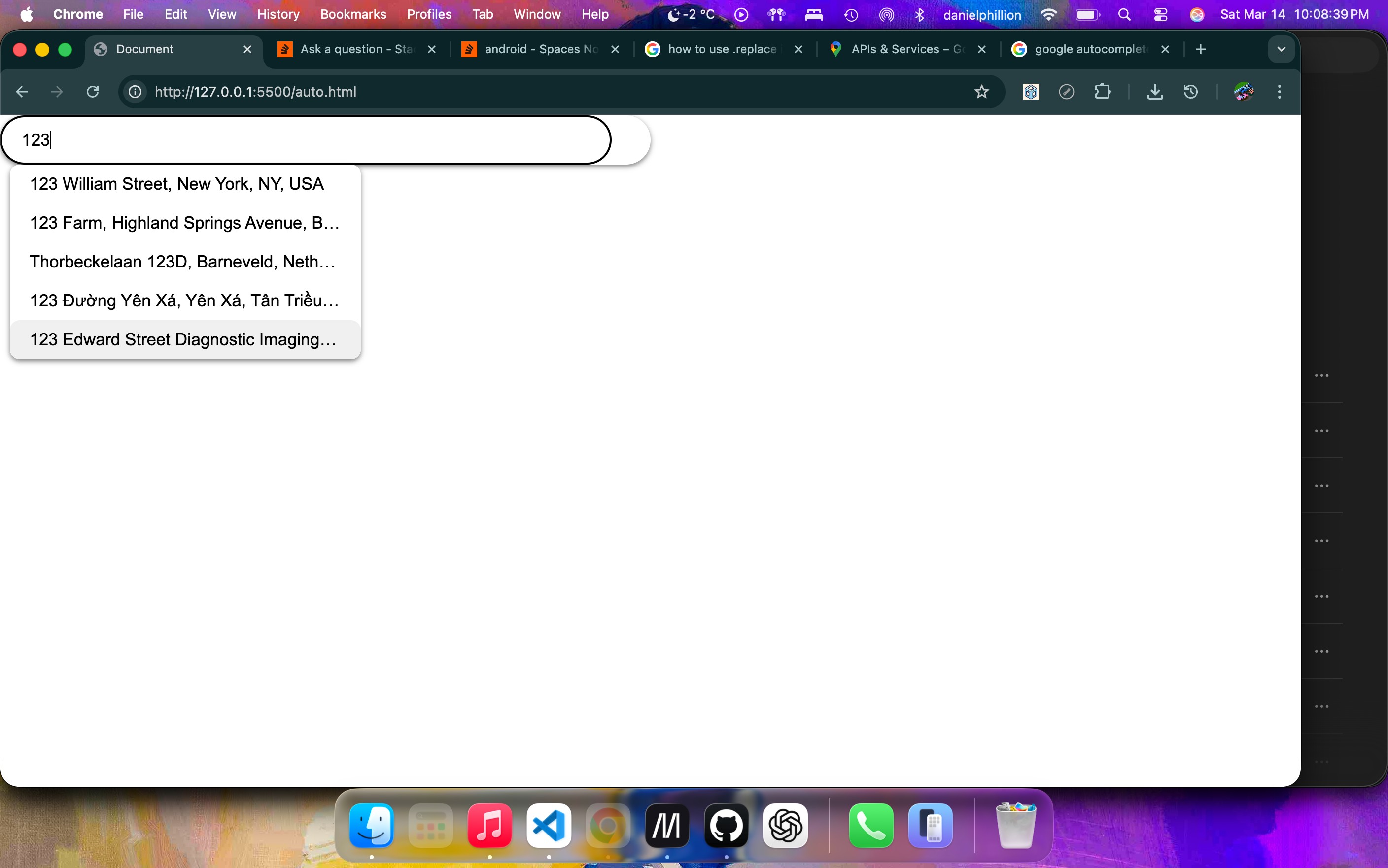
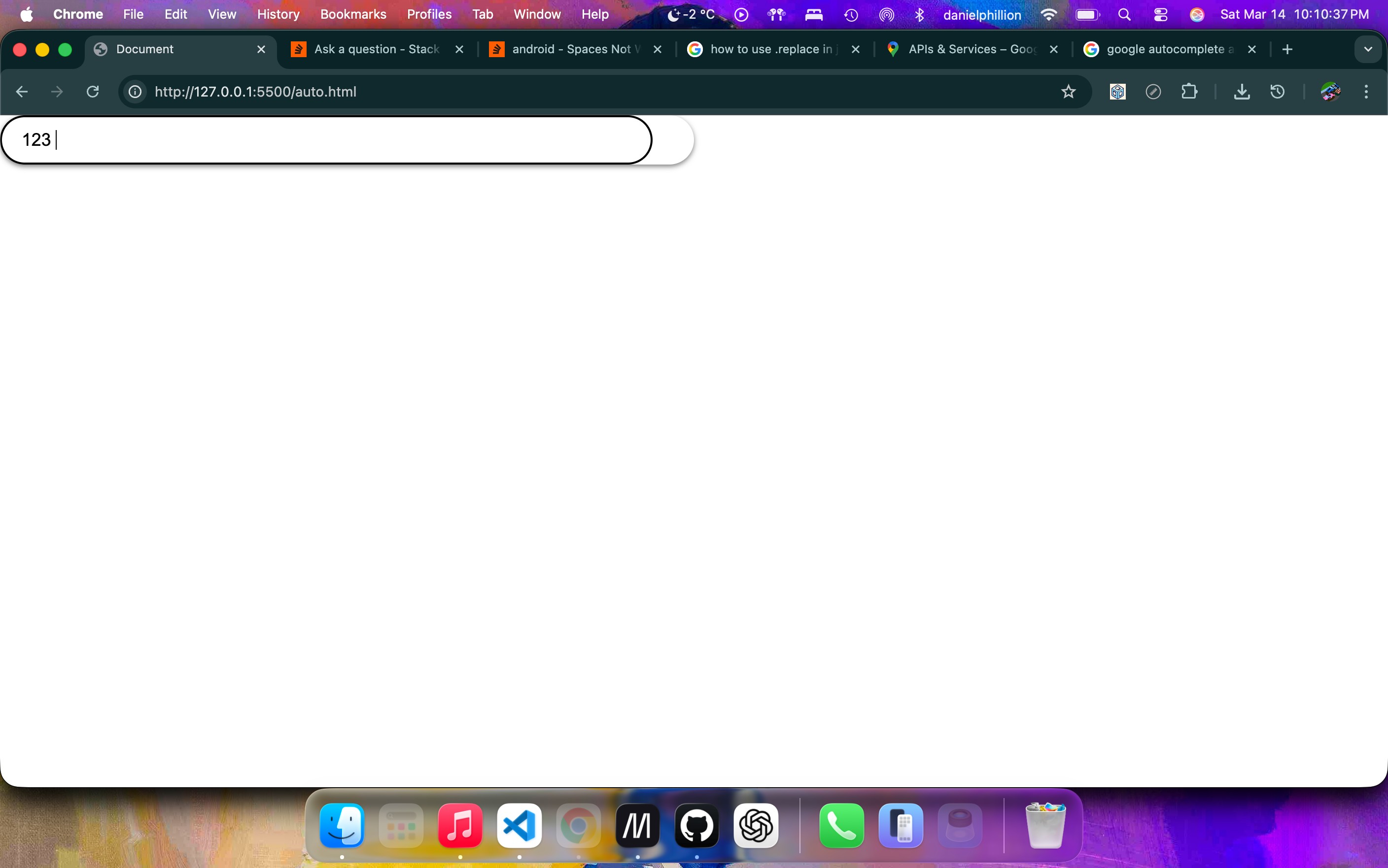
JS:
async function autocomplete(query) {
    const response = await fetch(
        "https://places.googleapis.com/v1/places:autocomplete",
        {
            method: "POST",
            headers: {
                "Content-Type": "application/json",
                "X-Goog-Api-Key": "AIzaSyC-NJ9bxaWdlLQBmHxR-QDgwFXsbGX0oKg" // Uncomment these line to use real API
            },
            body: JSON.stringify({
                input: query,
            })
        }
    )
    const data = await response.json();
    return data.suggestions;
}
const input = document.querySelector("#address");
const results = document.querySelector("#results");

input.addEventListener("input", async () => {

    if (input.value.trim().length < 3) {
        return; // Don't call API for short queries
    }
    else {
    const predictions = await autocomplete(input.value.trim());
    if (!predictions || predictions.length === 0) {
        results.innerHTML = "<li class='three'>No results found</li>";
        return;
    }
    results.innerHTML = ""; // Clear previous results
    const variable = document.querySelector(".three");
    if (variable) {
        document.querySelector(".three").classList.add("hidden");
    }
    predictions.forEach(prediction => {
        const li = document.createElement("li");
        li.textContent = prediction.placePrediction.text.text;
        li.dataset.action = "select-address";
        results.appendChild(li);
    });
    }
});
function select_address(event) {
    input.value = event.textContent;
}
const ACTIONS = {
    "select-address": select_address
}
document.addEventListener("click", (click_event) => {
    const target = click_event.target.closest("[data-action]");
    if (!target) return;
    const action_name = target.dataset.action;
    console.log(`Action triggered: ${action_name}`);
    if (ACTIONS[action_name]) {
        ACTIONS[action_name](target, click_event);
    }
});
input.addEventListener("focus", function() {
    document.querySelector("#results").classList.remove("hidden");
});
document.addEventListener("click", (event) => {
    if (!input.contains(event.target) && !results.contains(event.target)) {
        document.querySelector("#results").classList.add("hidden");
    };
});
HTML:
<!DOCTYPE html>
<html lang="en">
<head>
    <meta charset="UTF-8">
    <meta name="viewport" content="width=device-width, initial-scale=1.0">
    <title>Document</title>
    <link rel="stylesheet" href="auto.css">
</head>
<body>
    <button>
        <input type="text" id="address" placeholder="Enter address" class="address" autocomplete="off">
        <ul id="results" class="address-suggestion hidden">
            <li class="three">Please enter at least 3 characters</li>
        </ul>
    </button>
    <script src="auto.js" type="module"></script>
</body>
</html>
CSS:
:root {
    font-family: Arial, Helvetica, sans-serif;
    font-size: 1em;
}
body {
    margin: 0;
    padding: 0;
}
div {
    display: flex;
    flex-direction: column;
    position: relative;

}
input {
    position: absolute;
    left: 0px;
    right: 50px;
    height: 100%;
    border-radius: 50px;
    border-style: none;
    width: 94%;
    box-sizing: border-box;
    padding: 0 20px;
    font-size: clamp(0.5rem, 0.7vw + 0.5rem, 100rem);
}
input:focus {
    outline: none;
    border: 2px solid black;
}
ul {
    position: absolute;
    top: 50px;
    left: 10px;
    list-style: none;
    margin: 0;
    padding: 0;
    width: calc(30vw - 40px);
    background-color: white;
    box-shadow: 0px 2px 5px rgba(0, 0, 0, 0.5);
    border-radius: 10px;
}
li {
    text-align: left;
    padding: 10px 20px;
    white-space: nowrap;
    overflow: hidden;
    text-overflow: ellipsis;
}
li:hover {
    background-color: #f0f0f0;
    cursor: pointer;
    border-radius: 10px;
}
button {
    width: 50vw;
    height: clamp(1rem, 5vh + 1rem, 100rem);
    border-radius: 50px;
    background-color: white;
    font-size: clamp(0.5rem, 0.7vw + 0.5rem, 100rem);
    display: flex;
    align-items: center;
    justify-content: center;
    position: relative;
    border-style: none;
    box-shadow: 0px 2px 5px rgba(0, 0, 0, 0.5);
    cursor: pointer;
}
.hidden {
    display: none;
}
解决方案
问题在于,当我在检查用户点击的位置,以判断它是否在 ul 或 input 之内时,我生成了一个点击事件,随后因为chrome(以及可能的其他浏览器)将空格键视为一次点击,因此导致所有结果被隐藏。将 && event.detail 添加到对点击位置的检查中解决了这个问题,因为空格是 event.detail === 0,也就是 falsy,因此不会隐藏结果
站内所有文章版权归属LeftHeroAI导航站,无授权禁止任何主体转载、抄袭、复制内容,亦不得私自架设镜像站点。一经侵权,本站将通过法律途径追责。
相关文章






汇集全球数千款 AI 工具,每日持续更新,配套 AI 开发学习资源,轻松用 AI 提升工作效率。快捷键 Ctrl+D/⌘+D 一键收藏本站。