


如何在IntelliJ中为Spring Boot应用配置H2数据库,以便查看表并执行SQL脚本?
我在IntelliJ上用Spring Boot搭建了一个小型应用,使用H2数据库。
In my application.properties, I configure the access with H2
    spring.jpa.defer-datasource-initialization=true
    spring.datasource.url=jdbc:h2:file:/data/demo
    spring.datasource.driverClassName=org.h2.Driver
    spring.jpa.database-platform=org.hibernate.dialect.H2Dialect
    spring.datasource.username=sa
    spring.datasource.password=password

    spring.sql.init.mode=always
目前,我遇到了如下错误(我在Mac上工作)
    Error while creating file "/data" [90062-240]
    Caused by: java.nio.file.FileSystemException: /data: Read-only file system
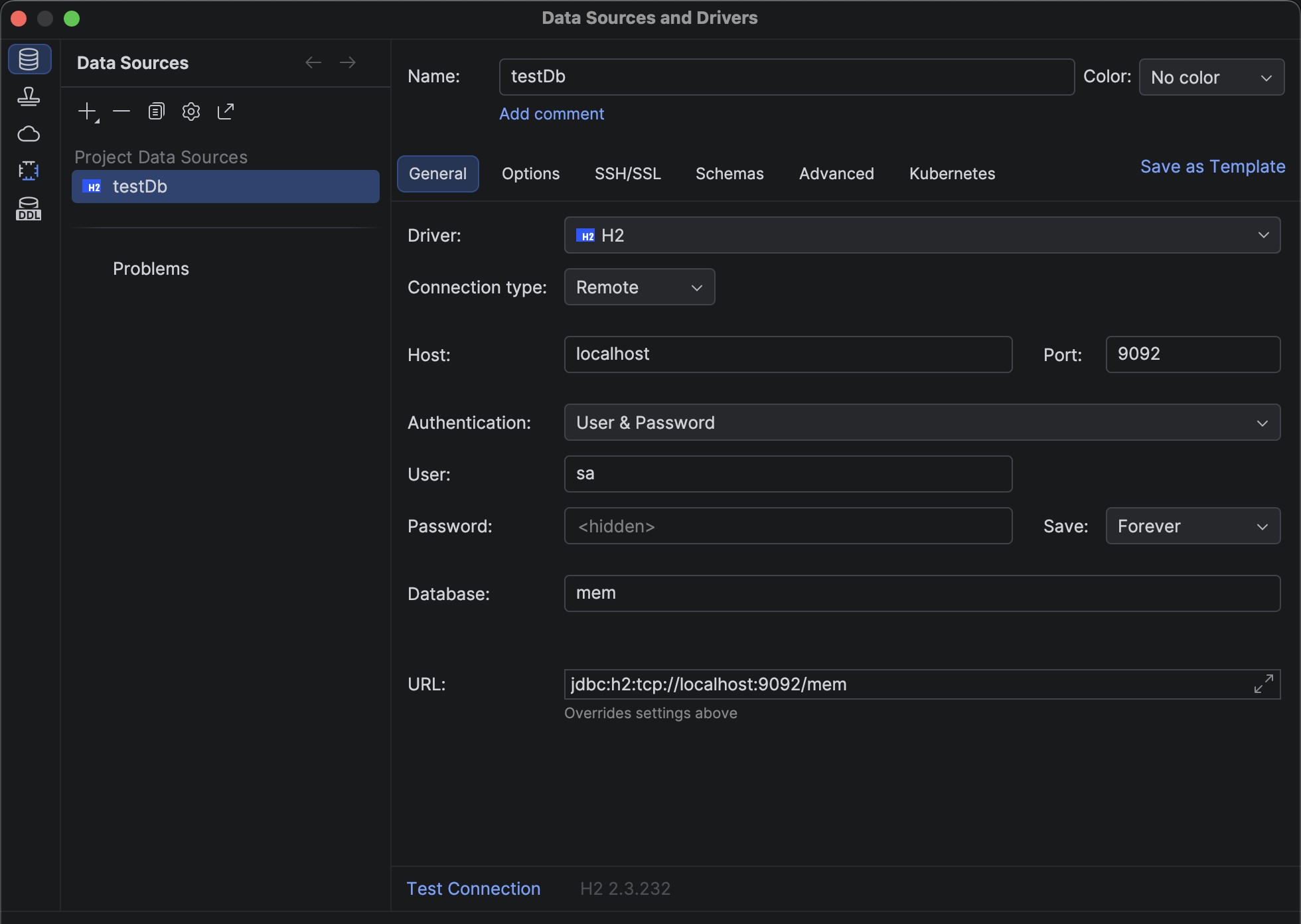
我也想在IntelliJ中配置H2数据库。
以下是截图
解决方案
一旦你的应用程序能够启动并成功创建数据库文件,就可以使用IntelliJ自带的数据库工具窗口连接它(该功能在IntelliJ IDEA Ultimate中提供)。
- 打开数据库工具窗口(通常在右侧,或通过
View -> Tool Windows -> Database)。 - 点击 + (New) 按钮 -> 数据源 -> H2。
-
在设置窗口中:
-
连接类型:将此项改为
Embedded(如果使用基于文件的路径)或In-memory(如果使用jdbc:h2:mem:...)。 - URL:粘贴与你在
application.properties中使用的完全相同的URL字符串(例如jdbc:h2:file:./data/demo)。如果使用相对路径,请确保高级设置中的“Working directory”与项目根目录匹配,这样IntelliJ就知道去哪里查找。 - 用户名:
sa - 密码:
password - 如果底部出现关于缺少驱动程序的警告,请点击“下载驱动程序”。
- 点击“测试连接”。成功后,点击“确定”。
现在你就可以在IntelliJ中直接浏览表、执行SQL脚本,并检查你的模式。
站内所有文章版权归属LeftHeroAI导航站,无授权禁止任何主体转载、抄袭、复制内容,亦不得私自架设镜像站点。一经侵权,本站将通过法律途径追责。
相关文章






汇集全球数千款 AI 工具,每日持续更新,配套 AI 开发学习资源,轻松用 AI 提升工作效率。快捷键 Ctrl+D/⌘+D 一键收藏本站。