


在reledmac中控制脚注文本与分隔符的颜色
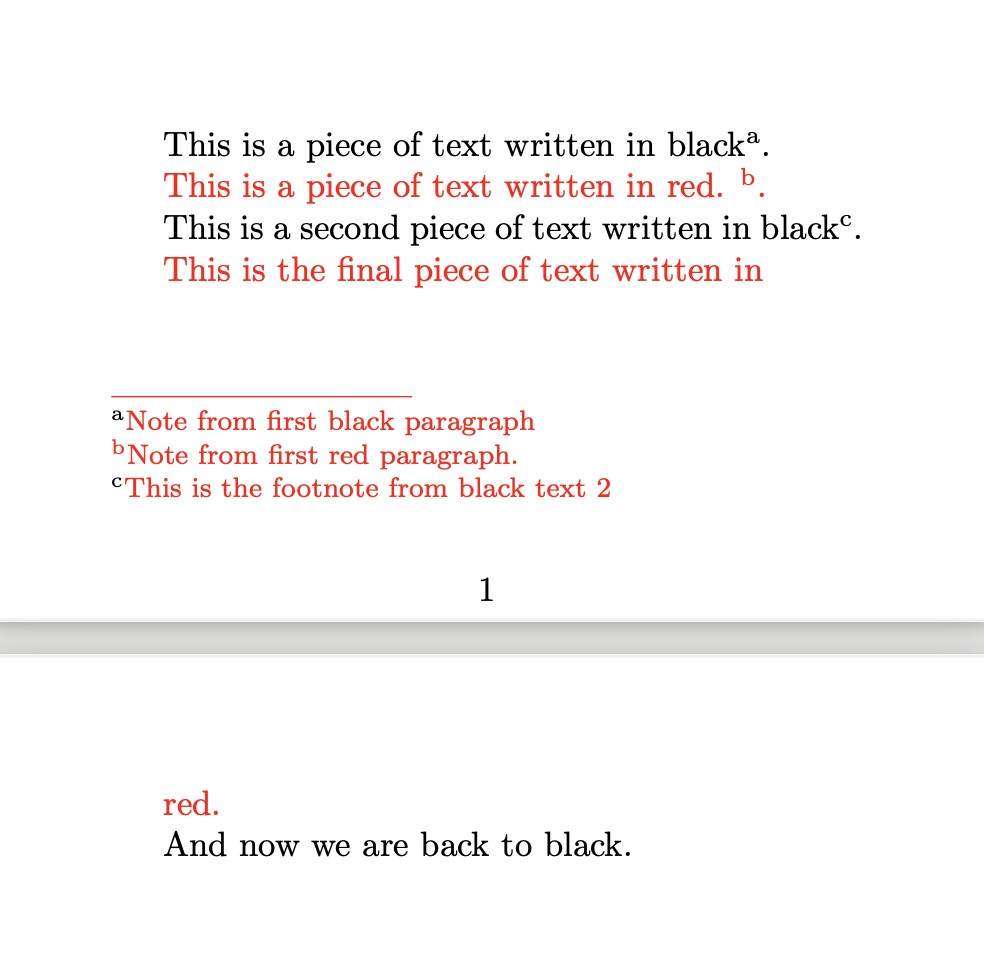
使用reledmac时,脚注分隔符和脚注文本的颜色取自页面底部处的活动段落的颜色。
相反,脚注标记的颜色取自包含该脚注的段落。
我希望能够让分隔符和脚注文本的颜色独立于正文文本的颜色进行设置。我还没找到设置分隔符和脚注文本颜色所需的命令。
\documentclass{article}

\RequirePackage{reledmac}
\RequirePackage{xcolor}
\usepackage[paperwidth=4in, paperheight=2.5in,  margin=.5in]{geometry}

% Set up Footnotes for reledmac

 \let\footnote\footnoteA
 \renewcommand*{\thefootnoteA}{\alph{footnoteA}}


\begin{document}

This is a piece of text written in black\footnote{Note from first black paragraph}.

\color {red} This is a piece of text written in red. \footnote{Note from first red paragraph.}.
\color{black}

This is a second piece of text written in black\footnote{This is the footnote from black text 2}.

\color {red} This is the final piece of text written in
% comment out the \newpage line and the footnote separator and text will be black.
\newpage
red.

\color{black}
And now we are back to black.

\end{document}
上述代码的输出如下:
解决方案
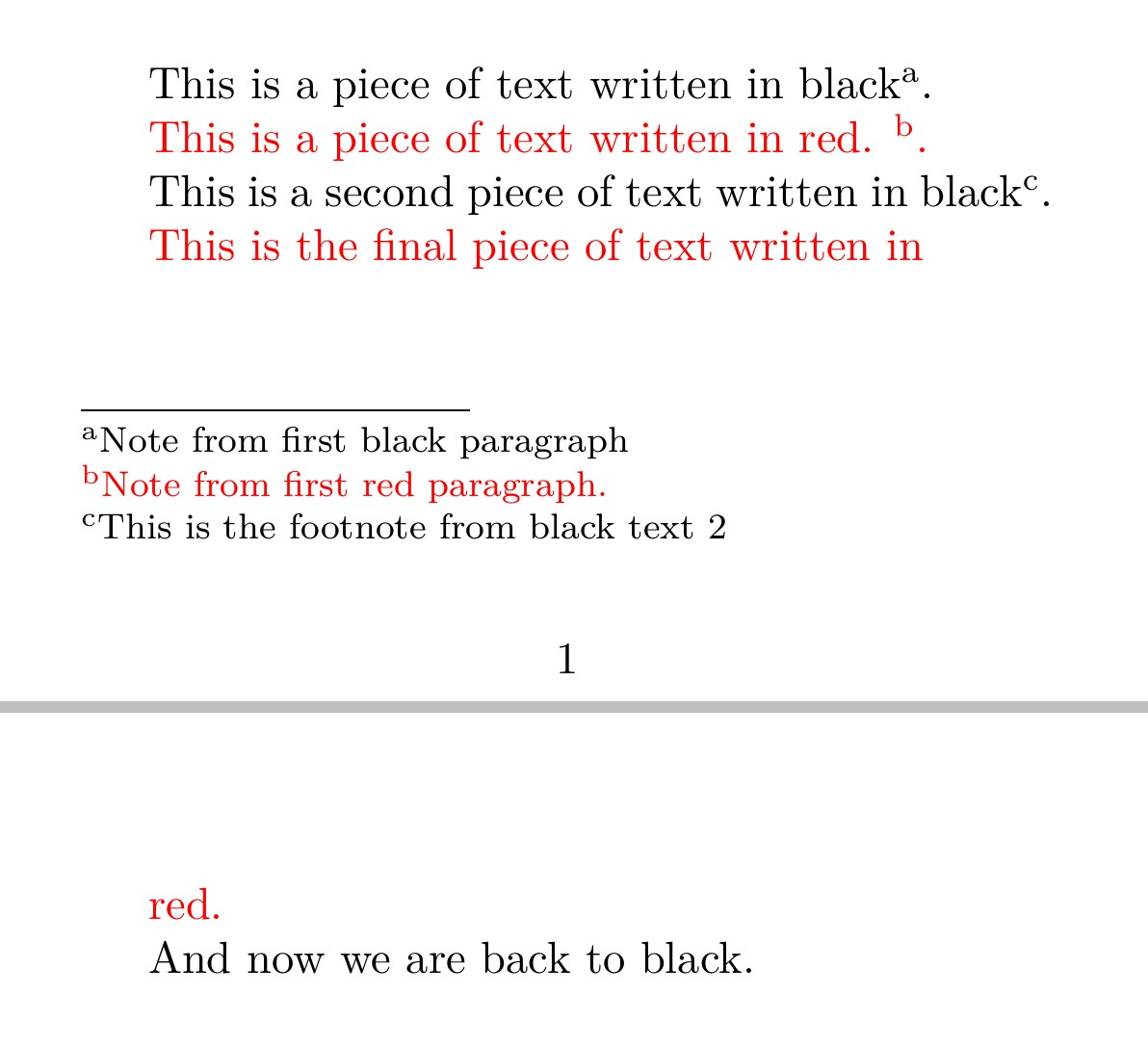
你可以使用 luacolor 代替 xcolor(需要用lualatex编译):
% !TeX TS-program = lualatex -interaction=nonstopmode % | txs:///view-pdf | txs:///view-log

\documentclass{article}

\RequirePackage{reledmac}
\RequirePackage{luacolor}
\usepackage[paperwidth=4in, paperheight=2.5in,  margin=.5in]{geometry}

% Set up Footnotes for reledmac

 \let\footnote\footnoteA
 \renewcommand*{\thefootnoteA}{\alph{footnoteA}}

\makeatletter
\pretocmd{\print@footnoteXrule}{\color{black}}{}{}
\makeatother


\begin{document}

This is a piece of text written in black\footnote{Note from first black paragraph}.

\color {red} This is a piece of text written in red. \footnote{Note from first red paragraph.}.
\color{black}

This is a second piece of text written in black\footnote{This is the footnote from black text 2}.

\color {red}
This is the final piece of text written in
% comment out the \newpage line and the footnote separator and text will be black.
\newpage
red.

\color{black}
And now we are back to black.

\end{document}
站内所有文章版权归属LeftHeroAI导航站,无授权禁止任何主体转载、抄袭、复制内容,亦不得私自架设镜像站点。一经侵权,本站将通过法律途径追责。
相关文章






汇集全球数千款 AI 工具,每日持续更新,配套 AI 开发学习资源,轻松用 AI 提升工作效率。快捷键 Ctrl+D/⌘+D 一键收藏本站。