


按钮放在错误的位置
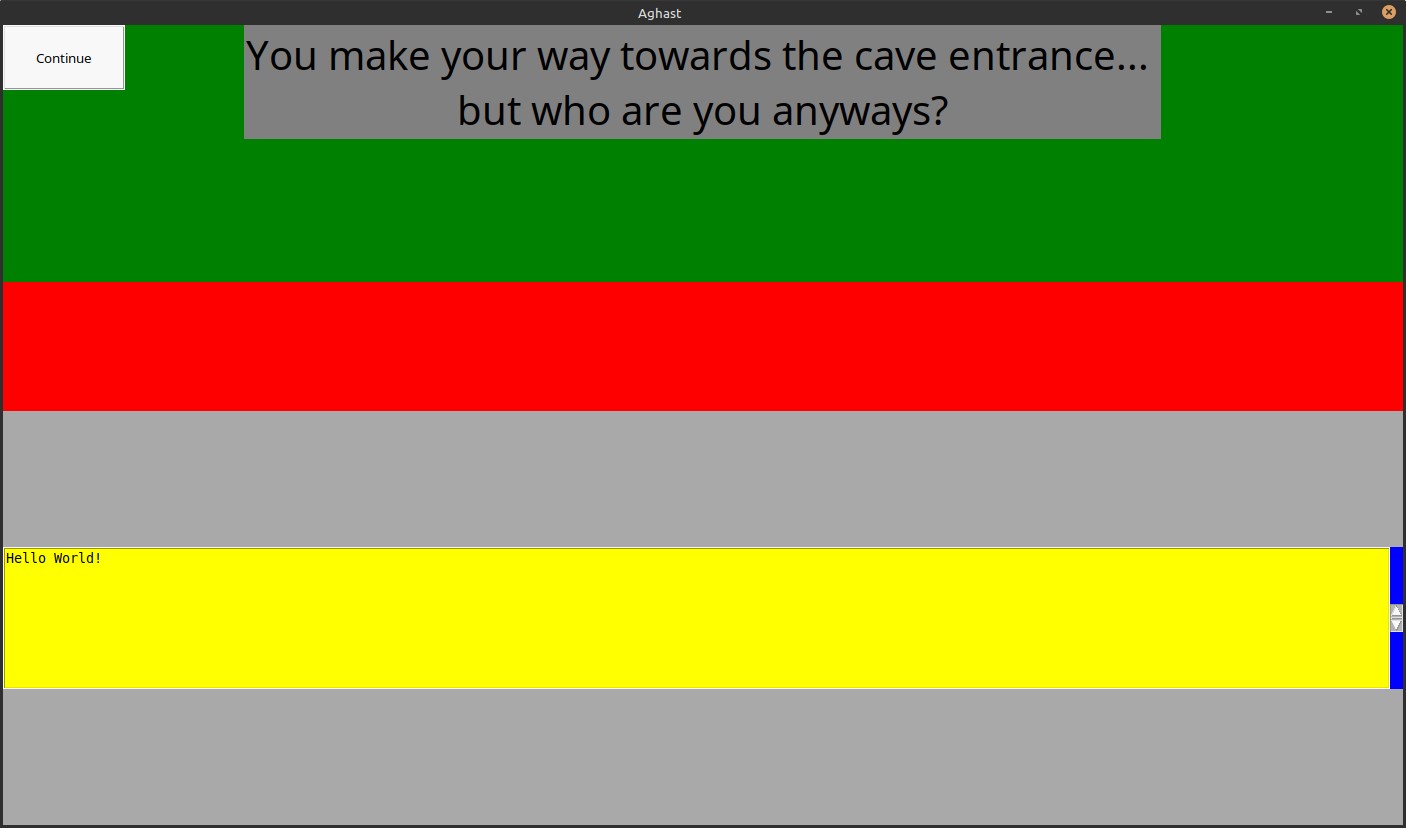
我正在尝试用Tkinter将按钮放在屏幕中心,位于Logbox框上方、标签下方,但它却被打包在左上角。我已经附上修改后的代码版本,唯一的修改是把背景颜色设置为鲜艳的颜色,以帮助确定问题及其解决方案。
import tkinter as tk
from tkinter import ttk, font


def create_root():
    root = tk.Tk()
    root.title("Aghast")
    root.geometry("1400x800")
    root.configure(background="dark grey")
    root.rowconfigure(0, weight=1)
    root.rowconfigure(1, weight=1)
    root.columnconfigure(0, weight=1)
    return root

# in another file

root = create_root()
main_container = tk.Frame(root, height=800, width=1400)
main_container.grid(row=0, column=0, sticky="nsew")

root.grid_rowconfigure(0, weight=1)
root.grid_columnconfigure(0, weight=1)

main_container.rowconfigure(0, weight=3)
main_container.rowconfigure(1, weight=1)
main_container.rowconfigure(2, weight=1)
main_container.columnconfigure(0, weight=1)
main_container.config(background="red")

logbox_frame = tk.Frame(root, background="red")
logbox_frame.grid(row=1, column=0, sticky=tk.EW)
logbox_frame.columnconfigure(0, weight=1)  # <-- weight

room_container = tk.Frame(main_container)
room_container.grid(row=0, column=0, sticky="nsew")
room_container.configure(background="green")

label = tk.Label(root,text="You make your way towards the cave entrance... \nbut who are you anyways?",
                   fg = "black",
                   bg = "grey",
                   font=("Papyrus",30)
                   )
label.grid(row=0,column=0,columnspan=10,sticky=tk.N)

class Logbox(tk.Frame):
    def __init__(self, parent):
        super().__init__(parent, background="black")
        self.columnconfigure(0, weight=1)  # <-- weight

        self.textframe = tk.Frame(self, background="blue")
        self.textframe.columnconfigure(0, weight=1)  # <-- you can use 1
        self.textframe.columnconfigure(1, weight=0)  # <-- need 0 to get minimal width for Scrollbar

        for i in range(6):
            self.textframe.rowconfigure(i, weight=1 if i == 5 else 0)
        self.textframe.grid(row=0, column=0, sticky="news")

        self.scrollbar = tk.Scrollbar(self.textframe)
        self.scrollbar.grid(row=5, column=1, sticky="e")

        self.textbox = tk.Text(
            self.textframe,
            height=8,
            wrap="word",
            yscrollcommand=self.scrollbar.set,
            background="yellow",
        )

        self.textbox.insert("end", "Hello World!")

        self.textbox.grid(row=5, column=0, sticky="nsew")
        self.textbox.config(state="disabled")

        self.scrollbar.config(command=self.textbox.yview)

        self.textbox.tag_config("combat", foreground="red")
        self.textbox.tag_config("treasure", foreground="gold")
        self.textbox.tag_config("lore", foreground="purple")
        self.textbox.tag_config("peaceful", foreground="green")
        self.textbox.tag_config("default", foreground="black")

        self.grid(row=5, column=0, columnspan=2, sticky="news")  # <-- sitcky


class BaseRoom(tk.Frame):

    def __init__(self, parent):
        super().__init__(parent, bg="dark gray")
        self.buttons = []

    def add_button(self, text, command):
        b = tk.Button(self, text=text, command=command,activebackground="black",activeforeground="white",padx=30,pady=20,anchor="center")
        b.pack(anchor="center")
        self.buttons.append(b)

    def disable_buttons(self):
        for b in self.buttons:
            b.config(state="disabled")

    def enable_buttons(self):
        for b in self.buttons:
            b.config(state="normal")

    def log(self, text, callback=None):
        global logbox
        self.disable_buttons()
        logbox.animated_log(text, callback=lambda: [self.enable_buttons(), callback() if callback else None])

def room_creation():
    print("ignore this function, it just leads to different types of rooms.")

class Battle(BaseRoom):
    def __init__(self,parent):
        super().__init__(parent)

        self.buttons = []
        self.config(background="blue")
        self.add_button("Continue",room_creation)


room_selected = Battle(room_container)
room_selected.grid(row=0, column=0, sticky="nsew")

logbox_frame.tkraise()
room_container.tkraise()
logbox = Logbox(logbox_frame)
logbox.tkraise()

root.mainloop()
解决方案
I have partial solution using pack() but it doesn't makes it really centered.
问题类似于 前一个问题。这里有太多 Frame,其中一个缺少 columnconfigur() 和 rowconfigure(),而 Button 位于(蓝色的)Frame 中,它并没有使用其父容器(绿色)Frame 的全宽和全高。
It needs to add
room_container.columnconfigure(0, weight=1)
room_container.rowconfigure(0, weight=1)
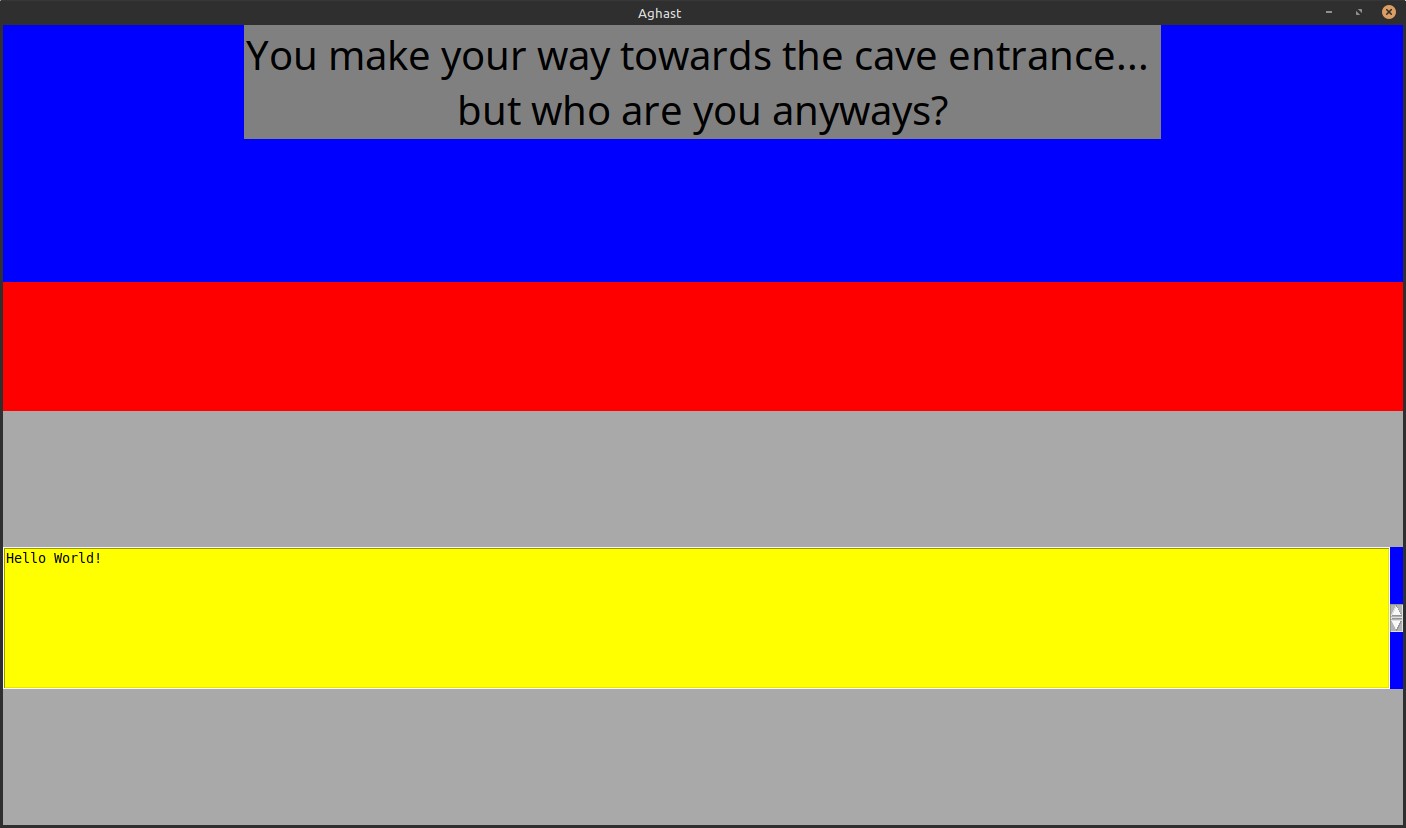
and now blue frame use full size.
But now Button is center horizontally (but, not vertically) in blue Frame and it is behinde Label
之前:
之后:
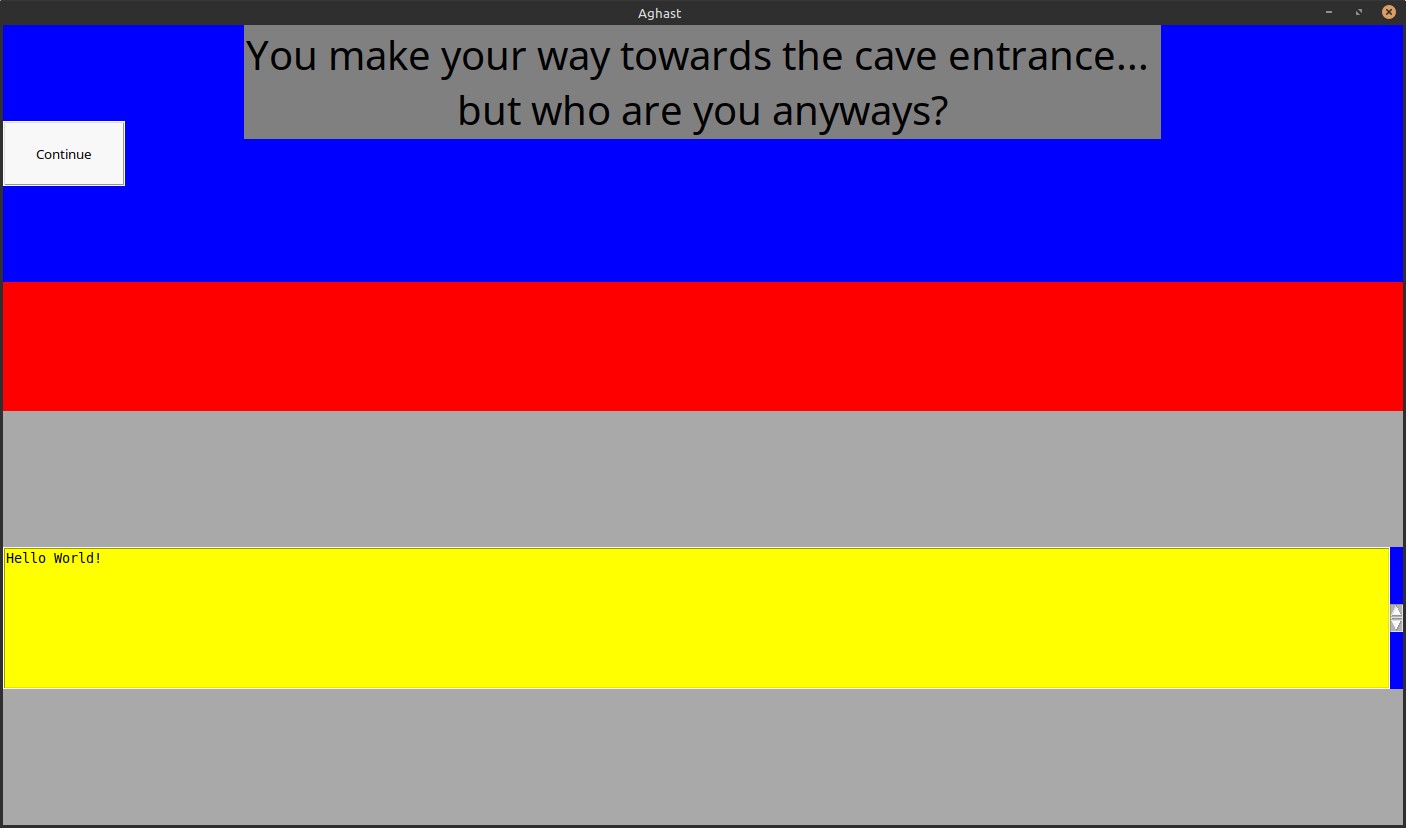
If I use side="left" in pack() then it center vertically (but not horizontally)
If I use side="bottom in pack() then it center horizontally (but not vertically)
and it is visible below label.
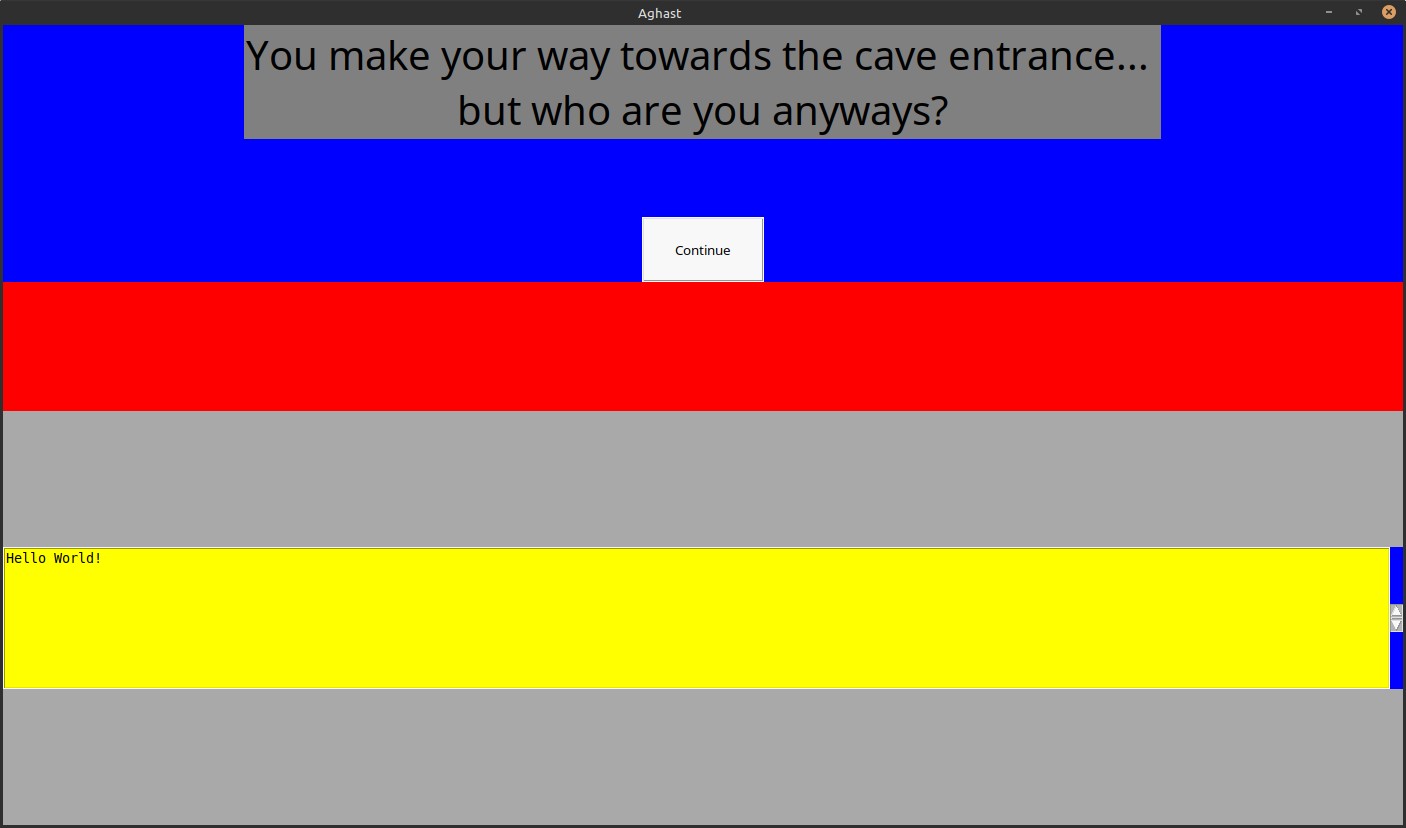
It may need some pady in pack() to move it up.
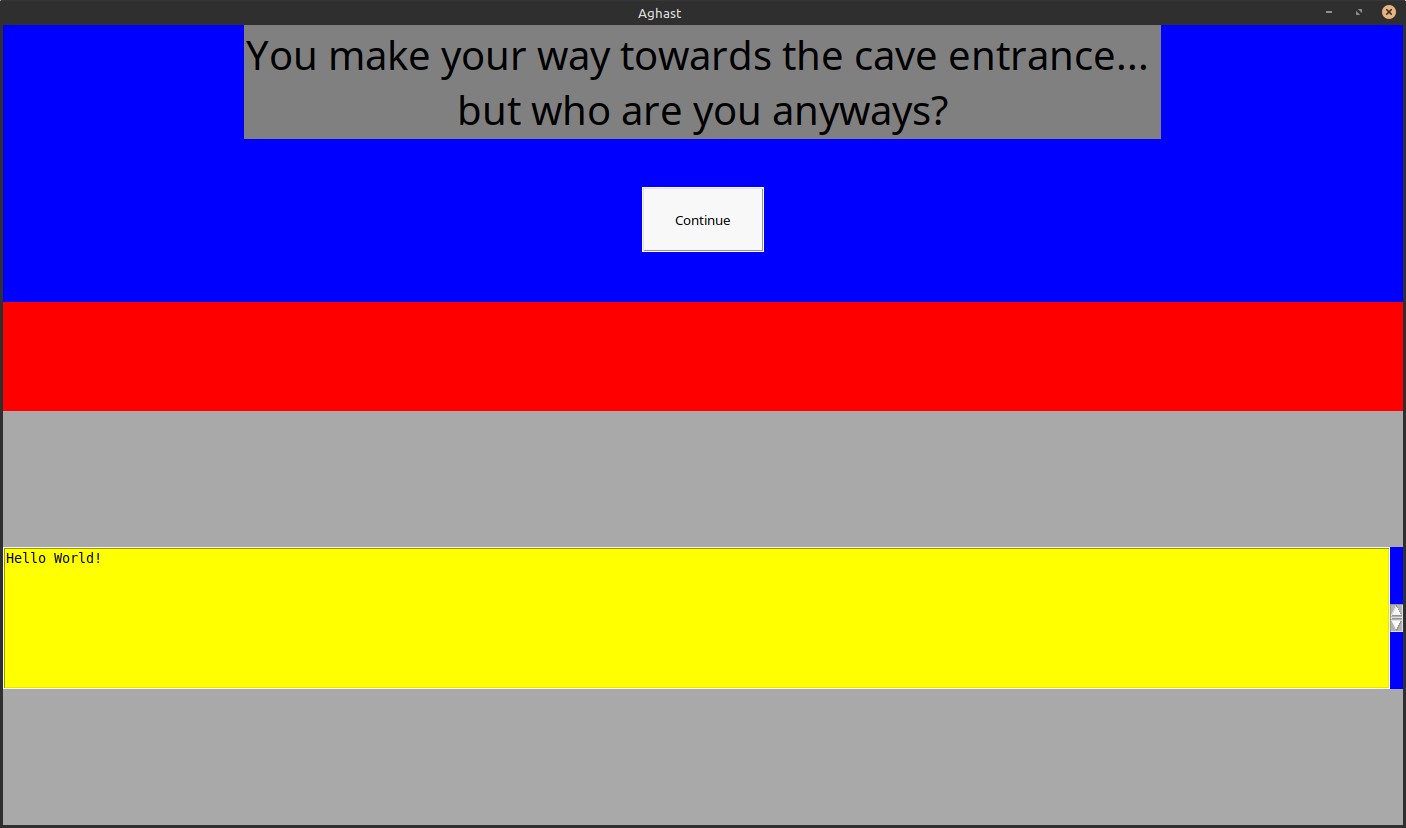
Full working code:
(in code you can find comment about side= and pady= (similar for padx=)
import tkinter as tk
from tkinter import ttk, font


def create_root():
    root = tk.Tk()
    root.title("Aghast")
    root.geometry("1400x800")
    root.configure(background="dark grey")
    root.rowconfigure(0, weight=1)
    root.rowconfigure(1, weight=1)
    root.columnconfigure(0, weight=1)
    return root


# in another file

root = create_root()
main_container = tk.Frame(root, height=800, width=1400)
main_container.grid(row=0, column=0, sticky="nsew")

root.grid_rowconfigure(0, weight=1)
root.grid_columnconfigure(0, weight=1)

main_container.rowconfigure(0, weight=3)
main_container.rowconfigure(1, weight=1)
main_container.rowconfigure(2, weight=1)
main_container.columnconfigure(0, weight=1)
main_container.config(background="red")

logbox_frame = tk.Frame(root, background="red")
logbox_frame.grid(row=1, column=0, sticky=tk.EW)
logbox_frame.columnconfigure(0, weight=1)  # <-- weight

room_container = tk.Frame(main_container, background="red")
room_container.grid(row=0, column=0, sticky="nsew")
room_container.configure(background="green")
room_container.columnconfigure(0, weight=1)  # <-- weight
room_container.rowconfigure(0, weight=1)  # <-- weight

label = tk.Label(
    root,
    text="You make your way towards the cave entrance... \nbut who are you anyways?",
    fg="black",
    bg="grey",
    font=("Papyrus", 30),
)
label.grid(row=0, column=0, columnspan=10, sticky=tk.N)


class Logbox(tk.Frame):
    def __init__(self, parent):
        super().__init__(parent, background="black")
        self.columnconfigure(0, weight=1)  # <-- weight

        self.textframe = tk.Frame(self, background="blue")
        self.textframe.columnconfigure(0, weight=1)  # <-- you can use 1
        self.textframe.columnconfigure(
            1, weight=0
        )  # <-- need 0 to get minimal width for Scrollbar

        for i in range(6):
            self.textframe.rowconfigure(i, weight=1 if i == 5 else 0)
        self.textframe.grid(row=0, column=0, sticky="news")

        self.scrollbar = tk.Scrollbar(self.textframe)
        self.scrollbar.grid(row=5, column=1, sticky="e")

        self.textbox = tk.Text(
            self.textframe,
            height=8,
            wrap="word",
            yscrollcommand=self.scrollbar.set,
            background="yellow",
        )

        self.textbox.insert("end", "Hello World!")

        self.textbox.grid(row=5, column=0, sticky="nsew")
        self.textbox.config(state="disabled")

        self.scrollbar.config(command=self.textbox.yview)

        self.textbox.tag_config("combat", foreground="red")
        self.textbox.tag_config("treasure", foreground="gold")
        self.textbox.tag_config("lore", foreground="purple")
        self.textbox.tag_config("peaceful", foreground="green")
        self.textbox.tag_config("default", foreground="black")

        self.grid(row=5, column=0, columnspan=2, sticky="news")  # <-- sitcky


class BaseRoom(tk.Frame):

    def __init__(self, parent):
        super().__init__(parent, bg="dark gray")
        self.buttons = []

    def add_button(self, text, command):
        b = tk.Button(
            self,
            text=text,
            command=command,
            activebackground="black",
            activeforeground="white",
            padx=30,
            pady=20,
            anchor="center",
        )
        b.pack(anchor="center", side="bottom", pady=(0, 50))
        # side="top" or "bottom" or "left" or "right (there is no "center")
        # pady=one_value_for_top_and_bottom like pady=50
        # pady=(top,bottom) like pady=(0,50)

        # use `place()` instead of `pack()`
        #b.place(anchor="center", relx=0.5, rely=0.75)

        self.buttons.append(b)

    def disable_buttons(self):
        for b in self.buttons:
            b.config(state="disabled")

    def enable_buttons(self):
        for b in self.buttons:
            b.config(state="normal")

    def log(self, text, callback=None):
        global logbox
        self.disable_buttons()
        logbox.animated_log(
            text,
            callback=lambda: [self.enable_buttons(), callback() if callback else None],
        )


def room_creation():
    print("ignore this function, it just leads to different types of rooms.")


class Battle(BaseRoom):
    def __init__(self, parent):
        super().__init__(parent)

        self.buttons = []
        self.config(background="blue")
        self.add_button("Continue", room_creation)


room_selected = Battle(room_container)
room_selected.grid(row=0, column=0, sticky="nsew")

logbox_frame.tkraise()
room_container.tkraise()
logbox = Logbox(logbox_frame)
logbox.tkraise()

root.mainloop()
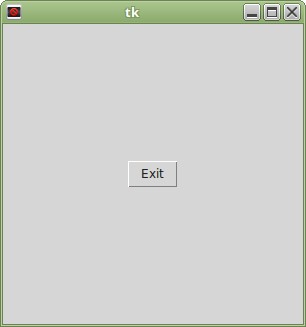
If you need to center vertically and horizontally then you may need grid() with row=1,column=1 and weight for other rows (0 and 2) and columns (0 and 2) - this way it will center row 1 and column 1
Or you may try to use place() with relative values (from 0 to 1) relx=, rely=
I added b.place(anchor="center", relx=0.5, rely=0.75) (as comment) in full code and you may try it instead of b.pack()
I found my old example on GitHub which shows how to use grid() to center element.
Tkinter - grid() - rowconfigure() / columnconfigure()
(there are many other my examples from answers on Stackoverflow)
import tkinter as tk

root = tk.Tk()
root.geometry('300x300')

root.columnconfigure(0, weight=1)
root.columnconfigure(2, weight=1)
root.rowconfigure(0, weight=1)
root.rowconfigure(2, weight=1)

b = tk.Button(root, text="Exit", command=root.destroy)
b.grid(column=1, row=1)

root.mainloop()
相关文章





