


旋转时如何保持缩放比例?
我一直在用Python/Pygame的 OpenGL/ModernGL玩耍,在把图片渲染到屏幕上之后,我在旋转它们时遇到了一些问题。
我知道需要先平移、再旋转,最后再缩放,这样可以正常工作,但问题出在图片的缩放是基于屏幕分辨率的百分比。
我的做法是创建一个覆盖整屏的着色器,当我需要让图像合适地显示时,我会把它在X 方向缩放到约0.2(保持纵横比),在Y 方向缩放到0.1。
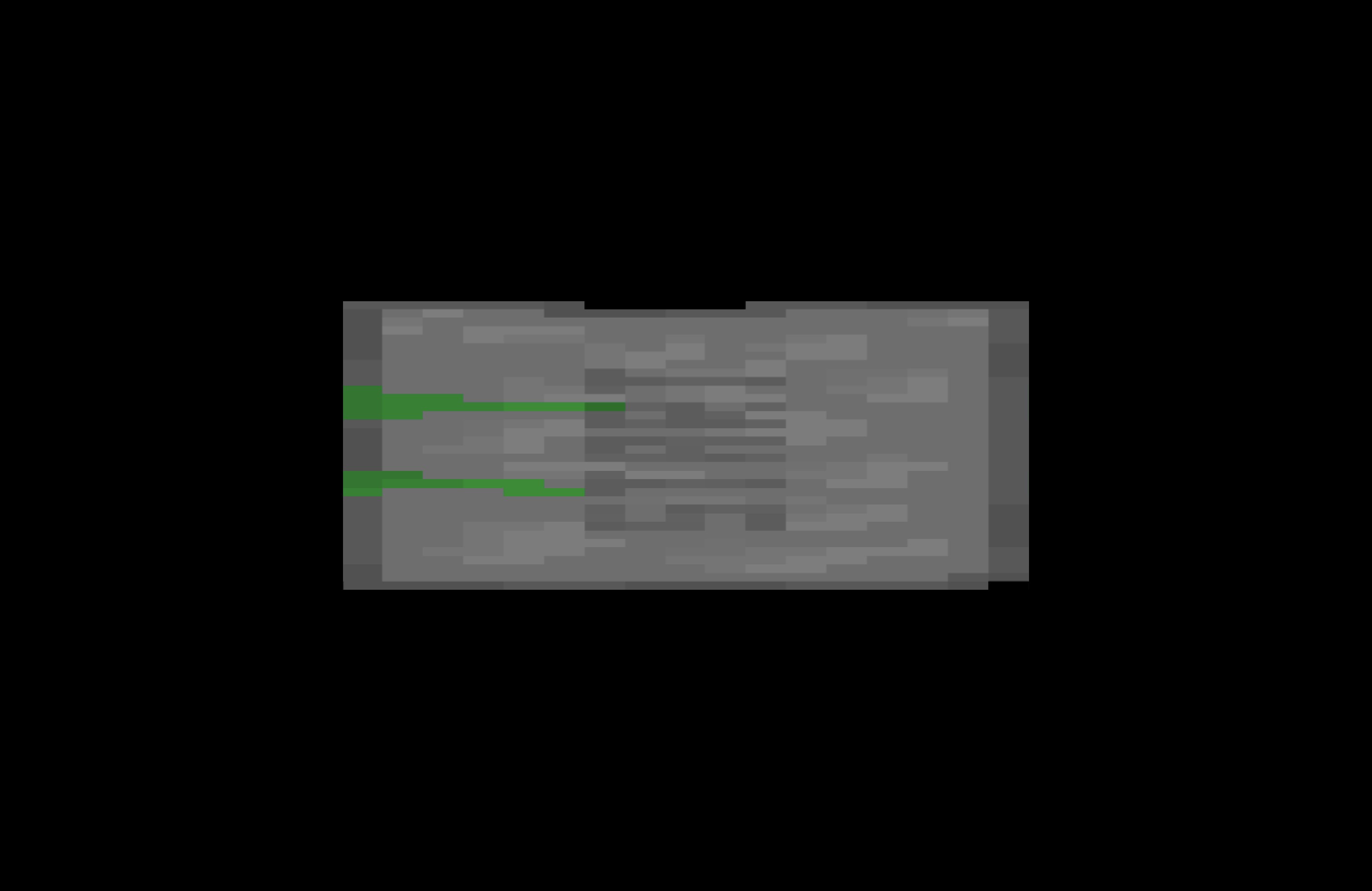
当图像被旋转为0 度(水平)时,Y轴的0.1会使图像的高度等于屏幕高度的0.1;然而当它旋转到90度(垂直)时,同样的0.1会使图像按屏幕宽度的0.1进行缩放。由此,当我把一个正方形旋转90度时,图像就会在水平方向被拉伸。
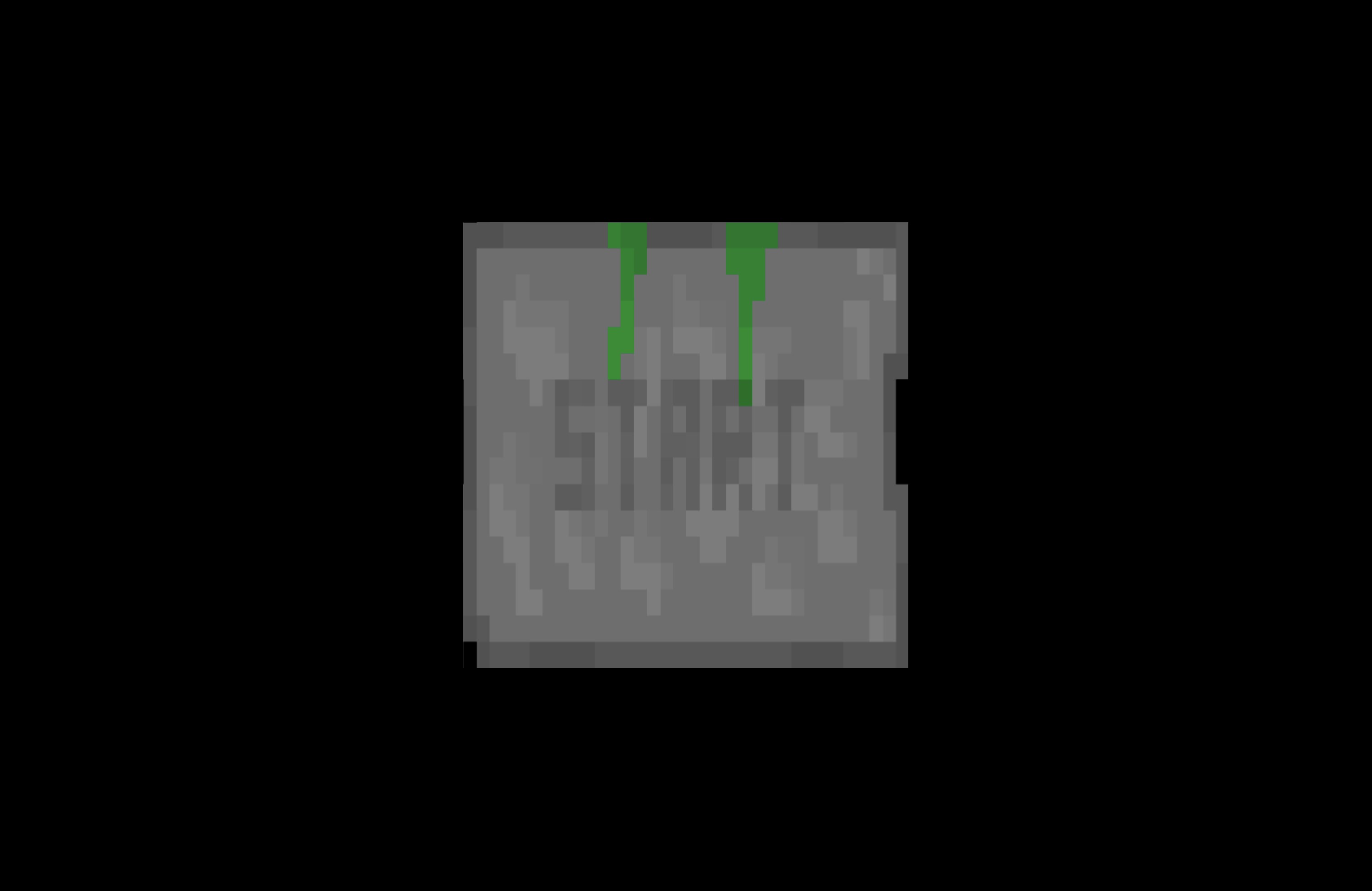
下面附有一些图片来展示问题。所用的图片只是我另一个旧项目里的开始按钮。按钮被缩放为 (0.5, 0.5),初始角度为0,然后旋转到90度。
| 旋转0 度 | 旋转90度 |
|---|---|
| 旋转0 度的图片 | 旋转90度的图片 |
我不太确定是否有一种通用的修复方法,或者我的图像渲染思路是不是错了。
以下是相关代码:
Inside of vbo.py:
class SurfaceVBO(BaseVBO):
    def __init__(self, app, context):
        super().__init__(app, context)
        self.format = '2f 2f'
        self.attribs = ['in_uv', 'in_position']

    def getVertexData(self):
        #aspect_ratio = self.app.height / self.app.width
        aspect_ratio = 1

        vertices = [((-1 * aspect_ratio),-1),((1 * aspect_ratio),-1),((1 * aspect_ratio),1),((-1 * aspect_ratio),1)]
        indices = [(0,2,3),(0,1,2)]

        tex_coord = [(0,0), (1,0), (1,1), (0,1)]
        tex_coord_indices = [(0,2,3),(0,1,2)]

        vertex_data = self.getData(vertices, indices)
        tex_coord_data = self.getData(tex_coord, tex_coord_indices)
        vertex_data = np.hstack([tex_coord_data, vertex_data])

        return vertex_data
Inside of surface.vert:
#version 330 core

in vec2 in_uv;
in vec2 in_position;

out vec2 uv;

// m_ortho is just a orthographic projection matrix spanning (-1, -1), (1, 1) with near 0, and far 10,000

uniform mat4 m_model;
uniform mat4 m_ortho;

void main()
{
    uv = in_uv;
    gl_Position = m_ortho * m_model * vec4(in_position.xy, 0, 1.0);
}
Inside of button.py:
import pygame
import math as m
import glm

class BaseButton:
    def __init__(self, game, vao_name='surface', tex_id='game_menu', pos=(0,0), rot=0, scale=(1,1)):
        self.game = game
        self.pos = pos
        self.rot = glm.radians(rot)
        self.aspect_ratio = self.game.height / self.game.width
        #self.aspect_ratio = 1
        self.original_scale = (scale[0], scale[1])
        self.scale = (self.aspect_ratio * (self.original_scale[0]), (self.original_scale[1]))
        self.m_model = self.getModelMatrix()
        self.vao_name = vao_name
        self.tex_id = tex_id
        self.vao = game.mesh.vao.vaos[vao_name]
        self.program = self.vao.program
        self.image = self.getPygameImage(path=f'images/{tex_id}.png')
        self.rect = self.image.get_rect(center = (((self.pos[0] + 1) / 2) * self.game.width, ((-self.pos[1] + 1) / 2) * self.game.height))
        self.texture = self.get2DTexture(image=self.image)
        self.tint = 1
        self.rend = False

    def update(self): ...

    def getModelMatrix(self):
        # identity matrix
        m_model = glm.mat4()
        # position
        m_model = glm.translate(m_model, (*self.pos, 0))
        #print(1, "\n", m_model)
        # rotation
        m_model = glm.rotate(m_model, self.rot, glm.vec3(0,0,1))
        #print(2, "\n", m_model)
        # scaling
        m_model = glm.scale(m_model, (*self.scale, 1))
        #print(3, "\n", m_model)
        return m_model

    def getPygameImage(self, path):
        image = pygame.image.load(path).convert_alpha()
        image = pygame.transform.flip(image, flip_x=False, flip_y=True)
        image = pygame.transform.scale(image, (self.scale[0] * self.game.width, self.scale[1] * self.game.height))
        return image

    def get2DTexture(self, image):
        texture = self.game.context.texture(size=image.get_size(), components=4,data=pygame.image.tostring(image, 'RGBA'))
        return texture

    def render(self):
        self.update()
        if self.rend:
            self.vao.render()
            # print(f'DEBUG - rendering {self}')
代码以60帧每秒运行,在每一帧中更新每个图像,并把它们渲染到屏幕上。
解决方案
不要缩放。请正确设置视口和正交投影矩阵,并据此给顶点赋值。
站内所有文章版权归属LeftHeroAI导航站,无授权禁止任何主体转载、抄袭、复制内容,亦不得私自架设镜像站点。一经侵权,本站将通过法律途径追责。
相关文章






汇集全球数千款 AI 工具,每日持续更新,配套 AI 开发学习资源,轻松用 AI 提升工作效率。快捷键 Ctrl+D/⌘+D 一键收藏本站。