


UpSetR:如何改进数字旋转并改变颜色?
我在用R 的UpSetR包。数据集非常大,数字都是六位数,读起来很吃力。
我想把数字旋转,使它们从条形的顶部开始显示,但把它们旋转成45度或90度后,会和条形重叠。
我也想把数字的颜色设成与条形不同的颜色,但 number.colors 不起作用,main.bar.color 也会改变数字的颜色。
下面给出一个可复现的示例
library(UpSetR)

df <- data.frame(name=c(1:100000),
                 food=rep(1, 100000),
                 drink=c(rep(1, 50000),(rep(0, 50000))),
                 house=c(rep(1, 30000),(rep(0, 70000)))
                 )

upset(df,sets = c('food','drink','house'),
 #number.colors= "red", # doesn't work uncommented
 main.bar.color = "blue", # changes bars and numbers
 show.numbers = "yes", # yes or no
 number.angles = 45,
text.scale = c(1, 1, 1, 1, 1, 2) # sixth parameter is numbers above bars
)
有没有使用UpSetR包的解决方案?
下面是一张我现在的状态和我想要的效果的图片:
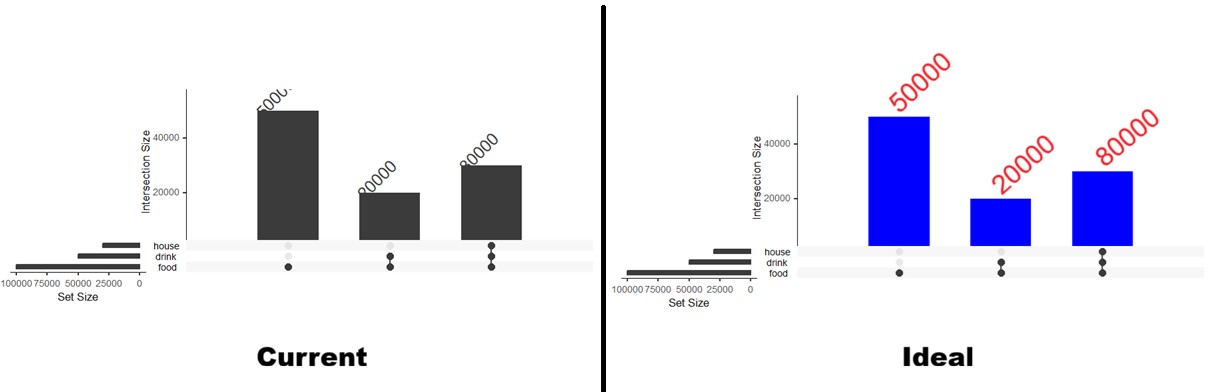
我试了一下 {ComplexUpset},但没能用起来,也许我需要再试一次。
解决方案
我们可以在创建图形后,手动修改 grobs。
library(UpSetR)

p <- upset(df, sets = c('food', 'drink', 'house'),
           main.bar.color = "blue",
           show.numbers = "yes",
           number.angles = 45,
           text.scale = c(1, 1, 1, 1, 1, 1.5))


p$Main_bar$grobs[[6]]$children[[4]]$gp$col <- rep("red", 3)
p$Main_bar$grobs[[6]]$children[[4]]$hjust <- rep(0, 3)

p
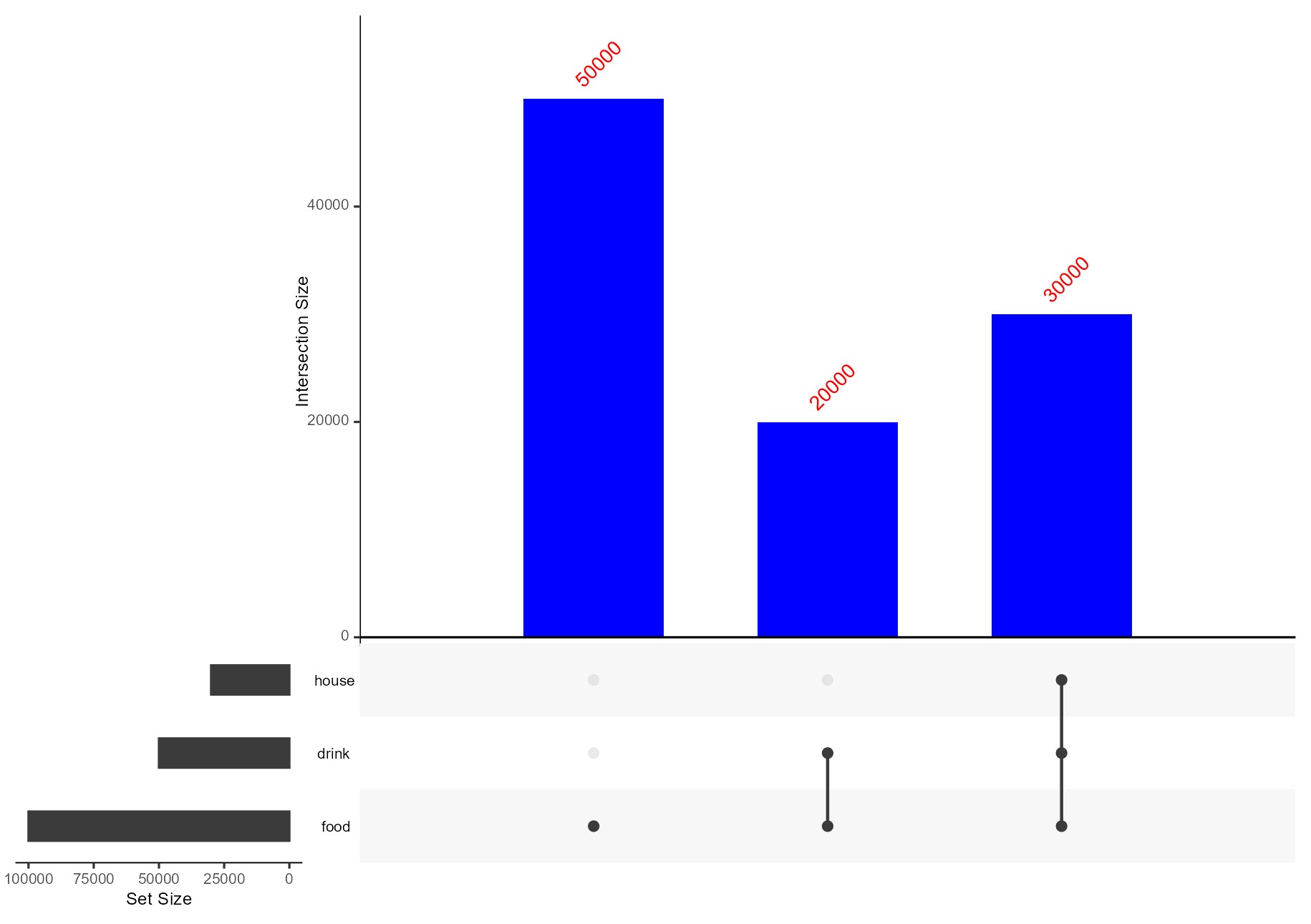
创建于2026-03-24,使用 reprex v2.1.1
备选方案
你可以对 UpSetR 打补丁来实现这一点,因为这个问题自2017年起就没有解决。
library(UpSetR)

X <- data.frame(
  name = 1:100000,
  food = rep(1, 100000),
  drink = c(rep(1, 50000), (rep(0, 50000))),
  house = c(rep(1, 30000), (rep(0, 70000)))
)

foo <- UpSetR:::Make_main_bar

body(foo)[[12]][[3]][[2]][[3]][[2]][[3]] <-str2lang(
  'geom_text(aes_string(label = "freq"),
             size = 2.2 * intersection_size_number_scale,
             vjust = -1,
             hjust = 0,
             angle = number_angles,
             colour = "red")'
)

assignInNamespace("Make_main_bar", value = foo, ns = "UpSetR")

UpSetR::upset(
  X,
  sets = c('food','drink','house'),
  main.bar.color = "blue", # changes bars and numbers
  show.numbers = "yes",    # yes or no
  number.angles = 45,
  text.scale = c(1, 1, 1, 1, 1, 2) # sixth parameter is numbers above bars
)
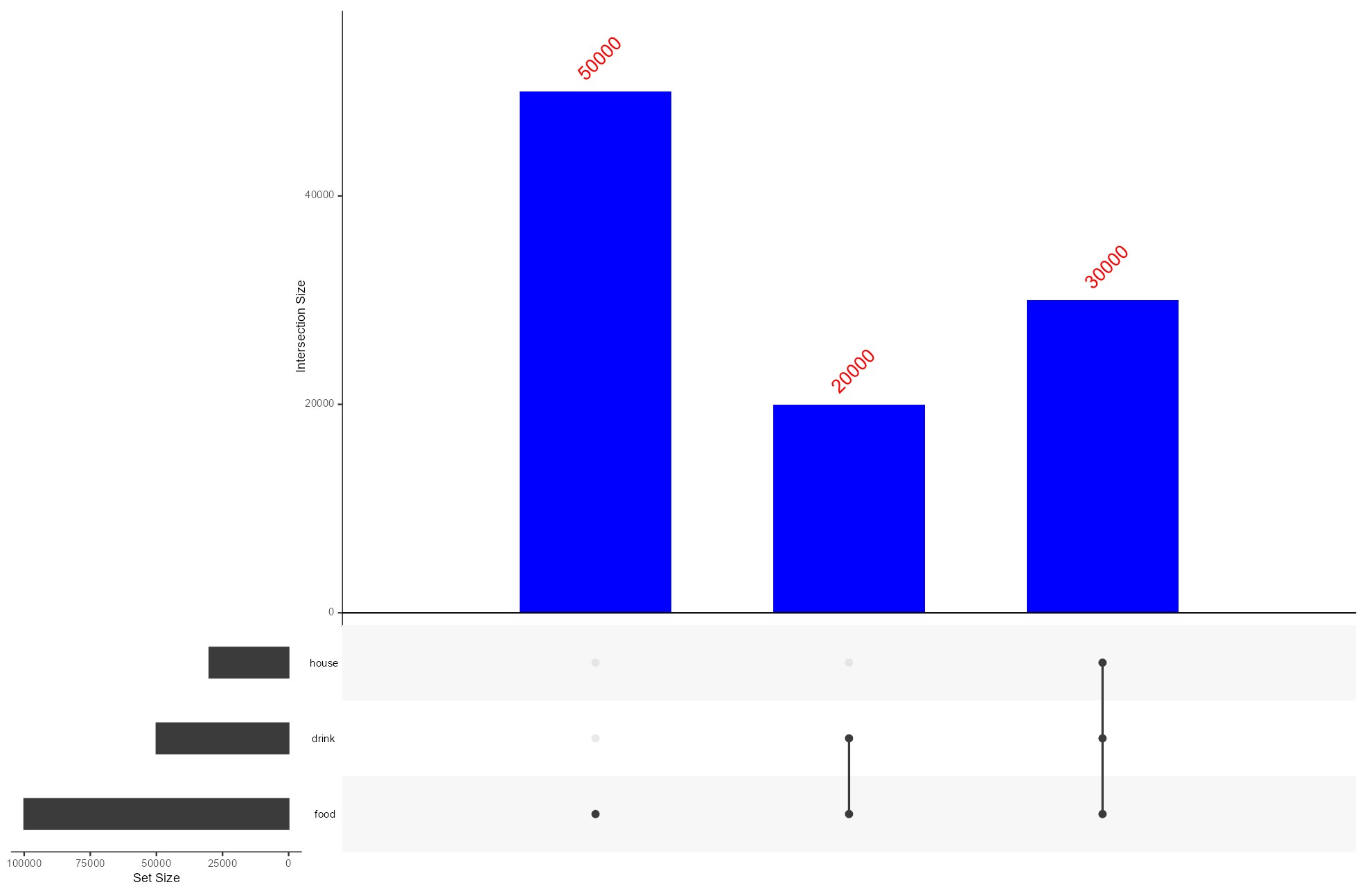
或者使用 ComplexUpset::upset
library(ComplexUpset)
library(ggplot2)
library(scales)

ComplexUpset::upset(
  X,
  c('food','drink','house'),
  base_annotations = list(
    "Intersection size" = intersection_size(
      text = list(
        vjust   = -0.5,
        angle   = 45,
        hjust   = 0,
        colour  = "red",
        size    = 3
      ),
      text_mapping = aes(
        label = scales::comma(!!get_size_mode("exclusive_intersection"))
      ),
      bar_number_threshold = 1  # show numbers on all bars
    ) +
      scale_y_continuous(
        labels = scales::comma,
        expand = expansion(mult = c(0, 0.2))  # extra room above bars for rotated labels
      )
  )
)
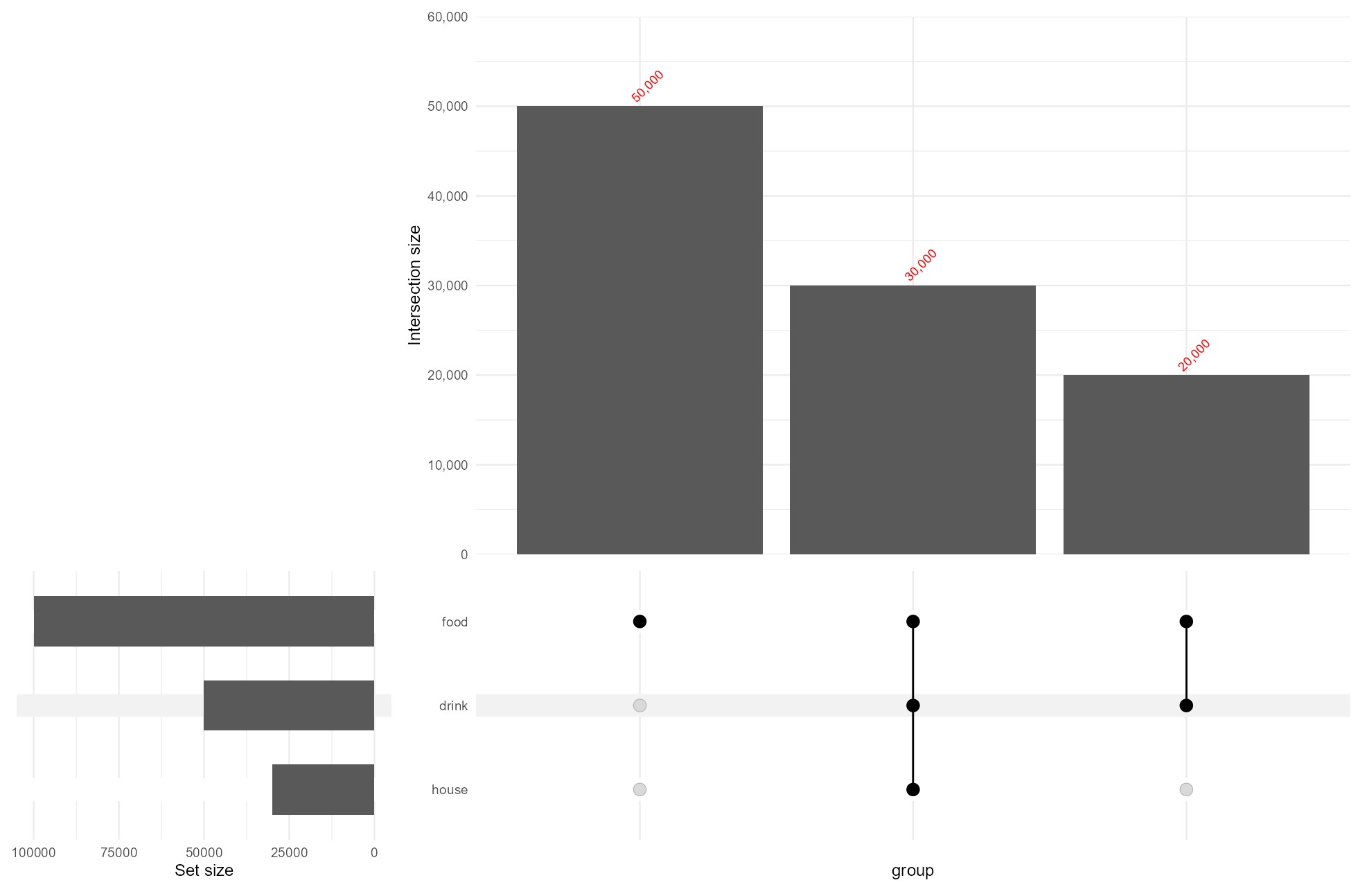
站内所有文章版权归属LeftHeroAI导航站,无授权禁止任何主体转载、抄袭、复制内容,亦不得私自架设镜像站点。一经侵权,本站将通过法律途径追责。
相关文章






汇集全球数千款 AI 工具,每日持续更新,配套 AI 开发学习资源,轻松用 AI 提升工作效率。快捷键 Ctrl+D/⌘+D 一键收藏本站。