


无法在ggtern绘图中添加geom_text
我想用geom_text将纹理类别添加到USDA土壤纹理三角图中,使用如下代码
# Load the required libraries
library(ggtern)
library(plyr)
library(grid)

# Load the Data. (Available in ggtern 1.0.3.0 next version)
data(USDA)

# Put tile labels at the midpoint of each tile.
USDA.LAB = ddply(USDA, 'Label', function(df) {
  apply(df[, 1:3], 2, mean)
})

# Tweak
USDA.LAB$Angle = 0
USDA.LAB$Angle[which(USDA.LAB$Label == 'Loamy Sand')] = -35

#Construct the plot without legend.
ggplot(data = USDA, aes(y=Clay, x=Sand, z=Silt)) +
  coord_tern(L="x",T="y",R="z") +
  geom_polygon(aes(fill = Label),
               alpha = 0.75, size = 0.5, color = 'black') +
  geom_text(data = USDA.LAB,
            aes(label = Label, angle = Angle),
            color = 'black',
            size = 3.5) +
  theme_rgbw() +
  theme_showsecondary() +
  theme_showarrows() +
  custom_percent("Percent") +
  theme(legend.position = "none") +
  labs(#title = 'USDA Textural Classification Chart',
    fill  = 'Textural Class',
    color = 'Textural Class') +
  theme(text = element_text(family = "serif", size = 15)) +
  theme(axis.text = element_text(family = "serif"))
它返回如下图所示
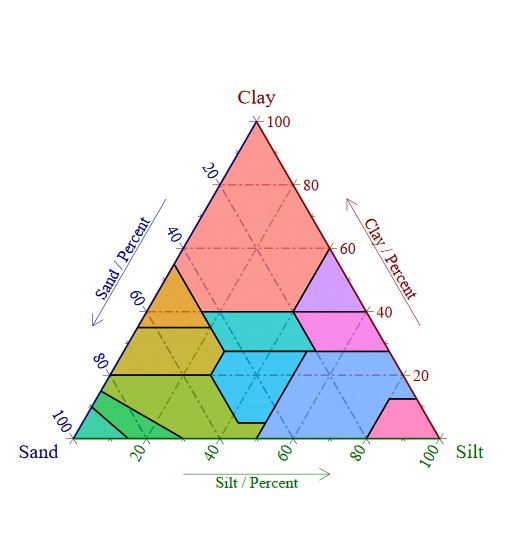
并给出以下警告
Ignoring unknown labels:
• colour : "Textural Class"
• W : "Percent"
Warning message:
Removing Layer 2 ('PositionNudge'), as it is not an approved position (for ternary plots) under the present ggtern package.
我期望得到的输出是
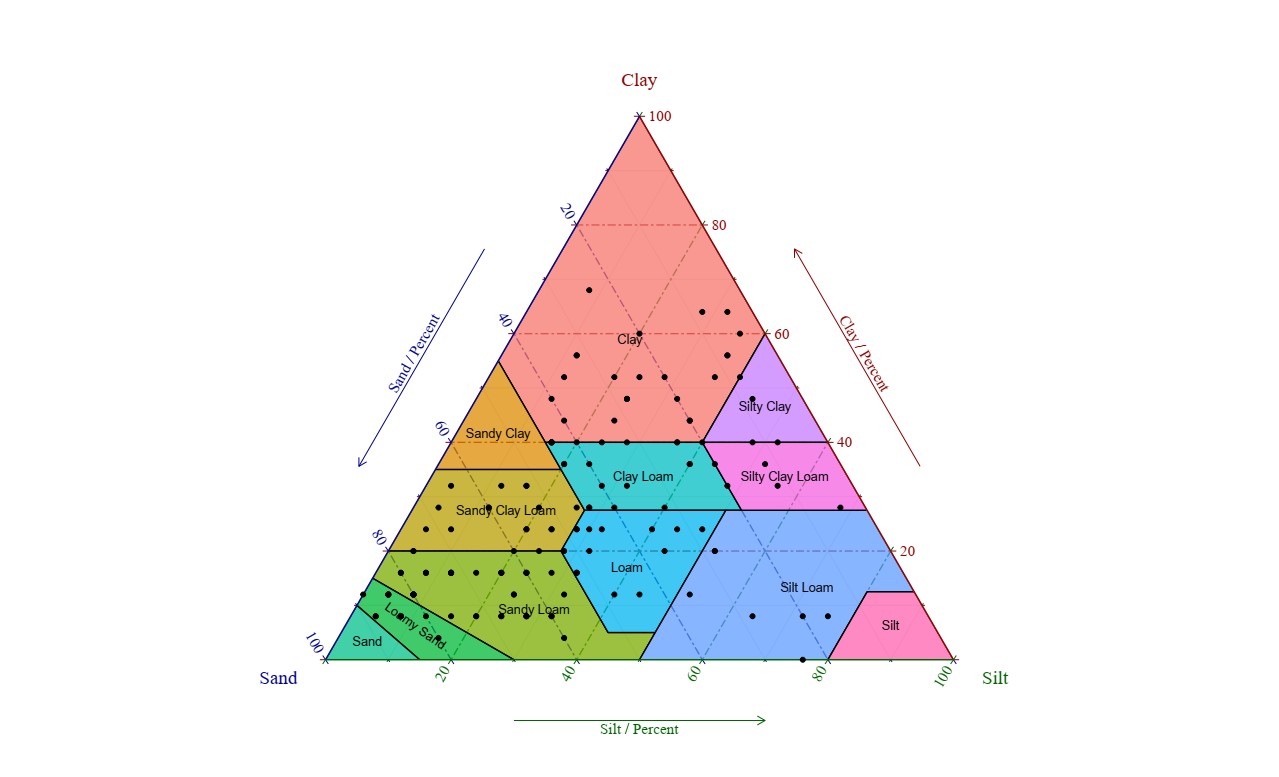
解决方案
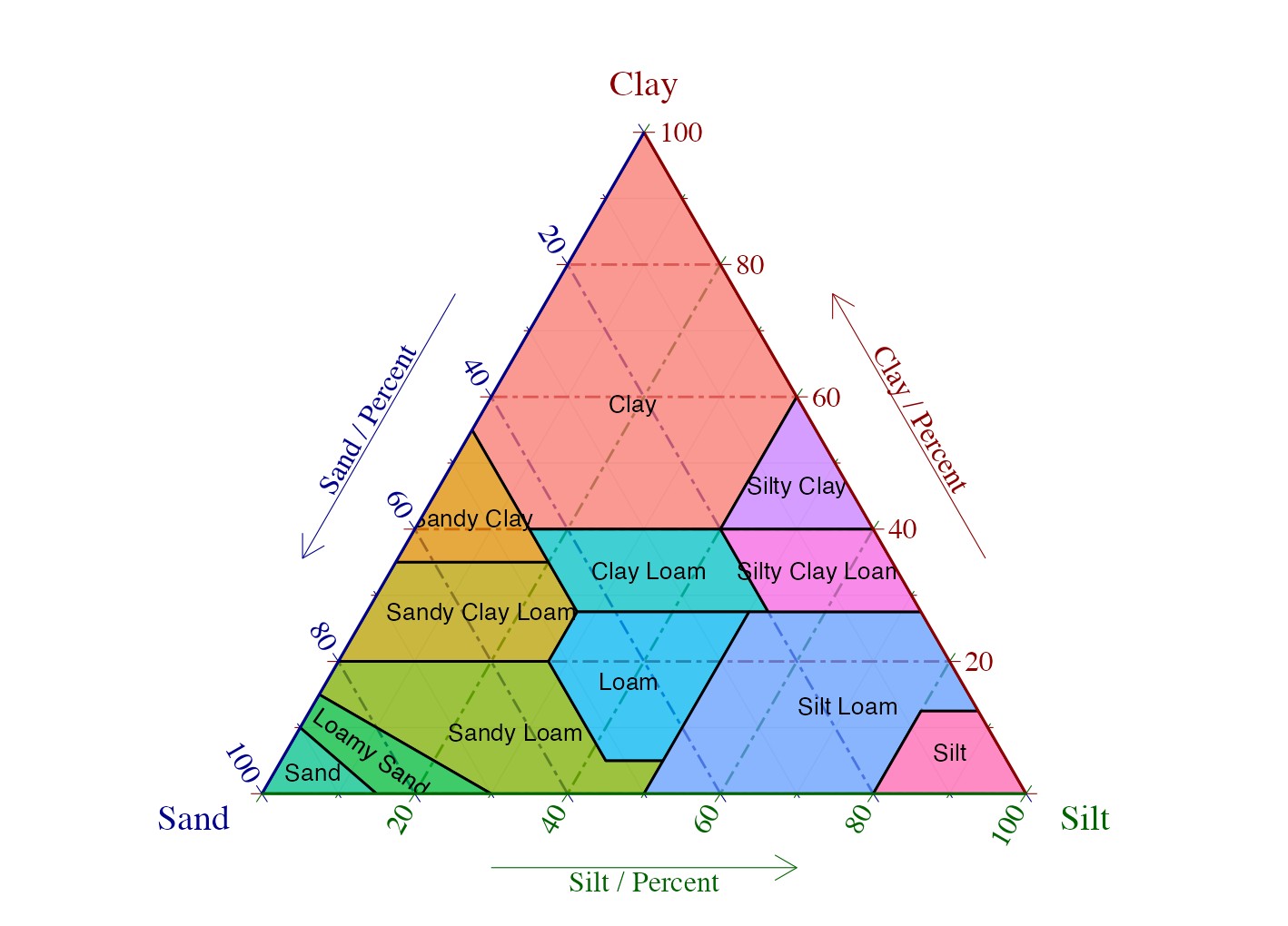
正如警告所示,问题源自 PositionNudge 成为了 geom_text(以及 geom_label)在 ggplot2 >= 4.0.0 中的新的默认值(请参阅 此 PR)。因此,除了使用 annotate 外,一个简单的修复是在 geom_text 中设置 position = "identity":
library(ggtern)
library(dplyr)

data(USDA)

USDA.LAB <- USDA |>
  summarise(across(c(Sand, Clay, Silt), mean), .by = Label) |>
  mutate(Angle = if_else(Label == "Loamy Sand", -35, 0))

p <- ggplot(data = USDA, aes(y = Clay, x = Sand, z = Silt)) +
  coord_tern(L = "x", T = "y", R = "z") +
  geom_polygon(aes(fill = Label),
    alpha = 0.75, size = 0.5, color = "black"
  ) +
  geom_text(
    data = USDA.LAB,
    aes(label = Label, angle = Angle),
    color = "black",
    size = 3.5,
    position = "identity"
  ) +
  theme_rgbw() +
  theme_showsecondary() +
  theme_showarrows() +
  custom_percent("Percent") +
  theme(
    legend.position = "none",
    text = element_text(family = "serif", size = 15)
  )

p
站内所有文章版权归属LeftHeroAI导航站,无授权禁止任何主体转载、抄袭、复制内容,亦不得私自架设镜像站点。一经侵权,本站将通过法律途径追责。
相关文章






汇集全球数千款 AI 工具,每日持续更新,配套 AI 开发学习资源,轻松用 AI 提升工作效率。快捷键 Ctrl+D/⌘+D 一键收藏本站。