


用Bookdown生成的EPUB中的公式在Kindle电子书阅读器上无法显示
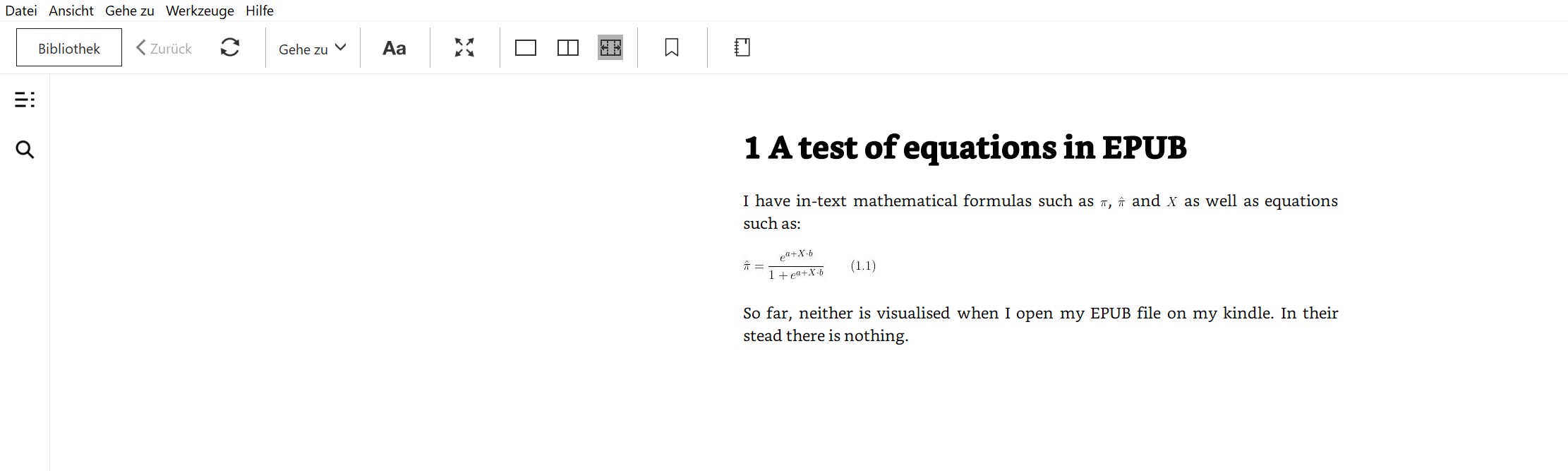
我用R 的Bookdown创建了一个EPUB电子书。它包含文内的数学公式,例如 $\pi$、$\hat\pi$ 和 $X$,以及如下方程:
\begin{equation}
\hat\pi = \frac{e^{a + X\cdot b}}{1+e^{a + X\cdot b}}
\end{equation}
如果我在Calibre或我的Mac上的Books应用中打开EPUB文件,这两者都能正确显示,但在Kindle上打开EPUB文件时,二者都不可显示。取而代之的是,什么也没有。
有人能帮我解决这个问题吗?
我知道有把单独LaTeX公式保存为.svg文件的方法,但我希望在生成EPUB文件时,对所有公式和方程都自动处理。我尝试通过在我的 _output.yml 文件中添加 pandoc_args: "--webtex" 或 pandoc_args: "--mathml",来确保EPUB文件中的方程被保存为图片,但都没有奏效。
这是我的 _output.yml 文件的内容:
bookdown::epub_book:
  css: style.css
  toc_depth: 2
  pandoc_args: "--webtex"
这是我在R 中用来生成EPUB文件的代码:
bookdown::render_book(input="index.Rmd",
    bookdown::epub_book(
        fig_width = 5,
        fig_height = 4,
        dev = "png",
        fig_caption = TRUE,
        number_sections = TRUE,
        toc = FALSE,
        toc_depth = 2,
        stylesheet = "style.css",
        metadata = NULL,
        chapter_level = 1,
        md_extensions = NULL,
        # pandoc_args = NULL,
        template = "default"
        )
    )
这里有一个可复现的示例:https://github.com/marcoplebani85/equations-as-images-in-EPUB。生成EPUB文件的代码在 renderbook.R 中。
我的系统是2014款的Mac mini,运行MacOS Monterey 12.6.1,已安装pandoc 3.9和 R 4.4.1。
非常感谢!
解决方案
如果你检查 bookdown::epub_book,你会看到它已经添加了 --mathml,这会覆盖传给pandoc的 --webtex 参数。这就是它不起作用的原因。bookdown::epub_book 已经使用 --mathml 来将TeX转换成图片:

请参阅这个 https://pandoc.org/MANUAL.html#math-rendering-in-html
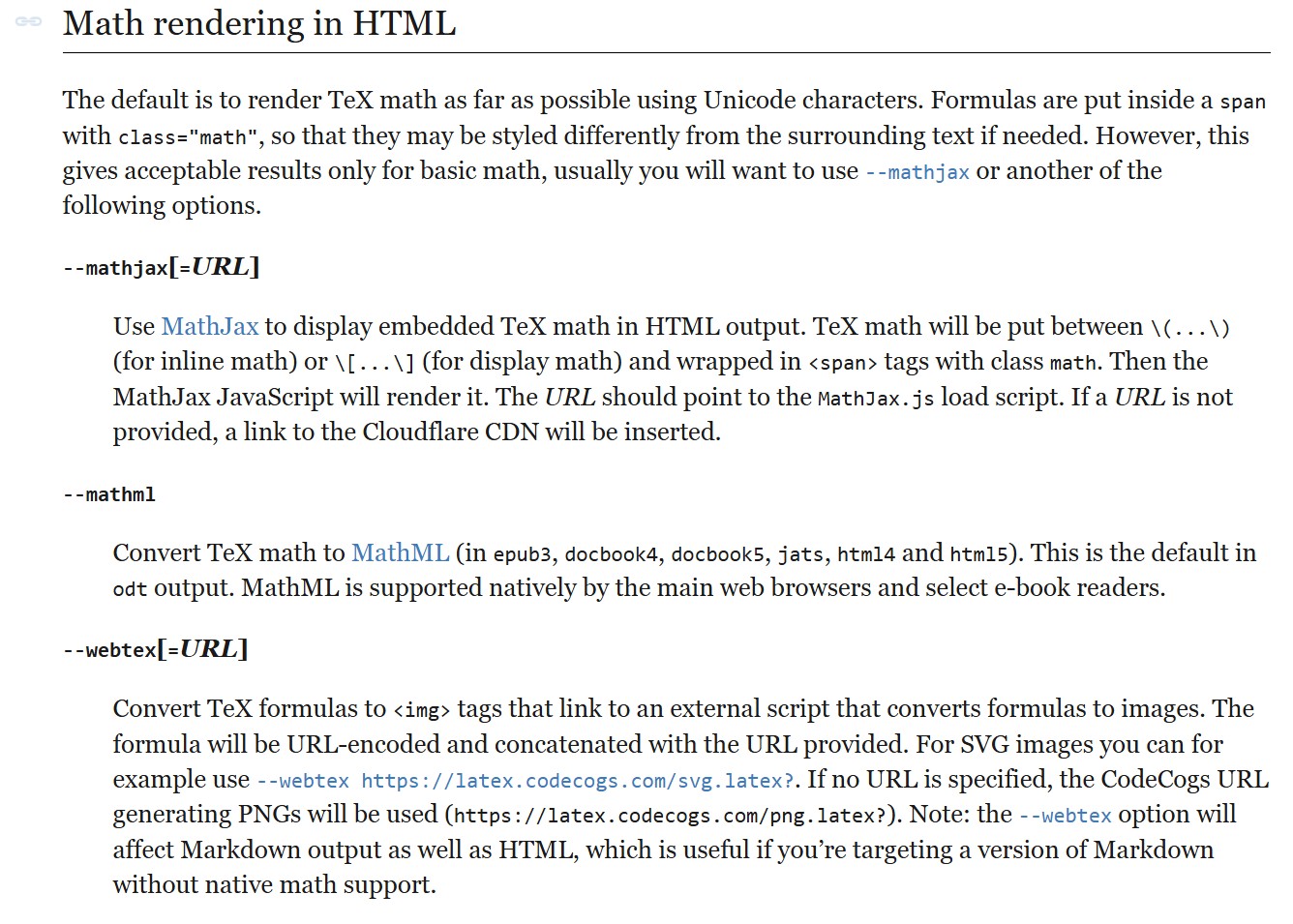 文档甚至声明,
mathml 仅对特定的epub阅读器起作用。
因此,即使你传入了参数也不会起作用,因为它被 --mathml 覆盖。
> format <- bookdown::epub_book(
+   fig_width = 5,
+   fig_height = 4,
+   dev = "png",
+   fig_caption = TRUE,
+   number_sections = TRUE,
+   toc = FALSE,
+   toc_depth = 2,
+   stylesheet = "style.css",
+   metadata = NULL,
+   chapter_level = 1,
+   md_extensions = NULL,
+   template = "default",
+   pandoc_args = c("--webtex")
+ )
> format$pandoc$args
 [1] "--metadata-file"
 [2] "C:\\Users\\..."
 [3] "--webtex"
 [4] "--number-sections"
 [5] "--toc-depth"
 [6] "2"
 [7] "--mathml"   <-- This overwrites  "--webtex" argument
 [8] "--split-level"
 [9] "1"
[10] "--css"
[11] "C:\\Users\\..."
所以在你的 renderbook.R 中,使用一个简单的包装函数 epub_webtex 将 "--mathml" 替换为 "--webtex"
# EPUB:

epub_webtex <- \(...) {
  fmt <- bookdown::epub_book(...)
  fmt$pandoc$args[fmt$pandoc$args == "--mathml"] <- "--webtex"
  fmt
}

bookdown::render_book(
  input = "index.Rmd",
  output_format = epub_webtex(
    fig_width = 5,
    fig_height = 4,
    dev = "png",
    fig_caption = TRUE,
    number_sections = TRUE,
    toc = FALSE,
    toc_depth = 2,
    stylesheet = "style.css",
    metadata = NULL,
    chapter_level = 1,
    md_extensions = NULL,
    template = "default"
  )
)
在 epub-reader.online 的测试结果为
在 Kindle for Windows 上的测试结果为
会话信息
> sessionInfo()
R version 4.5.1 (2025-06-13 ucrt)
Platform: x86_64-w64-mingw32/x64
Running under: Windows 11 x64 (build 26200)

Matrix products: default
  LAPACK version 3.12.1

attached base packages:
[1] stats     graphics  grDevices utils     datasets  methods   base

other attached packages:
[1] bookdown_0.46

loaded via a namespace (and not attached):
 [1] compiler_4.5.1    fastmap_1.2.0     cli_3.6.5         htmltools_0.5.9   tools_4.5.1       otel_0.2.0        rstudioapi_0.18.0 yaml_2.3.12
 [9] rmarkdown_2.30    knitr_1.51        digest_0.6.39     xfun_0.56         rlang_1.1.7       evaluate_1.0.5
相关文章





