


如何在GitLab上为测试摘要的详情页开启颜色显示?
在自托管的GitLab Community Edition v18.10.1中,我执行了一些在日志中输出彩色内容的作业。 (生成日志的Debian slim Docker容器使用 TERM="xterm-256color"。)
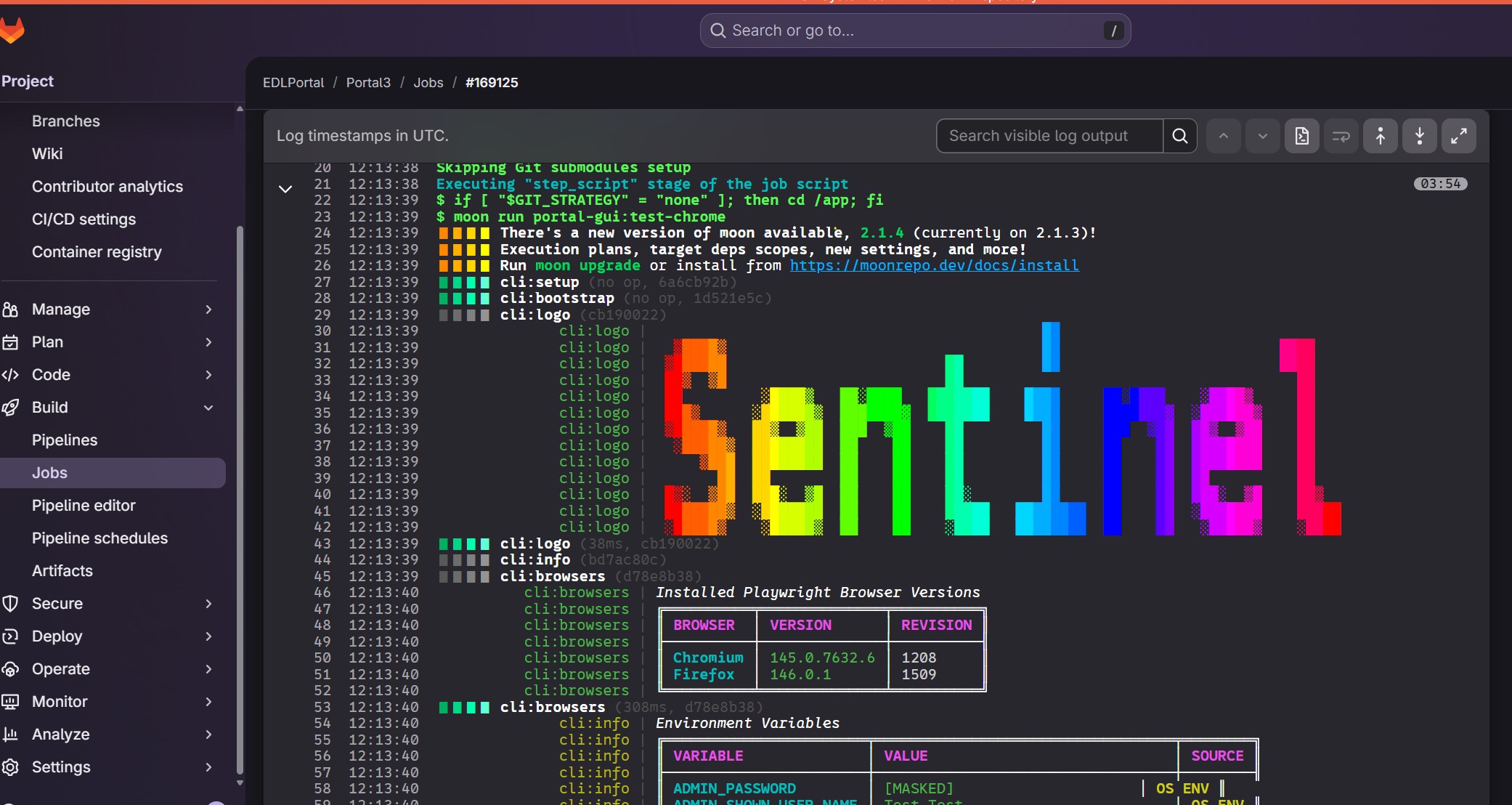
在作业的网页视图中,颜色按应有的方式显示:
然而在分支 / 合并请求「测试摘要」上:
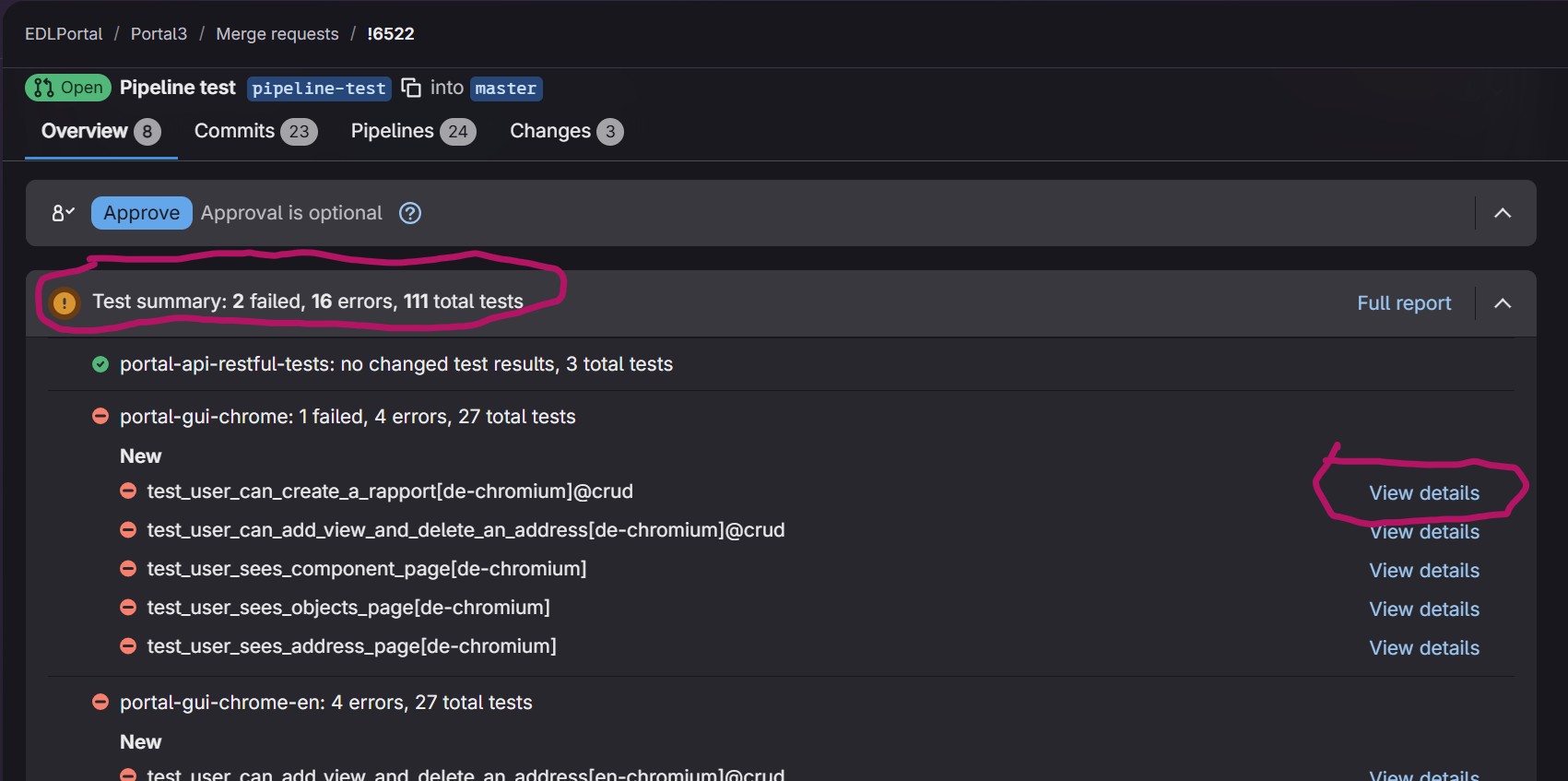
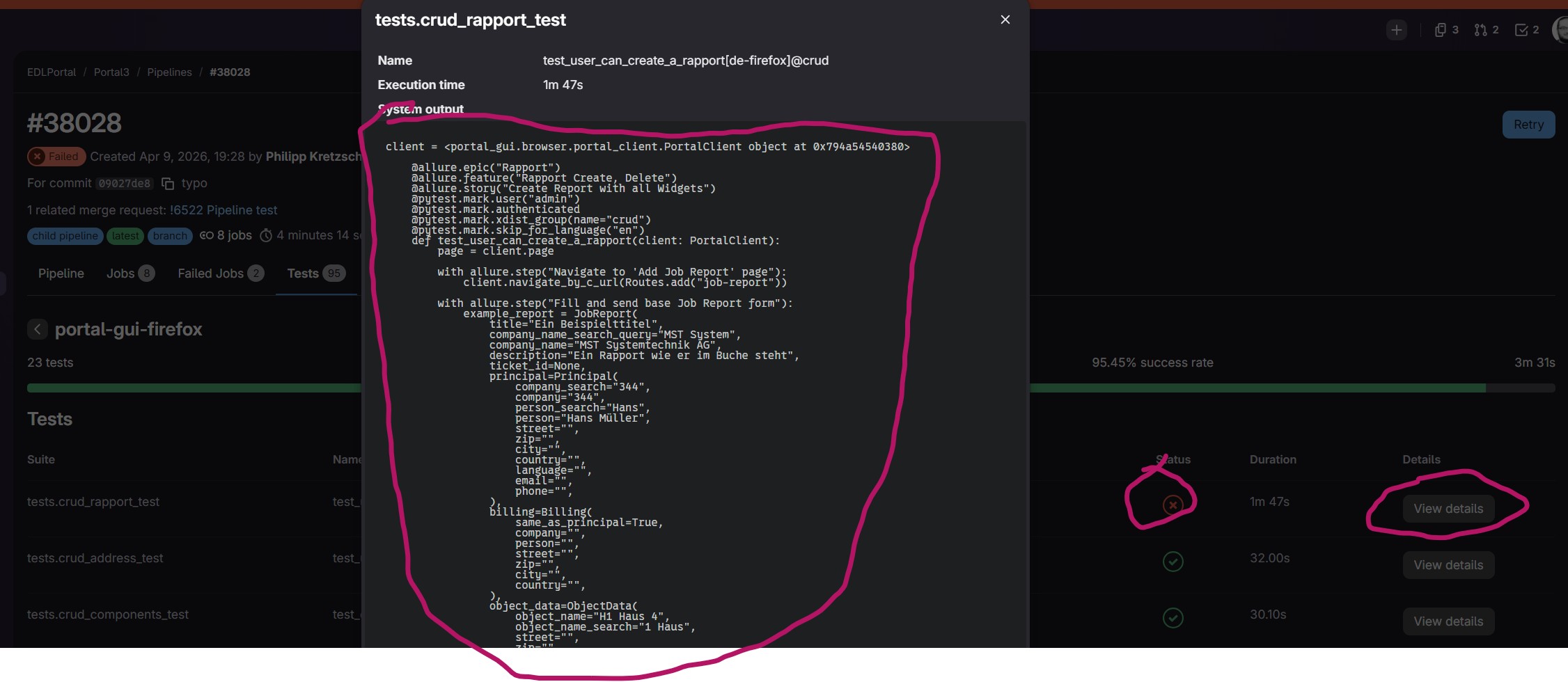
详情仅显示原始文本,因此在这里看不到颜色,它们被显示为纯文本,例如 #x1B[0m#x1B[37m@allure#x1B[39;49;00m.
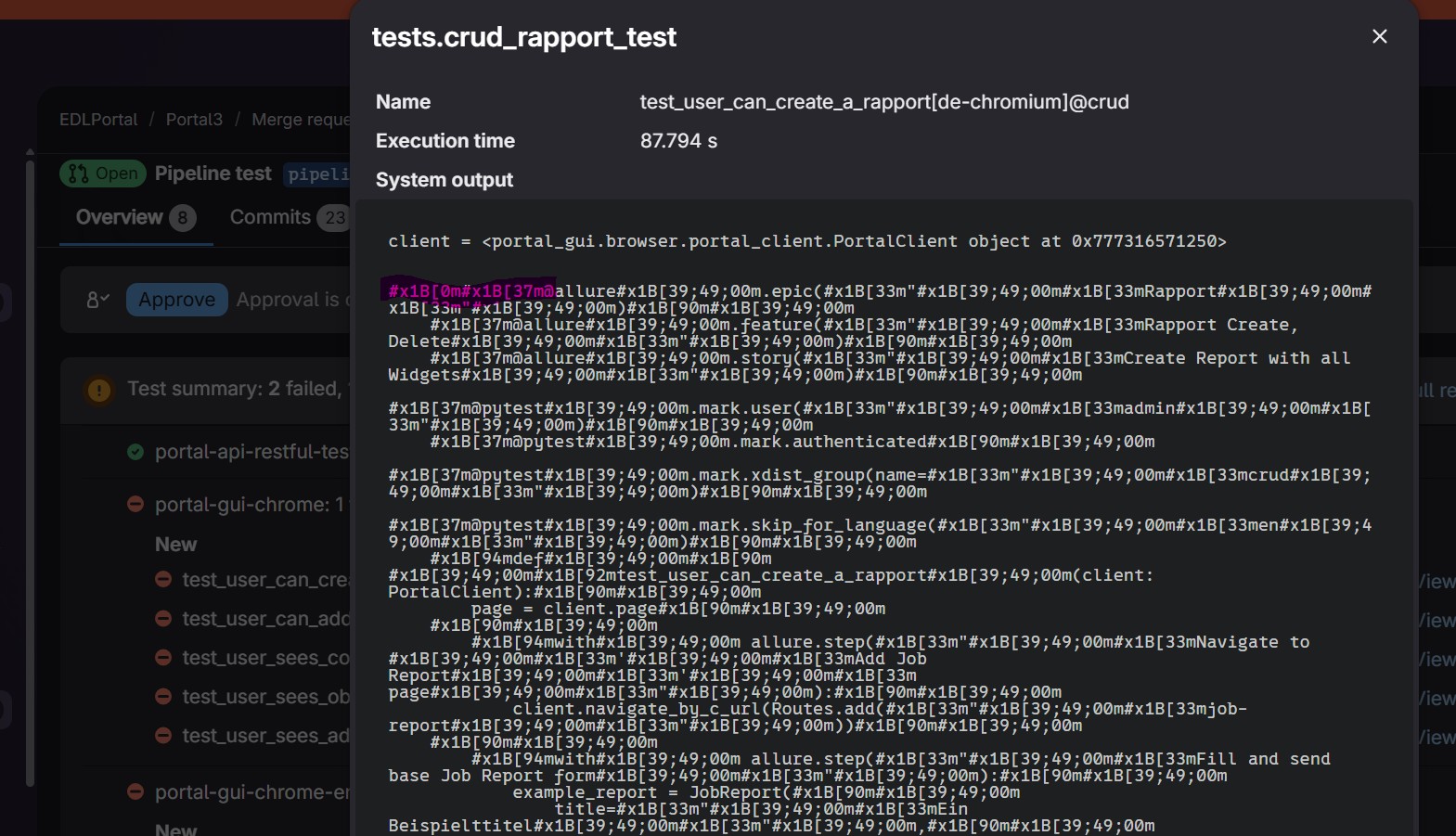
有没有办法让GitLab配置在这里也显示报告中的颜色,还是只能显示纯文本?
Alternativly, can I filter out those color code for that view?
基本上,我想在支持输出颜色的地方保留颜色输出,但在不呈现颜色的场景中避免颜色代码带来的干扰。理想情况下,颜色应始终被打印。
这是我生成报告的方式:
.portal-gui-base:
  extends: .sentinel-db-dependend
  stage: e2e-browser
  variables:
    PYTEST_ADDOPTS: >
      --junitxml=$CI_PROJECT_DIR/junit-${CI_JOB_NAME_SLUG}.xml
      --tracing retain-on-failure
      --output=$CI_PROJECT_DIR/playwright-results-${CI_JOB_NAME_SLUG}
  artifacts:
    when: always
    paths:
      - playwright-results-${CI_JOB_NAME_SLUG}/
      - portal/gui/test-results/videos/
    reports:
      junit: junit-${CI_JOB_NAME_SLUG}.xml
解决方案
I was unable to get colors to display, but I managed to clean up my report file via an after_script. I had an issue that on some failures the after_script would not execute (hence it would not sanitize my xml file), yet I could make it work with setting up a TRAP on EXIT.
对于颜色代码的移除,我采用了这个脚本(https://gitlab.com/gitlab-com/support/toolbox/dotfiles/-/blob/main/aliases/ansi)
sed "s,\x1B\[[0-9;]*[a-zA-Z],,g;s,\x0D\x0A,\x0A,g"'
我还把它扩展到了同时剥离转义的颜色代码。
我的基础作业定义现在看起来像:
.sentinel-base:
  image: ${SENTINEL_IMAGE}
  extends: .sentinel-standard-rules
  variables:
    PYTEST_ADDOPTS: >
      --color=yes
      --junitxml=$CI_PROJECT_DIR/junit-${CI_JOB_NAME_SLUG}.xml
    VIRTUAL_ENV: /app/.venv
    UV_PROJECT_ENVIRONMENT: /app/.venv
  before_script:
    - if [ "$GIT_STRATEGY" = "none" ]; then cd /app; fi
    - |
      # Define the trap to clean the XML regardless of pytest exit code
      cleanup_report() {
        REPORT="$CI_PROJECT_DIR/junit-${CI_JOB_NAME_SLUG}.xml"
        if [ -f "$REPORT" ]; then
          echo "Post-processing JUnit report: $REPORT"
          # Using sed to strip ANSI color codes and fix line endings
          sed -i -E 's/(\x1B||#x1B)\[[0-9;]*[a-zA-Z]//g; s/\x0D\x0A/\x0A/g' "$REPORT"
        fi
      }
      trap cleanup_report EXIT
  artifacts:
    when: always
    paths:
      - "junit-*.xml"
    reports:
      junit: "junit-${CI_JOB_NAME_SLUG}.xml"
  needs: [ ]


.portal-gui-base:
  extends: .sentinel-db-dependend
  stage: e2e-browser
  variables:
    PYTEST_ADDOPTS: >
      --color=yes
      --junitxml=$CI_PROJECT_DIR/junit-${CI_JOB_NAME_SLUG}.xml
      --tracing retain-on-failure
      --output=$CI_PROJECT_DIR/playwright-results-${CI_JOB_NAME_SLUG}
  artifacts:
    when: always
    paths:
      - playwright-results-${CI_JOB_NAME_SLUG}/
      - portal/gui/test-results/videos/
      - "junit-*.xml"
    reports:
      junit: "junit-${CI_JOB_NAME_SLUG}.xml"
相关文章





