


使用Microsoft Graph API获取Microsoft Teams的未读聊天消息
我在Linux上运行Teams的渐进式网页应用(PWA)。系统托盘里没有图标,所以如果我没有正对着屏幕查看通知,就看不到有人给我发消息的提示(通知会在2 秒后消失)。
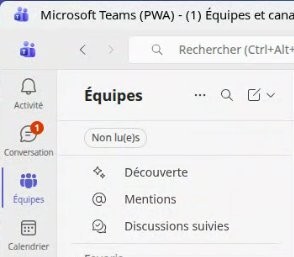
我在尝试看看能不能用Python来实现这一点。
当前,我有如下代码:
import msal
import requests
import time
from datetime import datetime, timezone

# ---------------- CONFIGURATION ----------------
CLIENT_ID = ""
TENANT_ID = ""
AUTHORITY = f"https://login.microsoftonline.com/{TENANT_ID}"
SCOPES = ["Chat.Read"]              # Permission pour lire vos chats
POLL_INTERVAL = 10                  # Intervalle de vérification (secondes)
# ------------------------------------------------

def get_access_token():
    """Ouvre une fenêtre de connexion Microsoft et retourne un token."""
    app = msal.PublicClientApplication(CLIENT_ID, authority=AUTHORITY)
    result = app.acquire_token_interactive(scopes=SCOPES)
    if "access_token" not in result:
        raise Exception(f"Erreur d'authentification : {result.get('error_description')}")
    return result["access_token"]

def list_chats(token):
    """Retourne la liste des chats de l'utilisateur."""
    headers = {"Authorization": f"Bearer {token}"}
    url = "https://graph.microsoft.com/v1.0/me/chats"
    resp = requests.get(url, headers=headers)
    resp.raise_for_status()
    return resp.json().get("value", [])

def get_latest_messages(token, chat_id):
    """Retourne les messages d'un chat donné."""
    headers = {"Authorization": f"Bearer {token}"}
    url = f"https://graph.microsoft.com/v1.0/chats/{chat_id}/messages"
    resp = requests.get(url, headers=headers)
    resp.raise_for_status()
    return resp.json().get("value", [])

def get_read_status(token, chat_id):
    """Retourne la date de dernière lecture pour chaque membre du chat."""
    headers = {"Authorization": f"Bearer {token}"}
    url = f"https://graph.microsoft.com/v1.0/chats/{chat_id}/members"
    print(url)
    resp = requests.get(url, headers=headers)
    resp.raise_for_status()
    return resp.json().get("value", [])

if __name__ == "__main__":
    try:
        print("Connexion à Microsoft...")
        token = get_access_token()

        print("\nRécupération de vos chats...")
        chats = list_chats(token)
        if not chats:
            print("Aucun chat trouvé.")
            exit()

        # Afficher la liste des chats
        for i, chat in enumerate(chats):
            print(f"{i+1}. {chat['chatType']} - ID: {chat['id']}")

            vp = chat.get("viewpoint", {})
            last_read = vp.get("lastMessageReadDateTime", "N/A")
            print(f"Last Message Read: {last_read}")

        choix = int(input("\nEntrez le numéro du chat à surveiller : ")) - 1
        chat_id = chats[choix]["id"]

        print(f"\nSurveillance du chat {chat_id}...")

        while True:
            messages = get_latest_messages(token, chat_id)
            if messages:
                print("message(s) present(s)")
                latest_msg = messages[0]
                latest_id = latest_msg["id"]
                latest_time = datetime.fromisoformat(latest_msg["createdDateTime"].replace("Z", "+00:00"))
                print(latest_time)

                sender = latest_msg["from"]["user"]["displayName"]
                content = latest_msg["body"]["content"]
                print(f"\nmessage de {sender} : {content}")

            else:
                print("pas de message(s) present(s). sleep 30s")
                time.sleep(30)

            time.sleep(POLL_INTERVAL)

    except Exception as e:
        print("Erreur :", e)
我是Office 365的管理员,可以注册应用。
不幸的是,我无法获取消息的已读日期:m.get("lastReadDateTime") 总是返回空。
这个版本的脚本在每次启动时都会要求用户输入凭据。
我知道有一个在Linux上的Teams替代方案(它们有系统托盘图标),但它总是需要多次重新连接。我在Firefox或 Edge上使用Teams时没有这个问题。
无论如何,我也愿意接受用其他语言实现的解决方案。
解决方案
似乎正确的属性名称是 viewpoint,而不是 chatViewpoint。
viewpoint 属性是响应的一部分,因此你应该可以像这样访问它:
last_readchats[choix].viewpoint.last_message_read_date_time
https://learn.microsoft.com/en-us/graph/api/resources/chat?view=graph-rest-1.0#properties
站内所有文章版权归属LeftHeroAI导航站,无授权禁止任何主体转载、抄袭、复制内容,亦不得私自架设镜像站点。一经侵权,本站将通过法律途径追责。
相关文章






汇集全球数千款 AI 工具,每日持续更新,配套 AI 开发学习资源,轻松用 AI 提升工作效率。快捷键 Ctrl+D/⌘+D 一键收藏本站。