


用于在Windows上创建窗口的x86_64汇编代码在重新缩放时,左边和顶边的对边(即右边和下边)会出现抖动
我认为这可能是一个已经解决的问题,但我仍然不明白为什么会这样,以及如何以干净、令人为满意的方式修复它。
我正在为Windows操作系统用x64汇编编写一个简单、基础的GUI窗口程序,因为我想拥有一个极其轻量级的窗口系统来开发GUI应用。我知道正常的做法是直接使用SDL 2/3、GLFW甚至RGFW,但我真的想让我的代码尽可能瘦小、没有臃肿。实际上我的计划是尝试在x64汇编中开发一些小型图形程序,并为GPU交互手写SPIR-V,以看看与用C+Vulkan实现的同一程序相比,是否能获得任何提升(无论是在性能还是内存使用方面)。
我已经写出了以下基于x86_64汇编的基本GUI程序,我用fasm2进行汇编:
  format PE64 GUI 4.0
entry start

;=========================================================================================
; Constants
;=========================================================================================

WS_VISIBLE    = 0x10000000
WS_POPUP      = 0x80000000
WS_THICKFRAME = 0x00040000
CS_VREDRAW    = 0x0001
CS_HREDRAW    = 0x0002
CS_OWNDC      = 0x0020
IDC_ARROW     = 32512
WM_DESTROY    = 0x0002
WM_KEYDOWN    = 0x0100
WM_NCHITTEST  = 0x0084
WM_ERASEBKGND = 0x0014
WM_PAINT      = 0x000F
VK_ESCAPE     = 0x001B
HTCLIENT      = 1
HTCAPTION     = 2
HTLEFT        = 10
HTRIGHT       = 11
HTTOP         = 12
HTTOPLEFT     = 13
HTTOPRIGHT    = 14
HTBOTTOM      = 15
HTBOTTOMLEFT  = 16
HTBOTTOMRIGHT = 17

;=========================================================================================
; BSS
;=========================================================================================

section '.bss' readable writeable

  ; MSG: HWND(8)+UINT(4)+pad(4)+WPARAM(8)+LPARAM(8)+DWORD(4)+POINT(8) = 44 bytes ? 48
  msg rb 48

  ; WNDCLASSA on x64: style(4)+pad(4)+lpfnWndProc(8)+cbClsExtra(4)+cbWndExtra(4)+
  ;                   hInstance(8)+hIcon(8)+hCursor(8)+hbrBackground(8)+
  ;                   lpszMenuName(8)+lpszClassName(8) = 72 bytes
  wc:
    .style         dd ?    ; UINT,     offset 0
                   dd ?    ; padding,  offset 4  ? required on x64!
    .lpfnWndProc   dq ?    ; WNDPROC,  offset 8
    .cbClsExtra    dd ?    ; int,      offset 16
    .cbWndExtra    dd ?    ; int,      offset 20
    .hInstance     dq ?    ; HINSTANCE, offset 24
    .hIcon         dq ?    ; HICON,     offset 32
    .hCursor       dq ?    ; HCURSOR,   offset 40
    .hbrBackground dq ?    ; HBRUSH,    offset 48 (0 = don't auto-erase)
    .lpszMenuName  dq ?    ; LPCSTR,    offset 56
    .lpszClassName dq ?    ; LPCSTR,    offset 64

  ; RECT: four LONGs, identical in x86 and x64
  rect:
    .left   dd ?
    .top    dd ?
    .right  dd ?
    .bottom dd ?

  hbr dq ?     ; HBRUSH handle (64-bit pointer on x64)

  ; PAINTSTRUCT on x64: HDC(8)+BOOL(4)+RECT(16)+BOOL(4)+BOOL(4)+BYTE[32] = 68 ? 72 bytes
  ; rcPaint is at offset 12 (NOT offset 8 like in x86!)
  ps rb 72

;=========================================================================================
; Data
;=========================================================================================

section '.data' data readable writeable
  class_name db 'MinimalCanvas', 0

;=========================================================================================
; Code
;=========================================================================================

section '.text' code readable executable

start:
    ; Allocate: 32 shadow + 64 for the 8 stack args of CreateWindowExA = 96 bytes.
    ; PLUS 8 bytes to re-align the stack (because the OS pushed an 8-byte return address).
    ; Total = 104. Now RSP is perfectly 16-byte aligned before the first call!
    sub rsp, 104

    ; Get our own hInstance (robust regardless of image base)
    xor ecx, ecx
    call [GetModuleHandleA]
    mov [wc.hInstance], rax

    ; Setup WNDCLASSA
    mov dword [wc.style], CS_OWNDC + CS_HREDRAW + CS_VREDRAW
    lea rax, [WindowProc]
    mov [wc.lpfnWndProc], rax
    ; wc.hbrBackground stays 0 (BSS is zero-initialized): tells Windows never to auto-erase

    ; LoadCursorA(NULL, IDC_ARROW)
    xor ecx, ecx
    mov edx, IDC_ARROW          ; mov edx zero-extends to RDX on x64 ?
    call [LoadCursorA]
    mov [wc.hCursor], rax

    ; CreateSolidBrush(0xED9564) — Cornflower Blue background brush (0x00bbggrr)
    mov ecx, 0xED9564
    call [CreateSolidBrush]
    mov [hbr], rax

    lea rax, [class_name]
    mov [wc.lpszClassName], rax

    ; RegisterClassA(&wc)
    lea rcx, [wc]
    call [RegisterClassA]

    ; CreateWindowExA(0, class_name, NULL, WS_POPUP|WS_VISIBLE,
    ;                 100, 100, 800, 600, NULL, NULL, hInstance, NULL)
    ; Args 1-4 go in registers; args 5-12 go on stack at [rsp+32]..[rsp+88]
    xor ecx, ecx                                     ; dwExStyle = 0
    lea rdx, [class_name]                            ; lpClassName
    xor r8, r8                                       ; lpWindowName = NULL
    mov r9d, WS_POPUP + WS_VISIBLE                   ; dwStyle (Removed WS_THICKFRAME to drop DWM top line)
    mov qword [rsp+32], 100                          ; X
    mov qword [rsp+40], 100                          ; Y
    mov qword [rsp+48], 800                          ; nWidth
    mov qword [rsp+56], 600                          ; nHeight
    mov qword [rsp+64], 0                            ; hWndParent = NULL
    mov qword [rsp+72], 0                            ; hMenu = NULL
    mov rax, [wc.hInstance]
    mov [rsp+80], rax                                ; hInstance
    mov qword [rsp+88], 0                            ; lpParam = NULL
    call [CreateWindowExA]

msg_loop:
    ; GetMessageA(&msg, NULL, 0, 0)
    lea rcx, [msg]
    xor edx, edx
    xor r8d, r8d
    xor r9d, r9d
    call [GetMessageA]
    test eax, eax
    jz end_loop

    lea rcx, [msg]
    call [TranslateMessage]

    lea rcx, [msg]
    call [DispatchMessageA]
    jmp msg_loop

end_loop:
    xor ecx, ecx
    call [ExitProcess]

;-----------------------------------------------------------------------------------------
; WindowProc
; Called by Windows with: RCX=hwnd, RDX=uMsg, R8=wParam, R9=lParam
;-----------------------------------------------------------------------------------------

WindowProc:
    ; Step 1: Immediately save all 4 params into the caller's shadow space.
    ; The x64 ABI gives us [rsp+8..32] (the home locations) for exactly this purpose.
    ; We must do this BEFORE touching RSP so the offsets are simple.
    mov [rsp+8],  rcx    ; hwnd
    mov [rsp+16], rdx    ; uMsg
    mov [rsp+24], r8     ; wParam
    mov [rsp+32], r9     ; lParam

    ; Step 2: Save non-volatile registers we'll use in the hit-test handler.
    push rbx             ; rbx = mouse X during hit test
    push rdi             ; rdi = mouse Y during hit test

    ; Step 3: Allocate our own shadow space + fix stack alignment.
    ; Entry RSP = 16n-8. After 2 pushes (16 bytes): RSP = 16n-24.
    ; sub rsp, 40 (32 shadow + 8 align): RSP = 16n-64 ? 16-byte aligned ?
    sub rsp, 40

    ; Parameters are now accessible at fixed offsets from RSP:
    ;   hwnd   = [rsp+64]
    ;   uMsg   = [rsp+72]
    ;   wParam = [rsp+80]
    ;   lParam = [rsp+88]

    ; RDX is still the original uMsg (push/sub don't touch it)
    cmp edx, WM_DESTROY
    je .wmdestroy
    cmp edx, WM_KEYDOWN
    je .wmkeydown
    cmp edx, WM_NCHITTEST
    je .wmnchittest
    cmp edx, WM_ERASEBKGND
    je .wmerasebkgnd
    cmp edx, WM_PAINT
    je .wmpaint

.defwndproc:
    ; Restore all 4 params and call DefWindowProcA
    mov rcx, [rsp+64]    ; hwnd
    mov rdx, [rsp+72]    ; uMsg
    mov r8,  [rsp+80]    ; wParam
    mov r9,  [rsp+88]    ; lParam
    call [DefWindowProcA]
    jmp .epilog           ; rax = DefWindowProcA's return value, preserved by epilog

.wmerasebkgnd:
    mov eax, 1            ; Tell Windows: "I handled it, don't erase"
    jmp .epilog

.wmpaint:
    ; BeginPaint(hwnd, &ps) ? rax = HDC
    mov rcx, [rsp+64]
    lea rdx, [ps]
    call [BeginPaint]

    ; FillRect(hdc, &ps.rcPaint, hbr)
    ; On x64: PAINTSTRUCT.rcPaint is at offset 12 (HDC=8 + BOOL=4)
    mov rcx, rax
    lea rdx, [ps+12]     ; &rcPaint (offset 12 on x64, NOT 8 like x86!)
    mov r8,  [hbr]
    call [FillRect]

    ; EndPaint(hwnd, &ps)
    mov rcx, [rsp+64]
    lea rdx, [ps]
    call [EndPaint]

    xor eax, eax
    jmp .epilog

.wmnchittest:
    ; GetWindowRect(hwnd, &rect)
    mov rcx, [rsp+64]
    lea rdx, [rect]
    call [GetWindowRect]  ; volatile registers (rcx,rdx,r8,r9,r10,r11,rax) clobbered here

    ; Extract screen mouse coords from saved lParam.
    ; lParam = MAKELPARAM(x, y): LOWORD = x, HIWORD = y (in low 32 bits of the 64-bit LPARAM)
    mov rax, [rsp+88]    ; reload saved lParam
    movsx rbx, ax        ; rbx = mouse X (sign-extended 16-bit LOWORD)
    sar rax, 16
    movsx rdi, ax        ; rdi = mouse Y (sign-extended 16-bit HIWORD)

    ; rbx and rdi are non-volatile: they survived the GetWindowRect call above ?

    mov eax, HTCLIENT    ; default result

    ; --- Check Top edge ---
    mov edx, [rect.top]
    add edx, 8
    cmp edi, edx
    jge .not_top
    mov eax, HTTOP
    jmp .check_horiz
  .not_top:
    mov edx, [rect.bottom]
    sub edx, 8
    cmp edi, edx
    jle .check_horiz
    mov eax, HTBOTTOM

  .check_horiz:
    ; --- Check Left edge ---
    mov edx, [rect.left]
    add edx, 8
    cmp ebx, edx
    jge .not_left
    cmp eax, HTTOP
    jne .chk_bl
    mov eax, HTTOPLEFT
    jmp .done_hit
  .chk_bl:
    cmp eax, HTBOTTOM
    jne .just_left
    mov eax, HTBOTTOMLEFT
    jmp .done_hit
  .just_left:
    mov eax, HTLEFT
    jmp .done_hit

  .not_left:
    ; --- Check Right edge ---
    mov edx, [rect.right]
    sub edx, 8
    cmp ebx, edx
    jle .not_right
    cmp eax, HTTOP
    jne .chk_br
    mov eax, HTTOPRIGHT
    jmp .done_hit
  .chk_br:
    cmp eax, HTBOTTOM
    jne .just_right
    mov eax, HTBOTTOMRIGHT
    jmp .done_hit
  .just_right:
    mov eax, HTRIGHT
    jmp .done_hit

  .not_right:
    ; --- Check caption/drag strip ---
    cmp eax, HTCLIENT
    jne .done_hit
    mov edx, [rect.top]
    add edx, 28
    cmp edi, edx
    jge .done_hit
    mov eax, HTCAPTION

  .done_hit:
    jmp .epilog           ; rax = hit test result

.wmkeydown:
    cmp qword [rsp+80], VK_ESCAPE   ; wParam holds the virtual key code
    jne .defwndproc
    mov rcx, [rsp+64]    ; hwnd
    call [DestroyWindow]
    xor eax, eax
    jmp .epilog

.wmdestroy:
    xor ecx, ecx
    call [PostQuitMessage]
    xor eax, eax
    ; fall through to epilog

.epilog:
    add rsp, 40          ; undo shadow + alignment
    pop rdi              ; restore non-volatile rdi
    pop rbx              ; restore non-volatile rbx
    ret                  ; x64: callee does NOT clean args off the stack

;=========================================================================================
; Import Table
; Key difference from x86: IAT entries are dq (8 bytes) instead of dd (4 bytes)
;=========================================================================================

section '.idata' import data readable writeable

  ; Directory table entries are still 5 DWORDs (same as PE32)
  dd 0,0,0, RVA kernel_name, RVA kernel_table
  dd 0,0,0, RVA user_name,   RVA user_table
  dd 0,0,0, RVA gdi_name,    RVA gdi_table
  dd 0,0,0, 0, 0

  ; ? dq instead of dd — each IAT slot is 8 bytes in PE64
  kernel_table:
    ExitProcess      dq RVA _ExitProcess
    GetModuleHandleA dq RVA _GetModuleHandleA
    dq 0
  user_table:
    RegisterClassA   dq RVA _RegisterClassA
    CreateWindowExA  dq RVA _CreateWindowExA
    DefWindowProcA   dq RVA _DefWindowProcA
    GetMessageA      dq RVA _GetMessageA
    TranslateMessage dq RVA _TranslateMessage
    DispatchMessageA dq RVA _DispatchMessageA
    LoadCursorA      dq RVA _LoadCursorA
    PostQuitMessage  dq RVA _PostQuitMessage
    DestroyWindow    dq RVA _DestroyWindow
    GetWindowRect    dq RVA _GetWindowRect
    BeginPaint       dq RVA _BeginPaint
    EndPaint         dq RVA _EndPaint
    FillRect         dq RVA _FillRect
    dq 0
  gdi_table:
    CreateSolidBrush dq RVA _CreateSolidBrush
    dq 0

  kernel_name db 'KERNEL32.DLL', 0
  user_name   db 'USER32.DLL', 0
  gdi_name    db 'GDI32.DLL', 0

  _ExitProcess       dw 0
                     db 'ExitProcess', 0
  _GetModuleHandleA  dw 0
                     db 'GetModuleHandleA', 0
  _RegisterClassA    dw 0
                     db 'RegisterClassA', 0
  _CreateWindowExA   dw 0
                     db 'CreateWindowExA', 0
  _DefWindowProcA    dw 0
                     db 'DefWindowProcA', 0
  _GetMessageA       dw 0
                     db 'GetMessageA', 0
  _TranslateMessage  dw 0
                     db 'TranslateMessage', 0
  _DispatchMessageA  dw 0
                     db 'DispatchMessageA', 0
  _LoadCursorA       dw 0
                     db 'LoadCursorA', 0
  _PostQuitMessage   dw 0
                     db 'PostQuitMessage', 0
  _DestroyWindow     dw 0
                     db 'DestroyWindow', 0
  _CreateSolidBrush  dw 0
                     db 'CreateSolidBrush', 0
  _GetWindowRect     dw 0
                     db 'GetWindowRect', 0
  _BeginPaint        dw 0
                     db 'BeginPaint', 0
  _EndPaint          dw 0
                     db 'EndPaint', 0
  _FillRect          dw 0
                     db 'FillRect', 0
它可以编译运行,并在一个矢车菊蓝色的小窗口里打开,但当我尝试调整该窗口的大小时,特别是在顶部和左边缘,且更具体地说当将窗口向左和向上扩展时,我会看到如下GIF中的抖动效果:
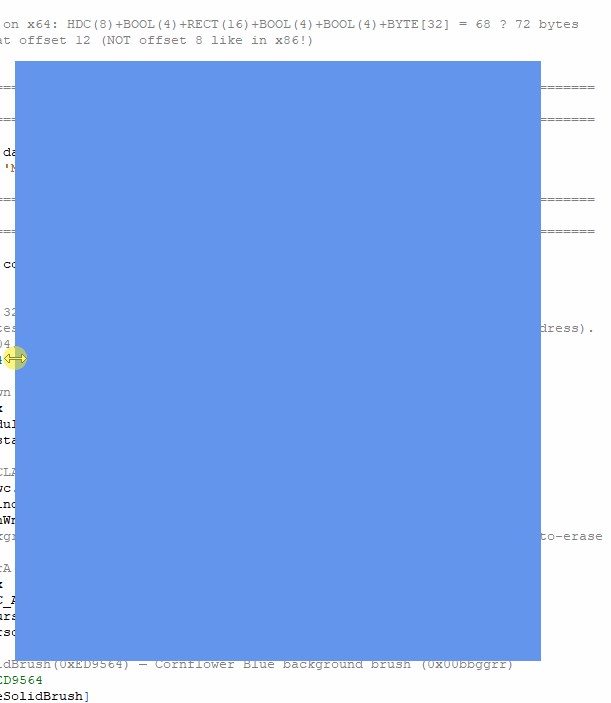
正如你所见,在向左扩展和向上扩展窗口时存在明显的抖动,而在向这两个方向收缩时抖动很小,向右和向下边缘被移动时几乎没有抖动。
相比之下,这里是一段fasm2编辑器本身被扩展和收缩的GIF(这样你就可以看到fasm2编辑器的问题已经解决,或至少基本解决,因为仍然会有极微小的抖动,但远小于我的窗口GUI程序中发生的情况):
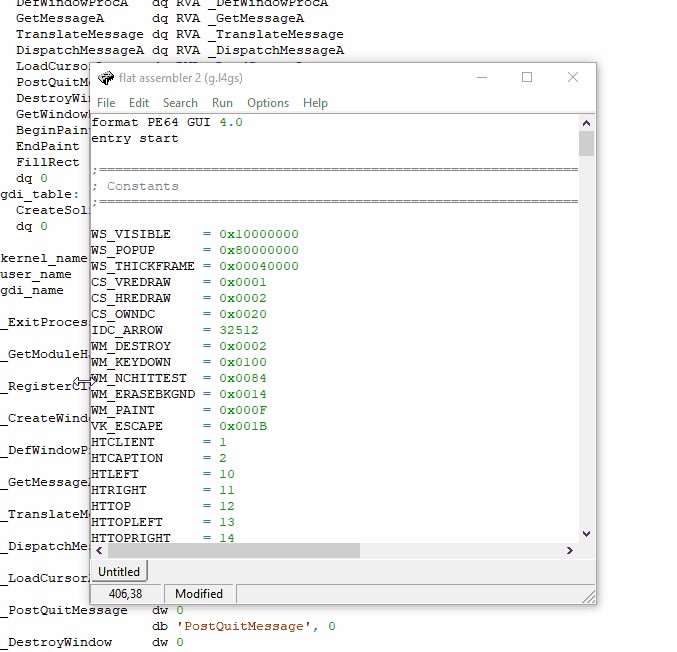
正如你所见,fasm2编辑器应用几乎没有抖动。
问题似乎与Windows如何处理GDI和 BitBlit有关,BitBlit是当前用来把窗口背景绘制成矢车菊蓝色的过程。我要如何解决这个问题?
有一种我认为可能的解决办法是使用“保留模式” GUI,它会在所有像素都已经绘制到另一个缓冲区后才更新绘制的窗口图像,也就是说只有在完全绘制好的图像更新。而当前的方法更像是“即时模式” GUI,即展示未完成的绘制,这会造成抖动。
问题是,即使这是一个“即时模式” GUI的问题,我也不明白为什么会这样!难道像整整一屏的单色像素闪现这样微不足道的事情,现代CPU不应在我的显示器大约60 Hz的刷新率之间,在内存中重复多次完成吗?因为据我所知,许多GUI或图形编程都依赖于我们能够在屏幕本身更新速度之前,完成计算并更新屏幕像素的颜色,那么是什么原因导致这种迟缓?是因为这是一个仅使用CPU的程序吗?但我认为fasm2编辑器应用并不足够复杂,根本不需要为一个汇编代码编辑器使用硬件加速的图形。
解决方案
这是预期行为,原因在于GDI被“祖父化”进了桌面窗口管理器(DWM)的世界。如果你的最终目标是使用OpenGL或 DirectX等 API给窗口绘制图像,你可以忽略这个问题,继续前进。
抖动
当你把窗口的左侧往左拖动时,四边形(quad)会立即更新。因此,在下一帧中,窗口会占据更宽的区域。但左边移动与纹理更新之间存在延迟。旧纹理仍然锚定在左边,但它没有右侧新暴露区域的像素数据。因此看起来像是窗口向左“移动”了。几帧之后,纹理被更新,右侧似乎回到了原来的位置。
当你拖动右边框向右调整大小时也会有同样的问题,只是因为纹理的锚点没有变化,所以更难看出。抖动在于你正在拖动的边缘与鼠标光标之间同步的平滑程度。
延迟的原因
如果窗口有GPU原生渲染,这通常不会超过一帧。但GDI是由CPU以软件方式渲染,可能直接写入显存,也可能写入系统内存。与不断生成新帧的视频游戏不同,渲染最终是在由调整大小事件引起的设备上下文失效后才开始。我之所以说“最终”,是因为WM_PAINT只有在消息队列空闲时才会被传送。
由于客户区域现在更大,GDI需要先把当前的离屏位图转存并创建一个更大的位图。然后它处理绘制命令来更新它(通常会进行一些批处理)。
与此同时,DWM实际上在轮询查看GDI的渲染何时完成,一旦看起来完成,它就把GDI的离屏位图Blit到它的纹理上(它可能也需要调整大小)。
减少延迟
你能让一个用GDI绘制的窗口不那么抖动吗?也许可以。
- 基于直觉,我怀疑CS_CLASSDC会否阻碍GDI与 DWM之间的同步。鉴于CS_CLASSDC的使用并不常见,我不指望它被优化到极致。
- CS_HREDRAW和 CS_VREDRAW会在窗口调整大小时使整个客户区失效。这意味着你需要重绘所有像素。对于具有动态布局的窗口,这通常是必要的。对于你的蓝色窗口来说,这有点过度。也就是说,填充整个客户区与仅填充新暴露区域之间的时间差,在仅填充单一颜色时可能不是瓶颈。
- 避免WM_ERASEBKGND,并确保你的WM_PAINT处理程序覆盖更新区域中的所有内容。你已经在这么做了。
- 对GDI渲染进行双缓冲。这与直觉相悖,也与DWM的最佳实践相反,但我发现这通常能降低重绘延迟。我怀疑单次将像素数据BitBlt到设备上下文,会让DWM认为是时候复制像素数据。
- 如有意义,可以考虑使用窗口框架(例如WS_THICKFRAME | WS_CAPTION)。系统的非客户端框架代码似乎已经针对DWM做了优化。调整大小后,框架中的像素可能需要一些时间来更新,但框架的位置会在应有的位置,从而减少视觉上的延迟感。
- 让你的渲染具备DPI感知,并将程序标记为DPI感知,尤其是如果你使用GDI文本的话。
相关文章





