


如何从精灵图集中获取一个Texture2D?
在Unity中,我有多个Sprite,它们已经被打包进一个精灵图集。这些Sprite 也各自有自己的Texture2D,如下所示:
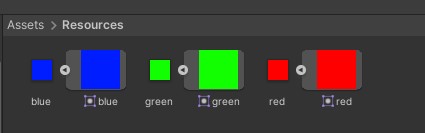
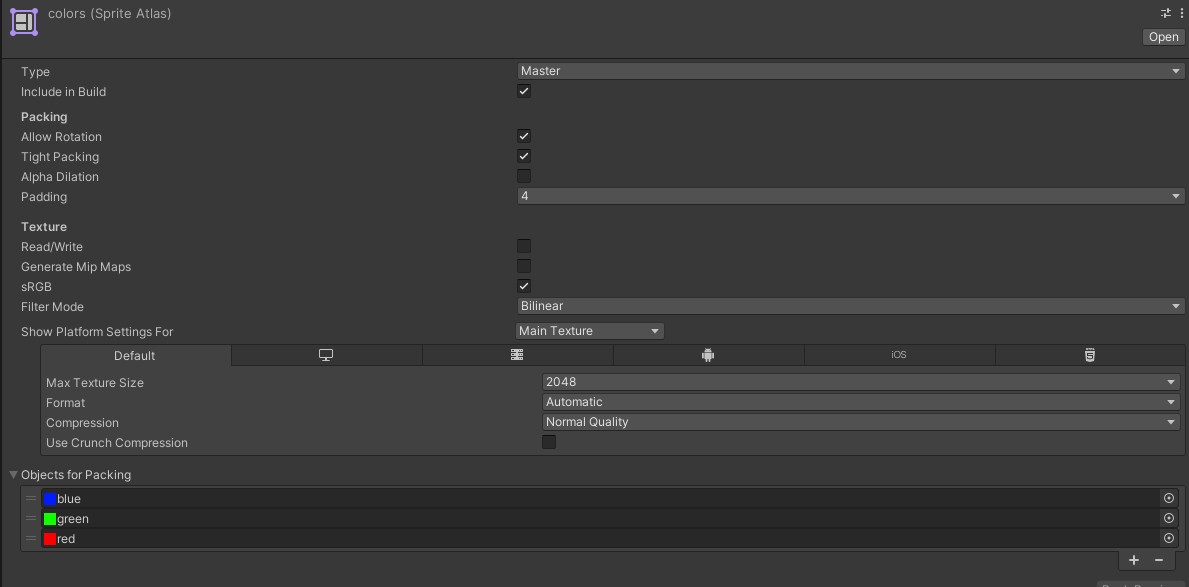
我想获取名为blue的精灵的单独Texture2D。然而,如果我写出下面的代码,我得到的是该精灵图集的Texture2D,其中同时包含来自 red 和 blue 的两个部分:
Sprite blueSprite = Resources.Load<Sprite>("blue");
Texture2D blueTexture = blueSprite.texture; //This returns the texture of the entire sprite atlas, with red, green and blue on the image. I don't want this.
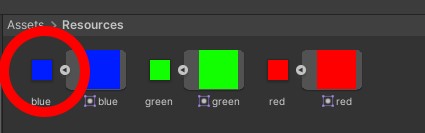
我不想要这个。我想要仅对应blue的Texture2D 文件,即这个文件:
我要怎么做?
请注意,这个问题与 这个问题 并不相同,该问题是在Sprite Atlas中查找Sprite,而不是Texture2D。
解决方案
Why would you load it as a single Sprite though?
如果它是一个 SpriteAtlas,就按这种方式加载。请参阅 Runtime时手动加载精灵图集 之後,你可以简单地使用 [SpriteAtlas.GetSprites] 列出其中包含的所有单独精灵,使用额外 string 的重载按名称筛选,或者通过名称获取特定的一个(第一个匹配)使用 [SpriteAtlas.GetSprite]。
SpriteAtlas的全部意义在于它使用 一张纹理 将多个精灵打包在一起!
=> 也就是说,不再存在底层的单独纹理了!
如果出于某种原因你确实需要在运行时回到单独的纹理,可以直接从包含所有单独精灵的纹理中裁切出一个区域,方法与精灵使用的 [textureRect] 相同。参见 在Unity中的图像裁剪 例子。前提是你从中得到的纹理确实是 [可读/可写] 的 —— 为此,需要在 SpriteAtlas Inspector设置中开启相应标志。
站内所有文章版权归属LeftHeroAI导航站,无授权禁止任何主体转载、抄袭、复制内容,亦不得私自架设镜像站点。一经侵权,本站将通过法律途径追责。
相关文章






汇集全球数千款 AI 工具,每日持续更新,配套 AI 开发学习资源,轻松用 AI 提升工作效率。快捷键 Ctrl+D/⌘+D 一键收藏本站。