


Python pathlib以写入模式打开时,出现没有这样的文件或目录
Python似乎被禁止写入任何文件。Windows系统 [版本10.0.19045.6456],未运行OneDrive。Python 3.14.0
代码
from pathlib import Path

print("trying to write to file")

cwd = Path.cwd()
print(f"cwd: {cwd}")

destname = Path("ccc.txt")
print(f"destname is {destname}")

destpath = cwd / destname
print(f"destpath is {destpath}")

destpath.write_text("daa daa dah dah", encoding="utf-8")

#with destpath.open(mode="w", encoding="utf-8") as x:
#    print(f"x is {x}")
#    x.write("oh boy oh boy")

print("finished writing to file")
从终端
C:\Users\Charlie\Documents\annoyingtest>python aaa.py
trying to write to file
cwd: C:\Users\Charlie\Documents\annoyingtest
destname is ccc.txt
destpath is C:\Users\Charlie\Documents\annoyingtest\ccc.txt
Traceback (most recent call last):
  File "C:\Users\Charlie\Documents\annoyingtest\aaa.py", line 14, in <module>
    destpath.write_text("daa daa dah dah", encoding="utf-8")
    ~~~~~~~~~~~~~~~~~~~^^^^^^^^^^^^^^^^^^^^^^^^^^^^^^^^^^^^^
  File "C:\Users\Charlie\AppData\Local\Programs\Python\Python314\Lib\pathlib\__init__.py", line 809, in write_text
    with self.open(mode='w', encoding=encoding, errors=errors, newline=newline) as f:
         ~~~~~~~~~^^^^^^^^^^^^^^^^^^^^^^^^^^^^^^^^^^^^^^^^^^^^^^^^^^^^^^^^^^^^^
  File "C:\Users\Charlie\AppData\Local\Programs\Python\Python314\Lib\pathlib\__init__.py", line 771, in open
    return io.open(self, mode, buffering, encoding, errors, newline)
           ~~~~~~~^^^^^^^^^^^^^^^^^^^^^^^^^^^^^^^^^^^^^^^^^^^^^^^^^^
FileNotFoundError: [Errno 2] No such file or directory: 'C:\\Users\\Charlie\\Documents\\annoyingtest\\ccc.txt'

C:\Users\Charlie\Documents\annoyingtest>dir
 Volume in drive C is Windows
 Volume Serial Number is 8C0D-97DC

 Directory of C:\Users\Charlie\Documents\annoyingtest

2026-06-02  02:14 PM    <DIR>          .
2026-06-02  02:14 PM    <DIR>          ..
2026-06-02  02:08 PM               441 aaa.py
               1 File(s)            441 bytes
               2 Dir(s)  865,055,985,664 bytes free

C:\Users\Charlie\Documents\annoyingtest>whoami
penthousedatalo\charlie
文件夹权限
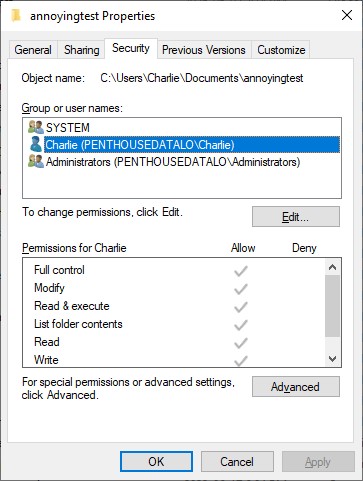
• 绝对路径/相对路径不考虑,请使用cwd() 生成完整路径,并在输出中已确认
• 不存在的文件夹不考虑,使用cwd()
• Python以文件夹所有者的用户身份运行,已用whoami检查
• 为避免干扰权限,未运行OneDrive
• 试过os库和pathlib
• 也尝试了 "with ... open ...",但没有效果,请参阅# 评论
• 不是隐藏的文件扩展名,已用dir测试,上文已显示
• 在 "annoyingtest" 之前尝试了几个不同的文件夹,在其他文件夹中也不起作用
网上有一些类似的问题。给出的解答都如上尝试过,但都失败了。
那为什么Windows不让Python写入任何文件?感觉像是有某种注册表技巧(regedit hack)让Windows允许Python写入文件。
解决方案
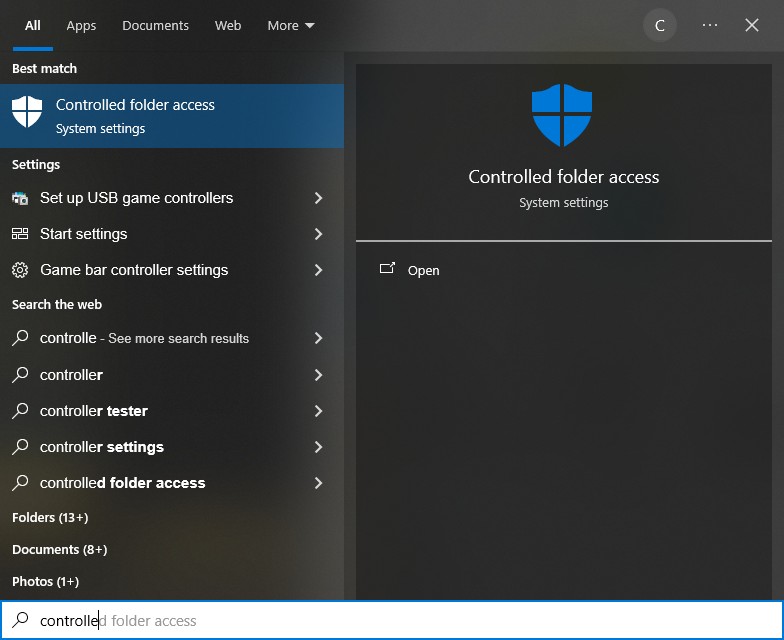
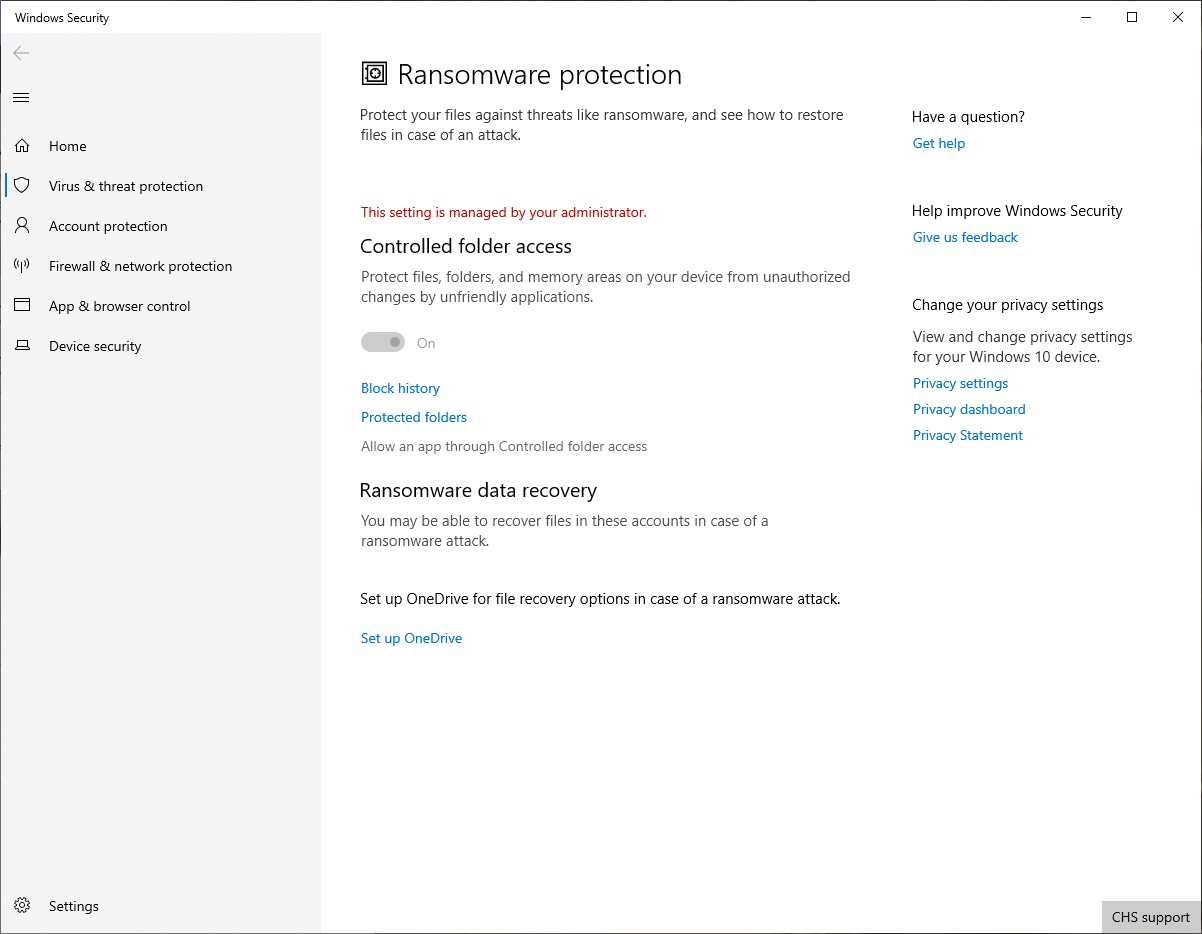
于是我最终找到了Windows的设置。原来Windows里有一个叫做“受控文件夹访问”的功能。你需要让它授予Python写入权限。
先按Windows开始键,输入“受控文件夹访问”,并打开受控文件夹访问。
然后点“允许应用通过受控文件夹访问”,并在任何UAC提示时确认。
接着点“添加允许的应用”。
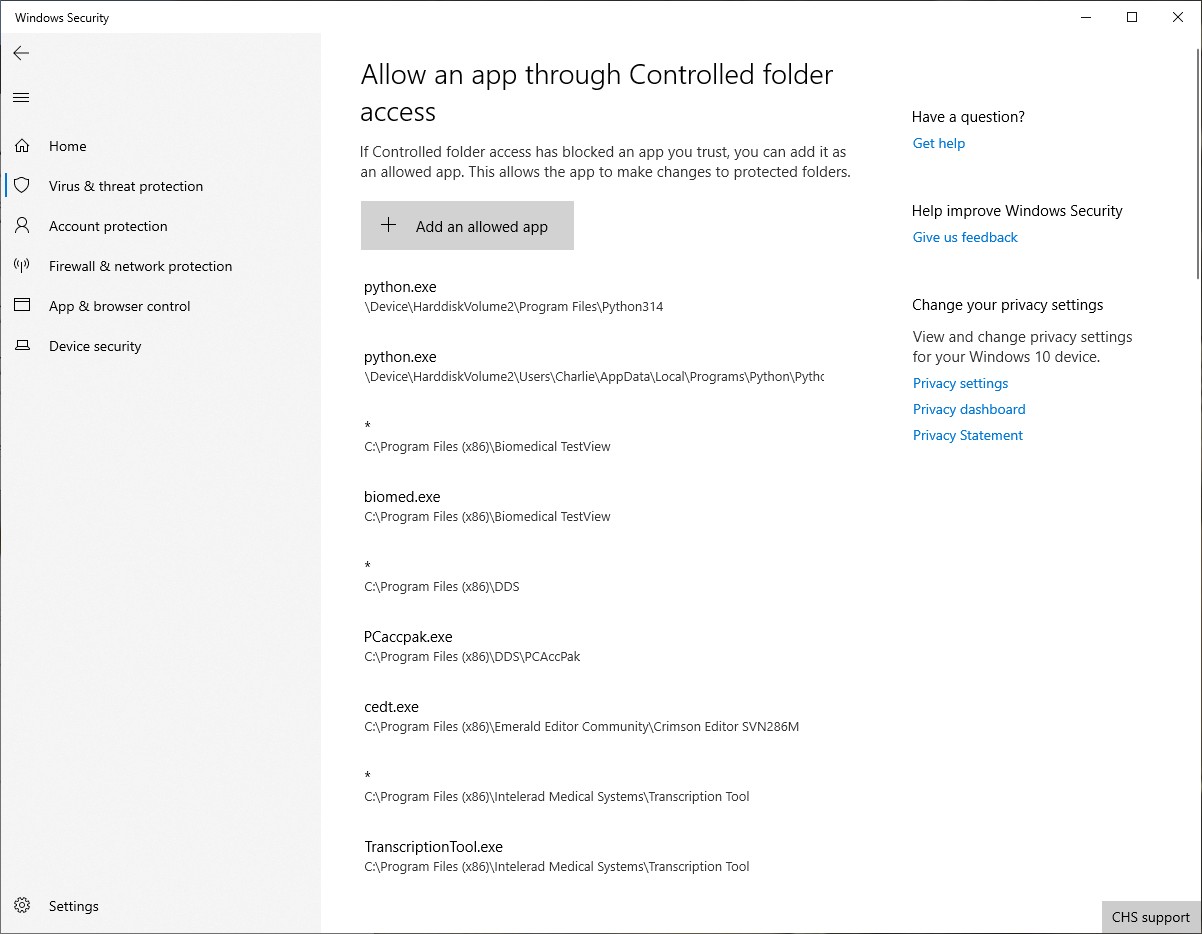
然后找到并添加Python。
看起来Windows现在有某种机制,可以绕过之前所有的用户文件访问设定。
站内所有文章版权归属LeftHeroAI导航站,无授权禁止任何主体转载、抄袭、复制内容,亦不得私自架设镜像站点。一经侵权,本站将通过法律途径追责。
相关文章






汇集全球数千款 AI 工具,每日持续更新,配套 AI 开发学习资源,轻松用 AI 提升工作效率。快捷键 Ctrl+D/⌘+D 一键收藏本站。