


索引完成后,rust-analyzer的诊断信息就会消失
来自rust-analyzer的诊断信息消失
来自cargo clippy的诊断会显示出来,但随后消失或发生变化。
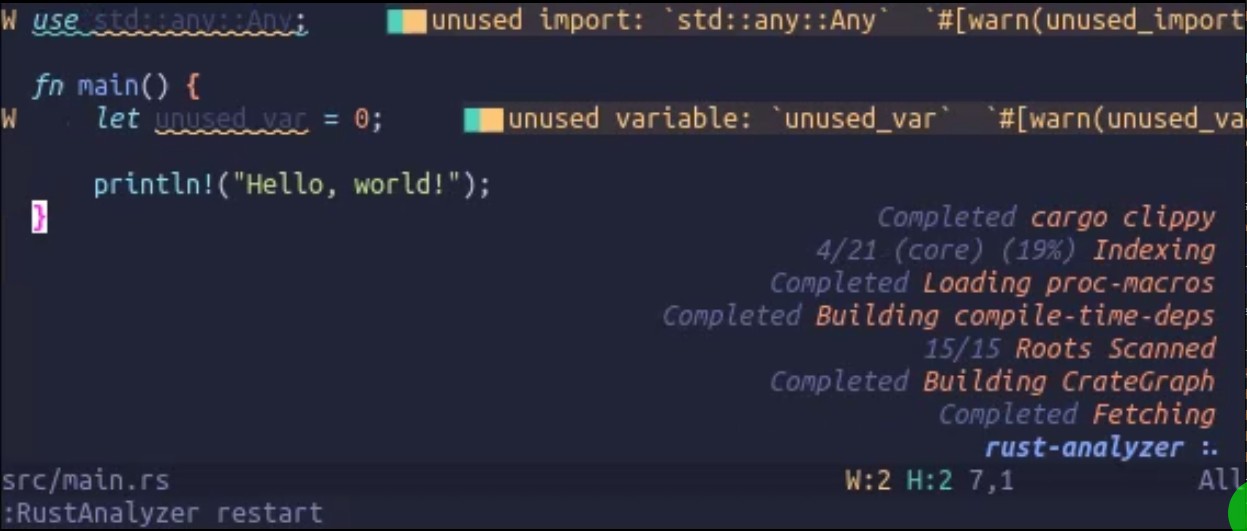
重新启动rust-analyzer时,clippy完成,我会看到详细的诊断信息(这很好)。
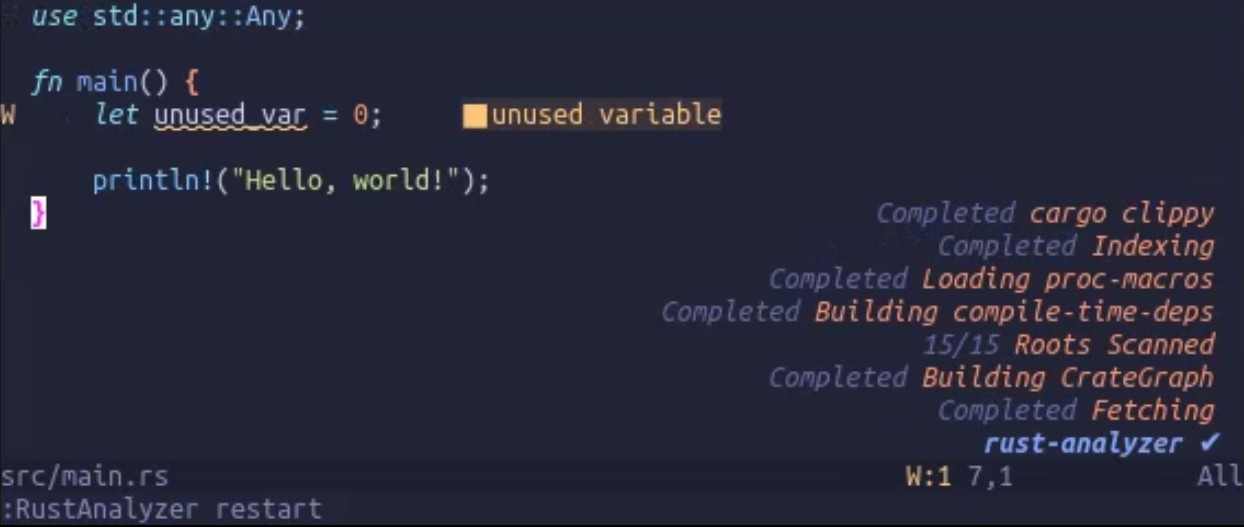
完成索引后,显示的诊断变少,且不再那么冗长。
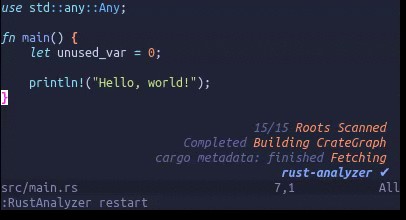
在这个例子里,clippy结束后会显示未使用的导入(import)和未使用的变量。 接着它们消失,等到“indexing”完成后,我只会看到“未使用的变量”。
(有时所有诊断信息都会消失)
我希望看到来自clippy的诊断信息,而不是它们消失或改变。
有没有办法配置nvim/rustaceanvim/rust-analyzer等来显示来自clippy的诊断?
这是rustaceanvim、rust-analyzer的 bug,还是其他原因?
gif:
after clippy:
after indexing:
如何操作
基本上:
- 直接从GitHub页面安装rust-analyzer 2026-02-24
- 创建一个新项目
cargo new myproject- 添加会显示警告的内容
let unused_var = 0;- 使用最小配置运行nvim
nvim -u minimal.lua src/main.rs- 重新启动rust-analyzer
:RustAnalyzer restart。
我在使用rustaceanvim的最小配置(为让分析器工作而做了些许修改)。
-- minimal.lua
-- modified nvim config from rustaceanvim
-- see: https://github.com/mrcjkb/rustaceanvim/blob/master/troubleshooting/minimal.lua
-- turned on diagnostics
-- display lsp state in bottom right corner
-- add rustanalyzer settings

vim.diagnostic.config({
    virtual_text = true, -- show inline messages
    signs = true, -- show signs in the gutter
    underline = true, -- underline problematic text
    update_in_insert = false, -- don't update diagnostics while typing
    severity_sort = true, -- sort diagnostics by severity
})

vim.env.LAZY_STDPATH = ".repro"
---@diagnostic disable-next-line: param-type-mismatch
load(vim.fn.system("curl -s https://raw.githubusercontent.com/folke/lazy.nvim/main/bootstrap.lua"))()

require("lazy.minit").repro({
 spec = {
   { "j-hui/fidget.nvim", opts = {} },
   {
     "mrcjkb/rustaceanvim",
     version = "^8",
     lazy = false,
     init = function()
       -- Configure rustaceanvim here
       vim.g.rustaceanvim = {
         server = {
           default_settings = {
             -- SEE: https://rust-analyzer.github.io/book/configuration
             ["rust-analyzer"] = {
               check = { command = "clippy" },
               checkOnSave = true,
               diagnostics = {
                 enable = true,
                 styleLints = true,
                 experimental = { enable = true },
               },
               watcher = "client",
             },
           },
         },
       }
     end,
   },
 },
})
(运行 :checkhealth rustaceanvim 时,一切正常,尽管如预期没有tree-sitter)
我尝试过的做法
- 使用最小的nvim配置
- 参考 rustaceanvim故障排除
- 确保rustaceanvim能获取到提供的设置
- 修改后会在fidget.nvim中显示
- 确保rust-analyzer没有被Mason运行或安装
- Mason不存在
- 我安装的rust-analyzer版本与
checkhealth rustaceanvim中显示的版本相符 - 更新rust-analyzer(通过rustup安装的版本有些过时)
- 清理项目并重新运行分析器
- 尝试不同版本的rust-analyzer
- nightly(对我来说是ff041aa)
- 2026-02-23
- 2026-02-16
- 2026-02-09
- 试试其他 rust-analyzer配置项
- 尝试
cargo check代替cargo clippy(见check.command) - 确保没有忽略诊断(见check.ignore)
- 试用实验性lint(见diagnostics.experimental)
- 尝试不同版本的rustaceanvim
[v8.0.3, v8.0.2, .. v6.9.7]
版本
$ rust-analyzer --version
rust-analyzer 0.0.0 (ff041aa337 2026-02-24)

$ rustc --version
rustc 1.93.1 (01f6ddf75 2026-02-11)

$ nvim --version
NVIM v0.12.0-dev-2400+g1ec74fa7b1
Build type: Release
LuaJIT 2.1.1771261233
解决方案
答案:使用稳定版本的Neovim
我查看了 v0.11.6,结果可行
一旦完成clippy的诊断显示,等到索引完成后,它们就会一直保留在那里
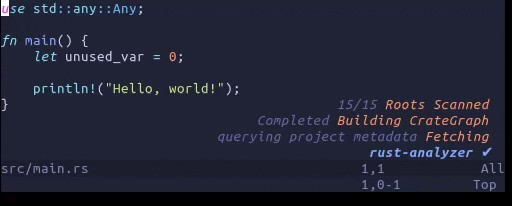
我原本在 master 上运行,但其实应该使用 stable。
站内所有文章版权归属LeftHeroAI导航站,无授权禁止任何主体转载、抄袭、复制内容,亦不得私自架设镜像站点。一经侵权,本站将通过法律途径追责。
相关文章






汇集全球数千款 AI 工具,每日持续更新,配套 AI 开发学习资源,轻松用 AI 提升工作效率。快捷键 Ctrl+D/⌘+D 一键收藏本站。