


Azure Maps在 Microsoft Edge中使用grayscale_light样式时会出现渲染错误
mapcontrol/3/atlas.min.js
Microsoft Edge版本:146.0.3856.109
示例:https://samples.azuremaps.com/controls/map-style-picker
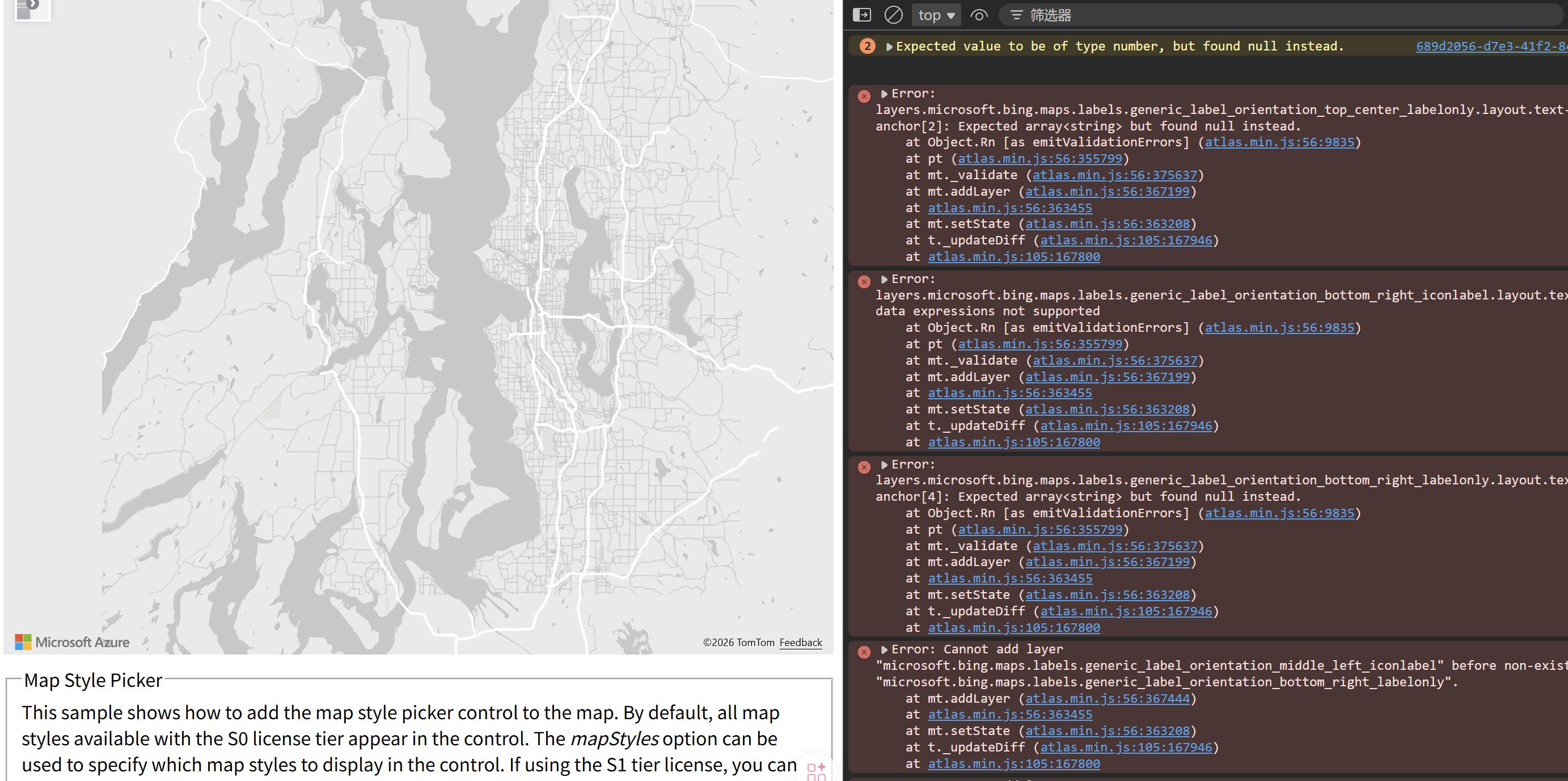
我的示例代码:
 <script>
      var map;

      function getMap() {
        //Initialize a map instance.
        map = new atlas.Map("myMap", {
          center: [-122.33, 47.6],
          zoom: 12,
          view: "Auto",
          language: "Auto",
          style: 'grayscale_light',
          //Add authentication details for connecting to Azure Maps.
          authOptions: {
            authType: 'subscriptionKey',
            subscriptionKey:
              "subscription-key",
          },
        });
      }
    </script>
错误:
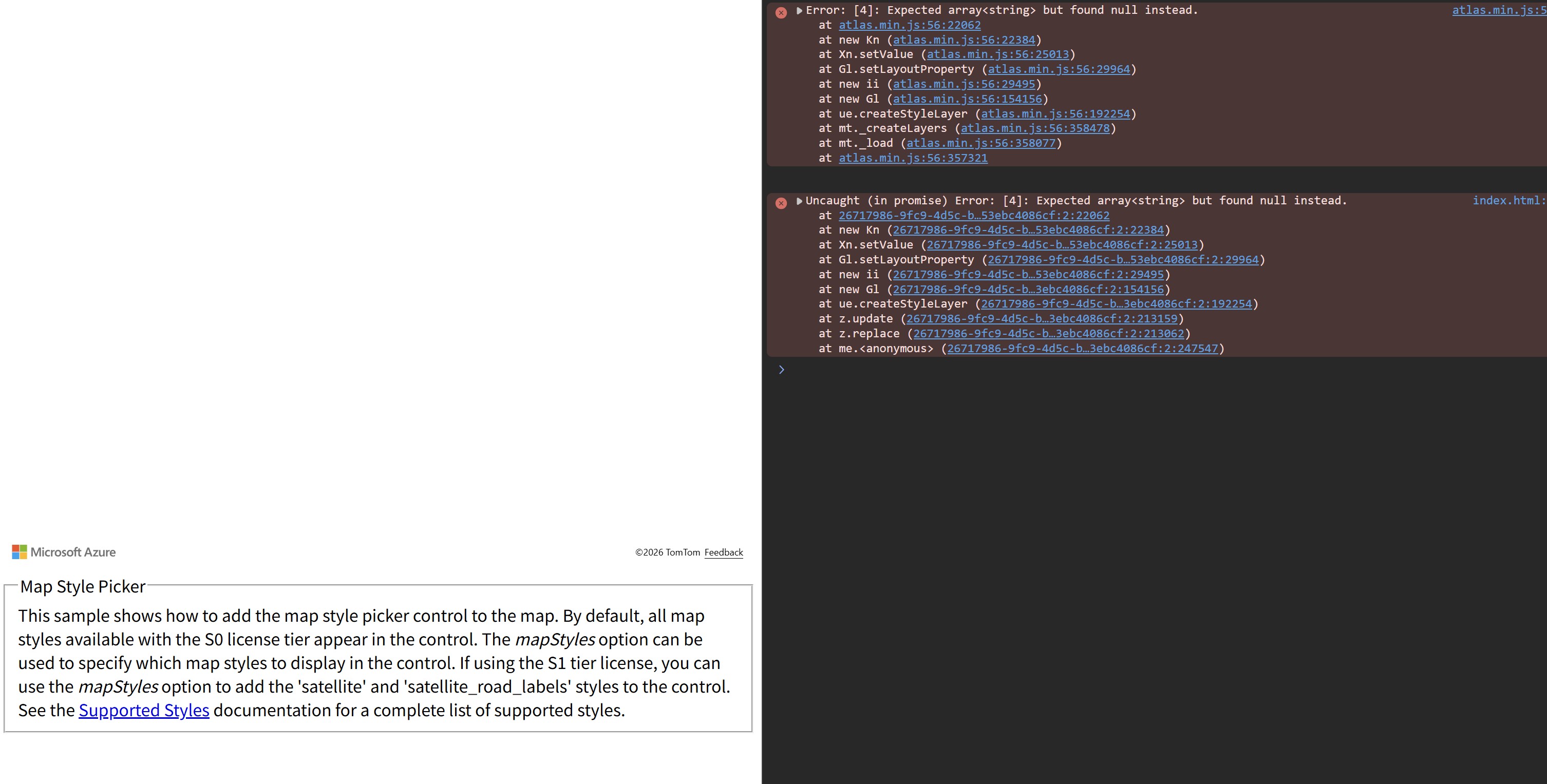
有没有人遇到过这个问题?是什么原因会导致Azure Maps grayscale_light 样式在Microsoft Edge中渲染失败?
解决方案
我之前也见过这类情况,通常发生在样式更新时。这个问题通常会被Azure Maps团队很快发现并修复。现在我查看时还没有看到它在发生。如果你仍然看到错误,可以尝试按CTRL+F5清除缓存。
站内所有文章版权归属LeftHeroAI导航站,无授权禁止任何主体转载、抄袭、复制内容,亦不得私自架设镜像站点。一经侵权,本站将通过法律途径追责。
相关文章






汇集全球数千款 AI 工具,每日持续更新,配套 AI 开发学习资源,轻松用 AI 提升工作效率。快捷键 Ctrl+D/⌘+D 一键收藏本站。