


Databricks CLI的令牌创建在此前CI管道中正常运行后,现在却失败,错误信息为“cannot configure default credentials”
我一直在基于YAML的 CI/CD流水线中,使用bash脚本生成Databricks的个人访问令牌。流水线会安装Databricks CLI,然后使用服务主体(Azure AD应用程序)凭据来创建令牌。
当前工作方式(此前可用)
#!/bin/bash

dbx_host="${1}"
dbx_client_id="${2}"
dbx_client_secret="${3}"

# Set the Environment Variables for Databricks authentication
export DATABRICKS_HOST=$dbx_host
export DATABRICKS_CLIENT_ID=$dbx_client_id
export DATABRICKS_CLIENT_SECRET=$dbx_client_secret

echo "Creating a new Databricks token"

response=$(databricks tokens create \
  --lifetime-seconds 31536000 \
  --comment "Token for SPN for EDH Data Access. Validity 1 year.")

echo "Token Created Successfully"

token=$(echo $response | jq -r '.token_value')
token_id=$(echo $response | jq -r '.token_info.token_id')
expiry_time=$(echo $response | jq -r '.token_info.expiry_time')
这在生成令牌方面曾经工作得很好。
问题
最近,同样的流水线开始在以下错误下失败:
Error: default auth: cannot configure default credentials, please check https://docs.databricks.com/en/dev-tools/auth.html#databricks-client-unified-authentication to configure credentials for your preferred authentication method.

Config: host=https://***, account_id=***, workspace_id=***, profile=DEFAULT, azure_tenant_id=***, client_id=***, client_secret=***

Env: DATABRICKS_HOST, DATABRICKS_CLIENT_ID, DATABRICKS_CLIENT_SECRET
错误信息中提供的文档链接并不能真正帮助明确需要更改的具体内容,或如何修复这个特定的CI/CD用例。
是否最近对Databricks CLI认证(尤其是统一认证)进行了变更,从而破坏了使用 DATABRICKS_CLIENT_ID 和 DATABRICKS_CLIENT_SECRET 环境变量的服务主体认证?
任何指南或迁移步骤将不胜感激。
更新:已将租户ID添加到环境变量中,但仍然遇到相同的错误
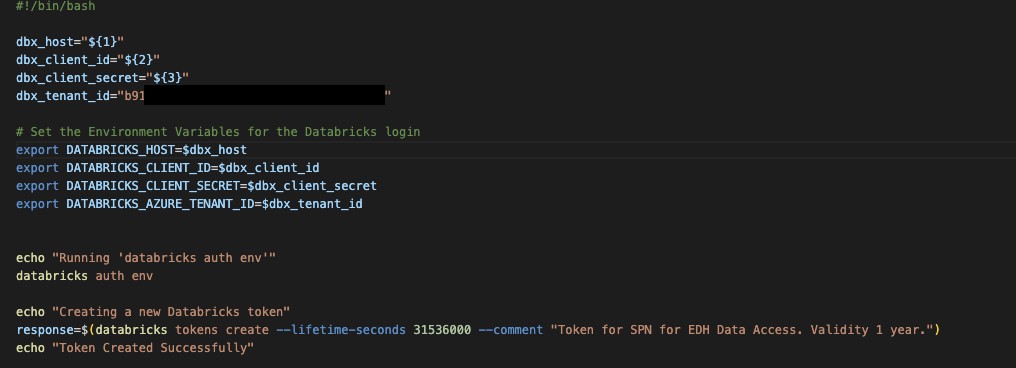
解决方案
I got in touch with the Databricks Team and they mentioned that this problem is due to the stricter auth detection in the newer CLI and asked me to explicitly set DATABRICKS_AUTH_TYPE like this:

export DATABRICKS_HOST=$dbx_host
export ARM_CLIENT_ID=$dbx_cLient_id
export ARM_CLIENT_SECRET=$dbx_client_secret
export ARM_TENANT_ID=$dbx_tenant_id13
export DATABRICKS_AUTH_TYPE=azure-client-secret
站内所有文章版权归属LeftHeroAI导航站,无授权禁止任何主体转载、抄袭、复制内容,亦不得私自架设镜像站点。一经侵权,本站将通过法律途径追责。
相关文章






汇集全球数千款 AI 工具,每日持续更新,配套 AI 开发学习资源,轻松用 AI 提升工作效率。快捷键 Ctrl+D/⌘+D 一键收藏本站。