


如何在iOS 27中移除顶部(或导航)工具栏的背景着色?
在将系统更新到iOS 27并在我的一些应用中玩了一阵后,出现了一个视觉效果,我并不太喜欢它再次出现。
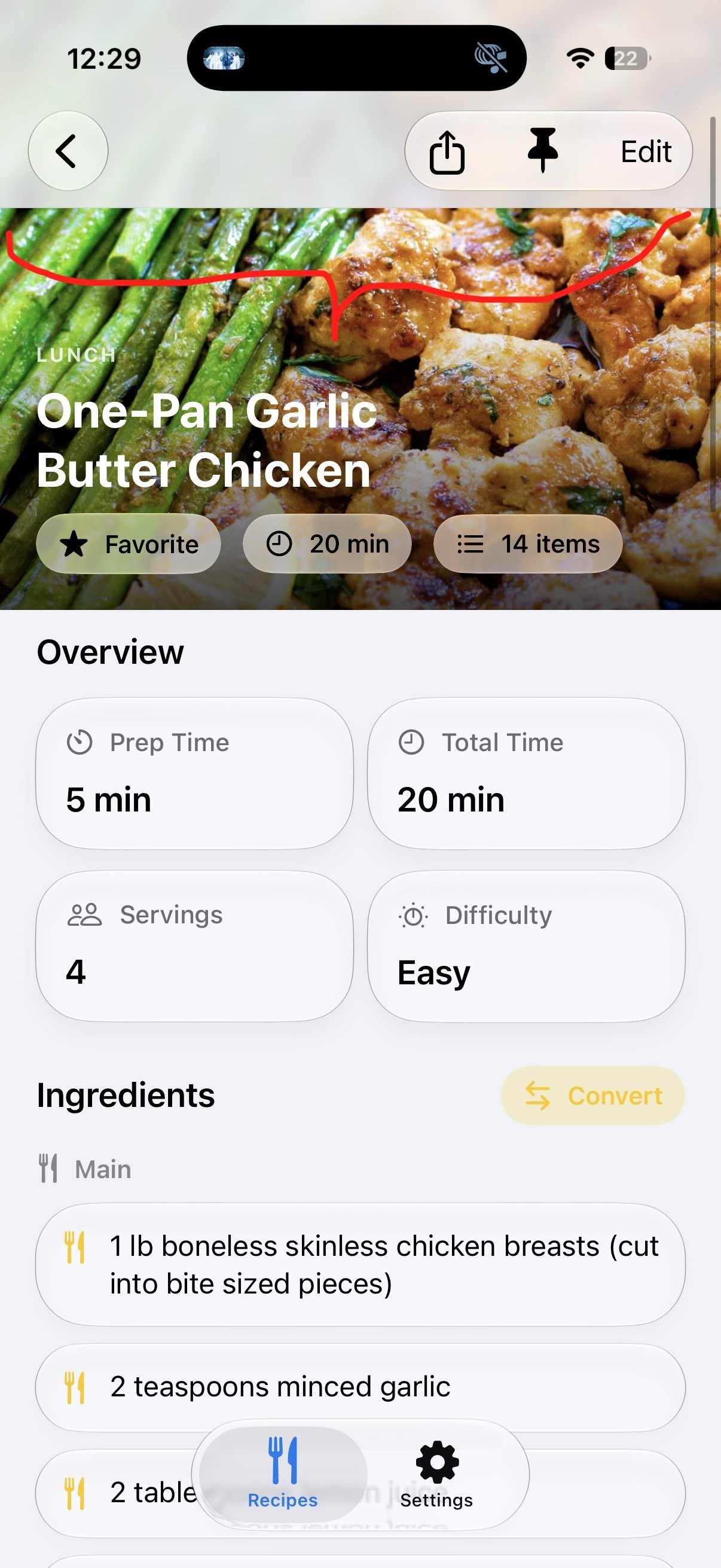
The navigation toolbar has this tint background behind it similar to iOS 18. 我不确定是否有办法在不移除那里放置的工具栏项的情况下把它移除。有人知道怎么移除它吗?
解决方案
这个问题有点难以复现,大多数布局在工具栏后面不会显示材质背景。不过,我发现如果把.scrollEdgeEffectStyle(.hard, for: .top)应用到ScrollView上,就会出现这种情况。
要解决,
- either 将边缘效果的样式从
.hard改为.soft - or, 直接应用
.scrollEdgeEffectHidden(for: .top)来彻底隐藏边缘效果。
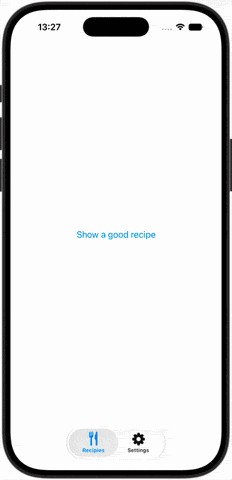
下面是一个小示例,演示它如何工作:
struct ContentView: View {
    let loremIpsum = "Lorem ipsum dolor sit amet, consectetur adipiscing elit, sed do eiusmod tempor incididunt ut labore et dolore magna aliqua. Ut enim ad minim veniam, quis nostrud exercitation ullamco laboris nisi ut aliquip ex ea commodo consequat. Duis aute irure dolor in reprehenderit in voluptate velit esse cillum dolore eu fugiat nulla pariatur. Excepteur sint occaecat cupidatat non proident, sunt in culpa qui officia deserunt mollit anim id est laborum."

    var body: some View {
        TabView {
            Tab("Recipies", systemImage: "fork.knife") {
                NavigationStack {
                    NavigationLink("Show a good recipe") {
                        nestedContent
                    }
                }
            }
            Tab("Settings", systemImage: "gearshape") {
                Text("Settings")
            }
        }
    }

    private var nestedContent: some View {
        GeometryReader { geo in
            ScrollView {
                VStack {
                    headerImage(topInset: geo.safeAreaInsets.top)
                    Text(loremIpsum)
                        .font(.title3)
                        .padding()
                        .frame(height: 1000, alignment: .top)
                }
            }
            .ignoresSafeArea()
            // .scrollEdgeEffectStyle(.hard, for: .top) // 👈 causes background effect
            .scrollEdgeEffectHidden(for: .top) // 👈 prevents it
            .toolbar {
                ToolbarItem(placement: .topBarTrailing) {
                    Button("Options", systemImage: "ellipsis") {}
                }
            }
        }
    }

    private func headerImage(topInset: CGFloat) -> some View {
        Image(systemName: "fish.fill")
            .resizable()
            .scaledToFit()
            .padding(.top, topInset)
            .padding([.leading, .trailing, .bottom])
            .foregroundStyle(.orange.gradient)
            .background(.mint.opacity(0.3))
    }
}
站内所有文章版权归属LeftHeroAI导航站,无授权禁止任何主体转载、抄袭、复制内容,亦不得私自架设镜像站点。一经侵权,本站将通过法律途径追责。
相关文章






汇集全球数千款 AI 工具,每日持续更新,配套 AI 开发学习资源,轻松用 AI 提升工作效率。快捷键 Ctrl+D/⌘+D 一键收藏本站。