


如何实现一个无限循环的动画,并使用ease-in缓动效果?
我在Android项目中使用Kotlin的 Jetpack Compose。我正在尝试实现让行星围绕一个中心做轨道运动的动画,效果非常理想。动画在按钮点击时启动,并会一直按用户的意愿持续下去。但是我想让动画以缓入的方式开始,而不是一开始就猛冲地启动。
以下是我的动画代码。我在 animateFloat 上使用 rememberInfiniteTransition,把数字从0 动画到360(行星的角度)。我使用 baseRotation 将行星绘制在正确的位置。
val infiniteTransition = rememberInfiniteTransition(label = "")
val baseRotation by infiniteTransition.animateFloat(
    initialValue = masterAngle,
    targetValue = masterAngle + 360f,
    label = "",
    animationSpec = infiniteRepeatable(
        animation = tween(
            durationMillis = 3000,
            easing = EaseInCubic
        )
    )
)
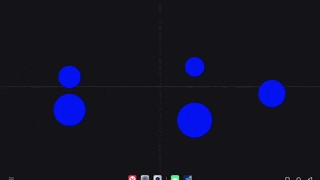
正如你所看到的,动画在到达目标值时会停止,然后对下一轮进行缓入。这会每次都发生。我希望让缓入仅在无限转场的第一轮中发生。
我很惊讶居然找不到关于这种常见情形的资料。有没有办法实现一个无限动画,只在第一次时用缓入?
解决方案
Marcinj的回答帮助我走上了正确的轨道。有几个细节被我忽略了,所以我贴出这个答案,以防其他人遇到同样或相似的问题。
我很失望地发现似乎没有内置的方法来实现带缓入的无限动画。Marcinj指出将一个缓入动画与一个无限动画拼接在一起才是正确的思路。因此,这实际上是由两个动画组成。
难点在于让第二个动画从0 开始并持续(当然会重复)到360。这似乎需要一个第二个可动画的值。
但由于我愿意简单地对结果取模,所以可以复用同一个可动画的对象。注:根据你的使用场景,你可能需要创建第二个可动画的对象。
这个示例函数足以演示缓入和无限重复。代码包含了正确的导入。按钮被按下后,你应该看到一个星星从左到右移动,并在移动过程中加速。一旦达到最大值,它将以恒定的速度无限重复。
package com.putyourpackage.namehere

import androidx.compose.animation.core.Animatable
import androidx.compose.animation.core.Easing
import androidx.compose.animation.core.LinearEasing
import androidx.compose.animation.core.infiniteRepeatable
import androidx.compose.animation.core.tween
import androidx.compose.foundation.Image
import androidx.compose.foundation.layout.Box
import androidx.compose.foundation.layout.Column
import androidx.compose.foundation.layout.absoluteOffset
import androidx.compose.foundation.layout.fillMaxSize
import androidx.compose.foundation.layout.size
import androidx.compose.material3.Button
import androidx.compose.material3.Text
import androidx.compose.runtime.Composable
import androidx.compose.runtime.LaunchedEffect
import androidx.compose.runtime.getValue
import androidx.compose.runtime.mutableStateOf
import androidx.compose.runtime.remember
import androidx.compose.runtime.setValue
import androidx.compose.ui.Modifier
import androidx.compose.ui.unit.dp
import kotlinx.coroutines.isActive

@Composable
fun EaseInOnce(modifier: Modifier = Modifier) {

    // Resets and starts animation when TRUE
    var runTest by remember { mutableStateOf(false) }

    Box(
        modifier = modifier.fillMaxSize()
    ) {
        // to start/stop/restart animation
        Button(
            modifier = Modifier
                .absoluteOffset(20.dp, 150.dp),
            onClick = { runTest = !runTest }
        ) {
            Text(text = if (runTest) "stop" else "start")
        }

        // Respond to the boolean variable so we can start and
        // stop at will.
        if (runTest) {
            val rotation = remember { Animatable(0f) }

            // Do animations in coroutine
            LaunchedEffect(Unit) {
                // Animation #1:
                //  accelerate from stop for 2 seconds. Value goes from 0 to 360.
                rotation.animateTo(
                    targetValue = 360f,
                    animationSpec = tween(
                        durationMillis = 2000,
                        easing = Easing { x -> x * x * x}   // cubic easing
                    )
                )

                // Animation #2: Loop every 1 second forever at constant speed
                //  (going from 360 to 720 repeating forever).
                while (isActive) {
                    rotation.animateTo(
                        targetValue = 360f + 360f,    // add 360 to value that previous animation finishes
                        animationSpec = infiniteRepeatable(
                            animation = tween(
                                durationMillis = 1000,
                                easing = LinearEasing
                            )
                        )
                    )
                }
            }

            //
            // This section of code operates on rotation.value, the thing
            // that is actually changing.
            //
            // But we want the change to go from 0 to 360, not 360 to 720.
            // A simple modulo solves this for us.
            //
            val usableRotation = rotation.value % 360

            // text showing values as they change
            Column {
                Text("rotation.value = ${rotation.value}")
                Text("baseRotation = $usableRotation")
            }

            // display a moving item
            Image(
                modifier = Modifier
                    .size(15.dp)
                    .absoluteOffset(
                        x = usableRotation.dp,
                        y = 100.dp
                    ),
                imageVector = Icons.Default.Star,
                colorFilter = ColorFilter.tint(Color.Red),
                contentDescription = null
            )
        }
    }

}
站内所有文章版权归属LeftHeroAI导航站,无授权禁止任何主体转载、抄袭、复制内容,亦不得私自架设镜像站点。一经侵权,本站将通过法律途径追责。
相关文章






汇集全球数千款 AI 工具,每日持续更新,配套 AI 开发学习资源,轻松用 AI 提升工作效率。快捷键 Ctrl+D/⌘+D 一键收藏本站。