


如何在SwiftUI的 TabView中更改当前选中的标签页背景颜色?
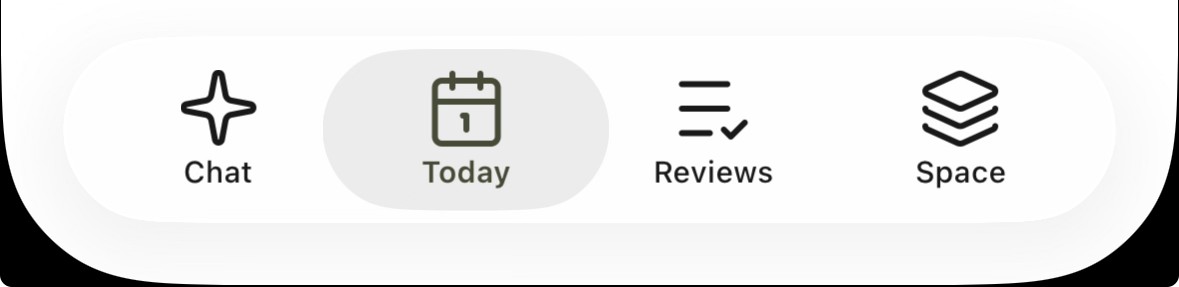
我想像下方那样添加背景颜色:

我尝试通过添加 ZStack 来实现,但未成功,得到的显示如下:
TabView(selection: $coordinator.selectedTab) {
    // Chat Tab
    NavigationStack(path: coordinator.pathBinding(for: .chat)) {
        coordinator.buildRootView(tab: .chat)
            .toolbarVisibility(.hidden, for: .navigationBar)
    }
    .tag(Tab.chat)
    .tabItem {
        Label{
            Text("Chat")
        } icon: {
            ZStack {
                if coordinator.selectedTab == .chat {
                    RoundedRectangle(cornerRadius: 8)
                        .fill(tokens.componentColors.Utility.Brand.utilityBrand100)
                        .frame(width: 32, height: 32)
                }
                Image("Vector")
                    .renderingMode(.template)
            }
        }
    }
}
解决方案
据我所知,swiftUI TabView 并不能提供太多控制,例如无法改变背景颜色,因为没有直接的公开API。它内部使用 UIKIt Tabbar,而它本身只允许更改图标和文本颜色。
我建议你创建你自己的自定义customTabView,实现起来非常简单,例如如下所示,并且在你选择选项卡时也会有动画
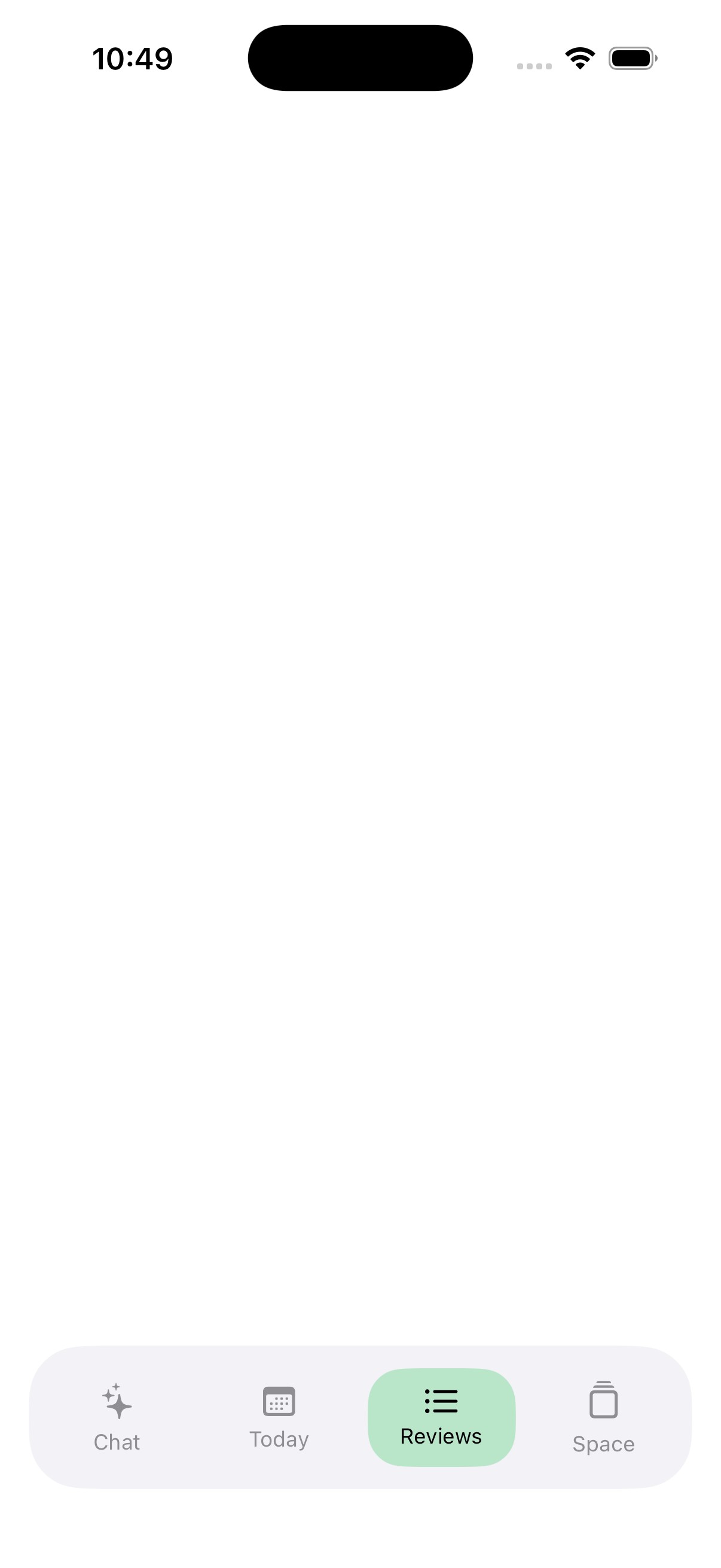
struct CustomTabView: View {

    @State private var selectedTab: Tab = .today
    @Namespace private var namespace
    var body: some View {
        VStack {
            Spacer()

            // Overlay Tab Bar
            HStack {
                tabItem(icon: "sparkles", title: "Chat", tab: .chat)
                tabItem(icon: "calendar", title: "Today", tab: .today)
                tabItem(icon: "list.bullet", title: "Reviews", tab: .reviews)
                tabItem(icon: "square.stack", title: "Space", tab: .space)
            }
            .padding(8)
            .background(
                RoundedRectangle(cornerRadius: 30)
                    .fill(Color(.systemGray6))
            )
            .padding(.horizontal, 16)
            .padding(.bottom, 10)
        }
    }

    @ViewBuilder
    private func tabItem(icon: String, title: String, tab: Tab) -> some View {
        Button {
            withAnimation(.easeInOut(duration: 0.25)) {
                selectedTab = tab
            }
        } label: {
            VStack(spacing: 4) {
                Image(systemName: icon)
                    .font(.system(size: 18, weight: .medium))

                Text(title)
                    .font(.system(size: 12))
            }
            .foregroundColor(selectedTab == tab ? .black : .gray)
            .frame(maxWidth: .infinity)
            .padding(.vertical, 10)
            .background(
                ZStack {
                    if selectedTab == tab {
                        RoundedRectangle(cornerRadius: 20)
                            .fill(Color.green.opacity(0.3)) // your highlight color
                            .matchedGeometryEffect(id: "customBg", in: namespace)
                    }
                }
            )
        }
    }
}
你可以据此更新你想要的颜色!
备选方案
原生标签栏的样式无法应用太多自定义。不过,通过iOS 26提供的原生标签栏,你可以通过在标签栏上覆层并使用 .blendMode 来应用颜色,来实现非常接近你想要的效果。
- 我发现混合模式
.softLight效果相当好。 - 你需要估算原生标签栏的高度,但这个估算不需要太精确。
- 可以使用负边距让覆层稍微伸入安全区域。
- 给覆层应用
.allowsHitTesting(false),以防止它阻碍对标签栏的交互。
下面是一个示例,演示它的工作原理:
struct ContentView: View {
    @State private var selectedTab = TabType.chat

    var body: some View {
        TabView(selection: $selectedTab) {
            ForEach(TabType.allCases) { tabType in
                Tab(tabType.label, systemImage: tabType.iconName, value: tabType) {
                    Text(tabType.label)
                }
            }
        }
        .overlay(alignment: .bottom) {
            Color(red: 0.2, green: 0.5, blue: 0.2)
                .frame(height: 60)
                .padding(.bottom, -10)
                .blendMode(.softLight)
                .allowsHitTesting(false)
        }
    }
}

enum TabType: CaseIterable, Identifiable {
    case chat
    case today
    case reviews
    case space

    var id: TabType { self }

    var label: String { "\(self)".capitalized }

    var iconName: String {
        switch self {
        case .chat: "sparkle"
        case .today: "\(Calendar.current.dateComponents([.day], from: .now).day ?? 0).calendar"
        case .reviews: "list.star"
        case .space: "square.stack.3d.up"
        }
    }
}

站内所有文章版权归属LeftHeroAI导航站,无授权禁止任何主体转载、抄袭、复制内容,亦不得私自架设镜像站点。一经侵权,本站将通过法律途径追责。
相关文章






汇集全球数千款 AI 工具,每日持续更新,配套 AI 开发学习资源,轻松用 AI 提升工作效率。快捷键 Ctrl+D/⌘+D 一键收藏本站。