


在选择账户后,谷歌认证出错(React Native / Expo)
我正在做一个用Expo的 React Native的大学项目,并在实现Google身份验证。
当我点击登录按钮时,Google登录流程能够正确打开。我选择我的Google账户并确认授权。然而,在此之后,应用就会失败,并显示以下信息:
"在尝试完成登录时发生错误。要返回应用,请关闭此屏幕。"
我不确定是什么原因导致这个问题。认证弹出窗口在账户选择步骤之前都能正常工作,但在确认之后就失败了。
我正在使用 expo-auth-session 与Google提供方进行身份验证。
有没有人知道可能的原因,或者如何正确调试这个问题?
下面是我代码中的一些导入,其中有些部分是空的,但它们属于样式相关。
import React, { useState } from 'react';
import * as Google from 'expo-auth-session/providers/google';
import * as WebBrowser from 'expo-web-browser';
import { auth } from '../../../shared/services/firebaseconfig';
import { GoogleAuthProvider, signInWithCredential } from 'firebase/auth';
import db from '../../../shared/services/firebaseconfig'; // vamos ajustar isso depois
import AsyncStorage from '@react-native-async-storage/async-storage';
import { makeRedirectUri, useAuthRequest } from 'expo-auth-session';

WebBrowser.maybeCompleteAuthSession();
.....
import { SafeAreaView } from 'react-native-safe-area-context';
import { Ionicons } from '@expo/vector-icons';
import { register } from '../services/auth.service';
import { ActivityIndicator } from 'react-native';

....

export default function RegisterScreen({navigation}: { navigation: any }) {
  const redirectUri = makeRedirectUri({
    useProxy: true, // Essencial para o Expo Go
  });

  const [request, , promptAsync] = Google.useAuthRequest({
    clientId: 'the client id is in the code I just didn't put it here',
     androidClientId: 'same thing as the customer id',
    redirectUri: redirectUri,
  });
这是我的函数:
const handleGoogleLogin = async () => {
  try {
    const result = await promptAsync();

    if (result.type !== 'success') return;

    const { id_token } = result.params;
    const credential = GoogleAuthProvider.credential(id_token);
    const userCredential = await signInWithCredential(auth, credential);

    const user = userCredential.user;

    // Envia para o back-end salvar no Firestore e gerar JWT
    const response = await fetch('http://0.0.0.0:3000/auth/google', {
      method: 'POST',
      headers: { 'Content-Type': 'application/json' },
      body: JSON.stringify({
        uid: user.uid,
        nome: user.displayName,
        email: user.email,
        foto: user.photoURL,
      }),
    });

    const data = await response.json();
    console.log('Google Login OK:', data);

    // Salva o token
    await AsyncStorage.setItem('token', data.token);
    await AsyncStorage.setItem('nome', data.nome ?? '');
    await AsyncStorage.setItem('foto', data.foto ?? '');

    alert(`Bem-vindo, ${data.nome}! ✅`);
    navigation.navigate('Início');

  } catch (error: any) {
    console.log('Erro Google:', error.message);
    alert('Erro ao fazer login com Google.');
  }
};
解决方案
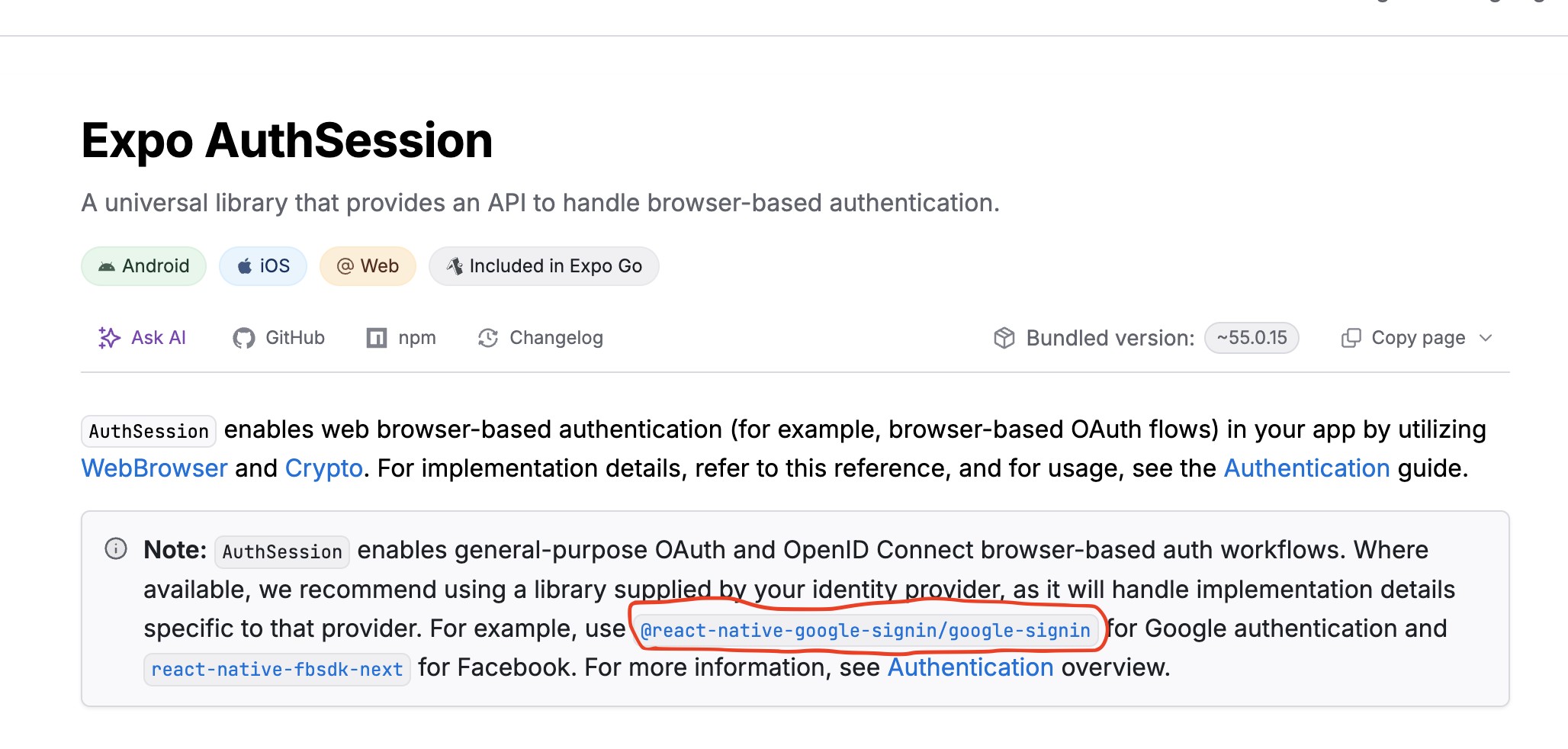
Expo官方正式推荐使用Google身份验证指南,地址为 https://docs.expo.dev/guides/google-authentication/。该库使用Google提供的针对各个平台的原生SDK。
站内所有文章版权归属LeftHeroAI导航站,无授权禁止任何主体转载、抄袭、复制内容,亦不得私自架设镜像站点。一经侵权,本站将通过法律途径追责。
相关文章






汇集全球数千款 AI 工具,每日持续更新,配套 AI 开发学习资源,轻松用 AI 提升工作效率。快捷键 Ctrl+D/⌘+D 一键收藏本站。