


SwiftUI iOS 26+:TextField输入值后的过渡或动画
我有一个小型View示例,在输入超出特定范围的值时试图对一些错误信息进行动画。我尝试了对其进行动画处理和使用过渡效果,但错误文本只是原地跳动(或滑动),并不像应该那样平滑。
编辑:Benzy的帮助很棒。我几乎已经得到我想要的东西。在应用中,我实际上在同一个表单的不同部分对不同触发条件设置了两个动画点。
有一个点会查看leagueType,并在选择器上选中「handicap」时添加一个带有让分信息的小节。通过把动画放在表单本身,这个效果实现得很平滑。如果把它放在其他地方,就不会有平滑的动画(只有跳动)。
第二个点是我第一部分帖子中的Vacant score(空缺分数)。如果分数超出范围,我想显示一些文本来告知用户。如果你运行我第二次发布的代码,你会看到在出现时仍然不太平滑,但在消失时非常平滑。我已经非常接近,但还不完全清楚如何让它在两个方向上都平滑。
这在我现有的iPad 11英寸上进行测试。希望有人能告诉我对于超出范围的vacant score哪种方式更好:是使用.animation(不确定放在哪儿)、在变化周围使用withAnimation(也许可以,但不确定),还是即使使用在使用if决定何时显示时附加.animation的 transition可能是正确的做法。
仍在学习,但想弄清楚哪种方式最好……
再次感谢大家,
Scott
更大示例的第二篇...
import SwiftUI
import SwiftData

// For Testing...
struct LargeTestView: View {

    @State private var leagueName: String = ""
    @State private var leagueDescription: String = ""
    @State private var leagueStarts: Date = Date()
    @State private var leagueType: LeagueType2 = .scratch
    @State private var hdcpPerc: Int = 0
    @State private var hdcpBasis: Int = 0
    @State private var leagueFee: Double = 0.0
    @State private var lineageFee: Double = 0.0
    @State private var myvacantScore: Int = 0
    @State private var bowlersPerTeam: Int = 0
    @State private var gamesPerSession: Int = 0

    var body: some View {
        NavigationStack {
            Form {
                Section("General") {
                    TextField("League Name", text: $leagueName)
                        .textInputAutocapitalization(.words)
                        .autocorrectionDisabled()

                    TextField("Description", text: $leagueDescription)
                        .textInputAutocapitalization(.words)
                        .autocorrectionDisabled()

                    DatePicker("Start Date", selection: $leagueStarts, displayedComponents: .date)

                    HStack(alignment: .firstTextBaseline) {
                        Text("Type")
                        Spacer()
                        Picker("Type", selection: $leagueType) {
                            ForEach(LeagueType2.allCases) { lgType in
                                Text(lgType.typeDescr).tag(lgType)
                            }
                        }
                        .pickerStyle(.segmented)
                        .frame(maxWidth: 420)
                    }
                }

                //Group {
                    if leagueType == .hdcp {
                        Section("Handicap Specifics") {
                            HStack(alignment: .firstTextBaseline, spacing: 8) {
                                Spacer()

                                Text("Handicap Based On:")

                                TextField("0", value: $hdcpPerc, format: .number)
                                    .keyboardType(.numberPad)
                                    .multilineTextAlignment(.trailing)
                                    .frame(width: 60)
                                    .padding(5)
                                    .border(.black.opacity(0.5))

                                Text("% of ")

                                TextField("0", value: $hdcpBasis, format: .number)
                                    .keyboardType(.numberPad)
                                    .multilineTextAlignment(.trailing)
                                    .frame(width: 60)
                                    .padding(5)
                                    .border(.black.opacity(0.5))
                            }

                            HStack {
                                Spacer()

                                Text("ie. Handicap based on 90% of 220 Average")
                                    .font(.callout)
                                    .foregroundStyle(.secondary)
                            }
                        }
                        //.animation(.easeInOut, value: leagueType)
                        // Tried on Section. This didn't work. Just jumped when I changed the leagueType
                    }
                //}
                //.animation(.smooth, value: leagueType)
                // Tried on Group. This ddn't work. Just jumped when I changed the leagueType

                Section("Configuration") {
                    HStack {
                        Text("Bowlers Per Team")

                        Spacer()

                        TextField("0", value: $bowlersPerTeam, format: .number)
                            .keyboardType(.numberPad)
                            .multilineTextAlignment(.trailing)
                            .frame(width: 60)
                            .padding(5)
                            .border(.black)
                    }

                    HStack {
                        Text("Games Per Session")

                        Spacer()

                        TextField("0", value: $gamesPerSession, format: .number)
                            .keyboardType(.numberPad)
                            .multilineTextAlignment(.trailing)
                            .frame(width: 60)
                            .padding(5)
                            .border(.black)
                    }

                    VStack {
                        HStack {
                            Text("Vacant Score - If a team has an empty bowler position")

                            Spacer()

                            TextField("0", value: $myvacantScore, format: .number)
                                .keyboardType(.numberPad)
                                .multilineTextAlignment(.trailing)
                                .frame(width: 60)
                                .padding(5)
                                .border(.black)
                        }

                        if myvacantScore < 0 || myvacantScore > 300 {
                            HStack {
                                Spacer()

                                Text("Vacant Score must be between 0 and 300")
                                    .font(.footnote)
                                    .foregroundStyle(.red)
                            }
                            //.transition(.scale)
                            // I tried this transition with the .animation on VStack
                            // Sort of works but still not smooth on appearing
                        }

                        Spacer()
                    }
                    .animation(.easeInOut, value: myvacantScore)
                    // Tried on VStack and worked nicely on fading out.
                    // But not smooth when fading in when I change the myvacantScore
                    // Still, this is the closest to what I want (no transition added above)
                }
                //.animation(.easeInOut, value: myvacantScore)
                // Tried on Group. This didn't work. Just jumped when I changed the myvacantScore

                Section("Fees") {
                    currencyField(title: "League Fee (weekly)", value: $leagueFee)
                    currencyField(title: "Lineage Fee (weekly)", value: $lineageFee)
                }
            }
            .navigationTitle("Enter New League")
            .animation(.easeInOut, value: leagueType)
            // This was the only spot the animation worked smoothly when I changed leagueType
        }
        .frame(minWidth: 834, maxWidth: .infinity, minHeight: 1194, maxHeight: .infinity) // iPad 11" points
    }

}

// MARK: - Currency Field Helper
// AI generated this for me...
private extension LargeTestView {
    func currencyField(title: String, value: Binding<Double>) -> some View {
        HStack {
            Text(title)
            Spacer()
            TextField(title, value: value, format: .currency(code: Locale.current.currency?.identifier ?? "USD"))
                .keyboardType(.decimalPad)
                .multilineTextAlignment(.trailing)
                .frame(minWidth: 200)
        }
    }
}


enum LeagueType2: String, Codable, Identifiable, CaseIterable {
    case hdcp
    case scratch

    var id: Self {
        self
    }

    var typeDescr: String {
        switch self {
            case .hdcp:
                "Handicap"
            case .scratch:
                "Scratch"
        }
    }
}
较小代码示例的第一篇...
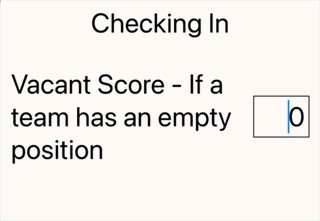
 struct MyTestView: View {
    @State var myvacantScore: Int = 0

    var body: some View {
        Text("Checking In")
            .font(.largeTitle)

        HStack {
            Text("Vacant Score - If a team has an empty position")
                .font(.largeTitle)

            Spacer()

            TextField("0", value: $myvacantScore, format: .number)
                .keyboardType(.numberPad)
                .multilineTextAlignment(.trailing)
                .frame(width: 60)
                .padding(5)
                .border(.black)
                .font(.largeTitle)
        }
        .padding(15)

        if myvacantScore < 0 || myvacantScore > 300 {
            HStack {
                Spacer()

                // Error code I want to show SMOOTHLY if needed
                Text("Vacant Score must be between 0 and 300")
                    .font(.footnote)
                    .foregroundStyle(.red)
                    .font(.largeTitle)
            }
            .transition(.scale)
        }
    }
}
解决方案
你可以尝试把动画附加到过渡上:
.transition(.scale.animation(.easeInOut))
在运行你的示例时,整个视图也会向上移动,为错误信息腾出空间。可以通过用一个 VStack 将所有内容包裹起来,并在底部添加一个 Spacer 来避免这种情况:
var body: some View {
    VStack {
        Text("Checking In")
            .font(.largeTitle)

        HStack {
            // ...
        }
        .padding(15)

        if myvacantScore < 0 || myvacantScore > 300 {
            // ...
        }
        Spacer()
    }
}
事实上,一旦有一个 VStack 作为内容的容器,另一种实现动画的方式是对 VStack 应用一个 .animation 修饰符。这样,当因为 myvacantScore 的改变而导致的其他视图变化也会被动画处理:
VStack {
    // ...
}
.animation(.easeInOut, value: myvacantScore)
使用这种方法时,动画不需要附加在过渡上。
以下是这些更改后的动画效果:
编辑 更新的问题更为复杂。特别地,正在使用一个 Form。就像使用一个 List 一样,在 Form 内部对变化进行动画并不总是容易。
- 关于在选择器中选择「handicap」时添加一个小节:将
.animation修饰符应用到Form是让它工作的一种合适方式。
之所以对 Section 应用 .animation 修饰符不起作用,是因为 Section 就像一个 Group。这意味着,它的工作方式与像 VStack 这样的容器组件不同。应用到 Section 的视图修饰符会应用到该小节内的每一行。
* 关于空缺分数的错误信息:之所以不起作用,是因为现有的 Form 行高度正在变化。在过渡期间,Form 使用 .center 的垂直对齐,而不是 .top,这会导致跳动。
要修复错误信息的动画,我建议把信息作为表单中的单独一行显示。需要进行以下修改:
- 将
.animation对myvacantScore的修饰符移到Form(它可以紧随leagueType之后)。 - 删除与空缺分数行相关的
VStack和Spacer。 Form在其行之间显示分隔符,这意味着文本字段与错误信息之间会有一个分隔线。通过对带有错误信息的HStack应用.listRowSeparator(.hidden, edges: .top)可以隐藏它。- 可以通过对带有错误信息的
HStack应用.listRowInsets(.top, 0)来减少文本字段与错误信息之间的间距。 - 通过对
Form应用.environment(\.defaultMinListRowHeight, 0),将带有错误信息的行高度保持在最小。
整合后的变更如下所示:
Form {

    // ... other content

    Section("Configuration") {
        HStack {
            Text("Bowlers Per Team")
            // ...
        }

        HStack {
            Text("Games Per Session")
            // ...
        }
        // 👈 VStack removed
        HStack {
            Text("Vacant Score - If a team has an empty bowler position")

            Spacer()

            TextField("0", value: $myvacantScore.animation(.easeInOut), format: .number)
                .keyboardType(.numberPad)
                .multilineTextAlignment(.trailing)
                .frame(width: 60)
                .padding(5)
                .border(.black)
        }
        if myvacantScore < 0 || myvacantScore > 300 {
            HStack {
                Spacer()

                Text("Vacant Score must be between 0 and 300")
                    .font(.footnote)
                    .foregroundStyle(.red)
            }
            .listRowSeparator(.hidden, edges: .top) // 👈 added
            .listRowInsets(.top, 0) // 👈 added
        }
        // 👈 Spacer removed
    }

    Section("Fees") {
        // ...
    }
}
.environment(\.defaultMinListRowHeight, 0) // 👈 added
.navigationTitle("Enter New League")
.animation(.easeInOut, value: leagueType)
.animation(.easeInOut, value: myvacantScore) // 👈 moved to here
这些变更现在提供了平滑的动画,但对错误信息应用的任何过渡都不会起作用。这再次是因为在 Form 内部动画的工作方式有限。如果你真的希望在这里实现某种过渡,建议把它作为一个新的问题提出。
附注。与其为表单中的每个值维护一个独立的状态变量,不如考虑创建一个 struct,把所有值放在一起。类似于:
struct FormValues {
    var leagueName: String = ""
    var leagueDescription: String = ""
    var leagueStarts: Date = Date()
    var leagueType: LeagueType2 = .scratch
    var hdcpPerc: Int = 0
    var hdcpBasis: Int = 0
    var leagueFee: Double = 0.0
    var lineageFee: Double = 0.0
    var myvacantScore: Int = 0
    var bowlersPerTeam: Int = 0
    var gamesPerSession: Int = 0
}
然后,你在表单中只需要一个状态变量:
@State private var formValues = FormValues()
表单行中使用的绑定可以引用结构中的相应变量。例如:
TextField("0", value: $formValues.bowlersPerTeam, format: .number)
将结构实现为 Equatable,只需要一个 .animation 修饰符:
struct FormValues: Equatable { // ...
.animation(.easeInOut, value: formValues)
相关文章





